9
English
● Macintosh
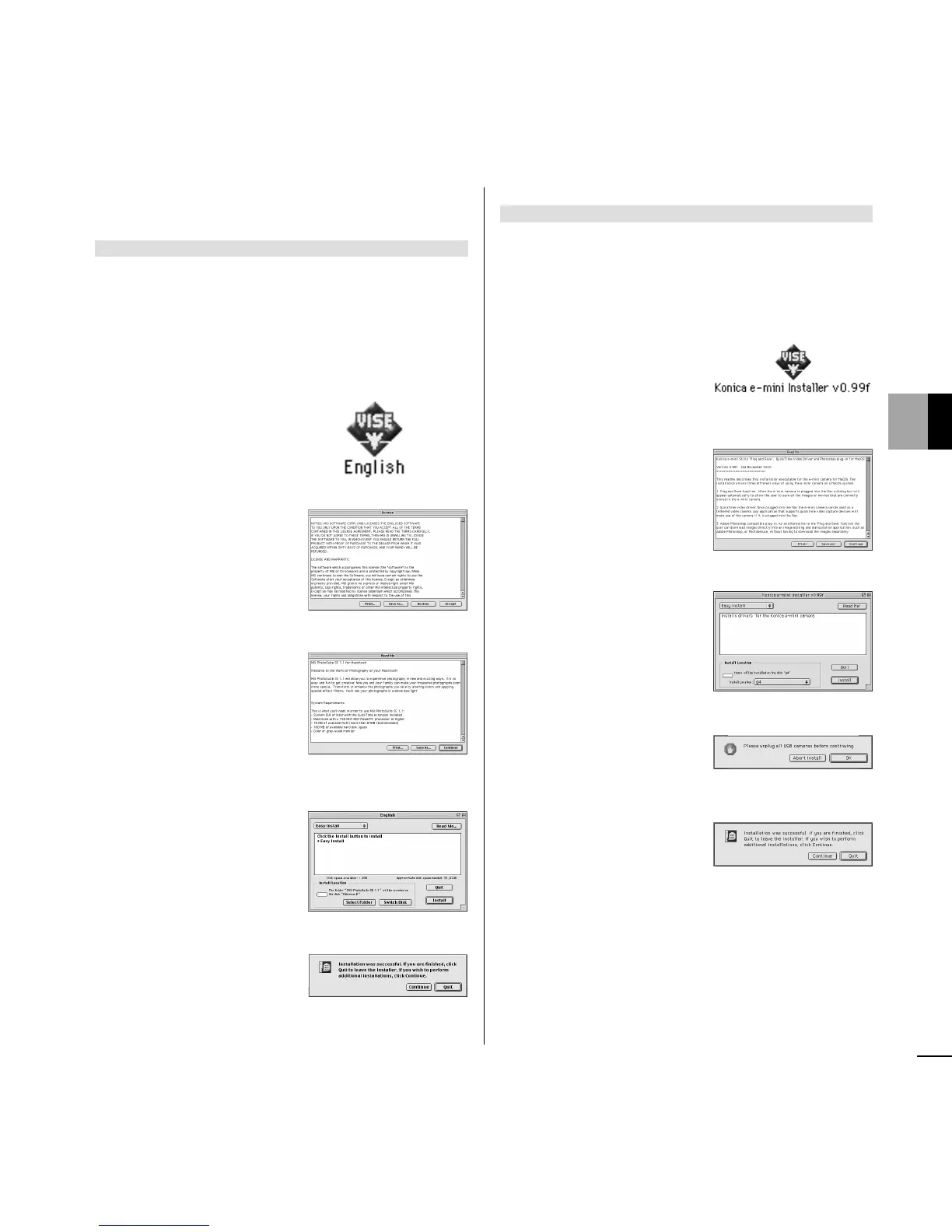
Install MGI PhotoSuite
1 Turn on the computer and insert the CD-
ROM disc.
2 Double-click the CD-ROM icon.
3 Double-click [English].
4 Click [Accept].
5 Click [Continue].
6 Click [Install].
The installer starts.
7 Click [Quit].
Install e-mini driver
Note: The installation of the e-mini driver is
required.
1 Double-click the CD-ROM icon.
2 Double-click [Konica e-
mini Installer v0.99f].
3 Click [Continue].
4 Click [Install].
5 Click [OK].
The installer starts.
6 Click [Quit].














 To Next Page