87
Using the Auto Dust Brush plug-in
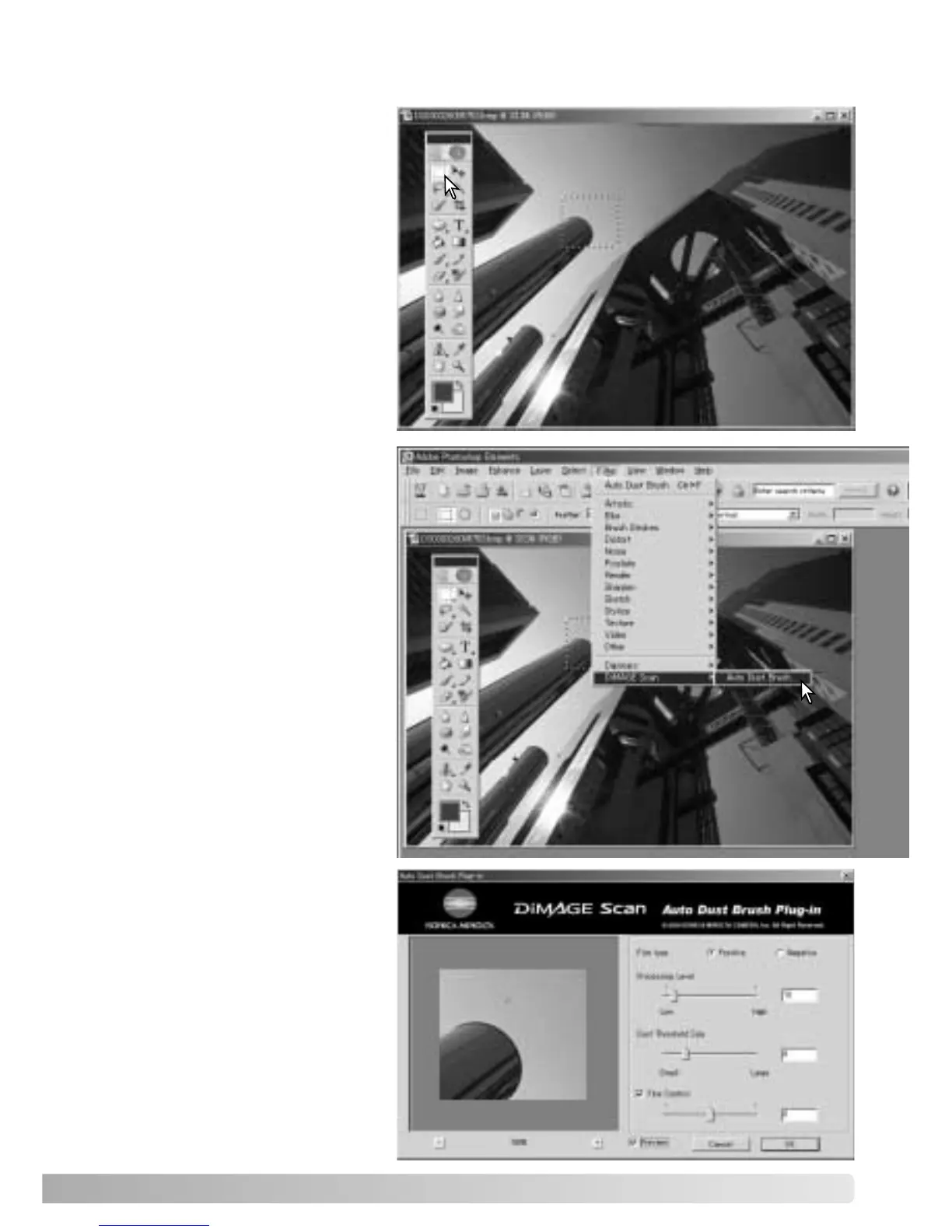
Open an image in the
application with the Auto Dust
Brush plug-in. Only RGB and
grayscale images can be
processed.
Using the area marquee, select
the area within the image to be
retouched. If no area is
selected, the Auto Dust Brush
is applied to the entire image.
Processing time is proportional
to the size of the selected area.
Select Auto dust Brush from the
DiMAGE Scan option in the
filter menu.
The selected image area is
displayed in the preview
display. Adjust the Auto Dust
Brush parameters to retouch
the image.
See the following page for a
description of the plug-in
controls.













 To Next Page