EasyManua.ls Logo

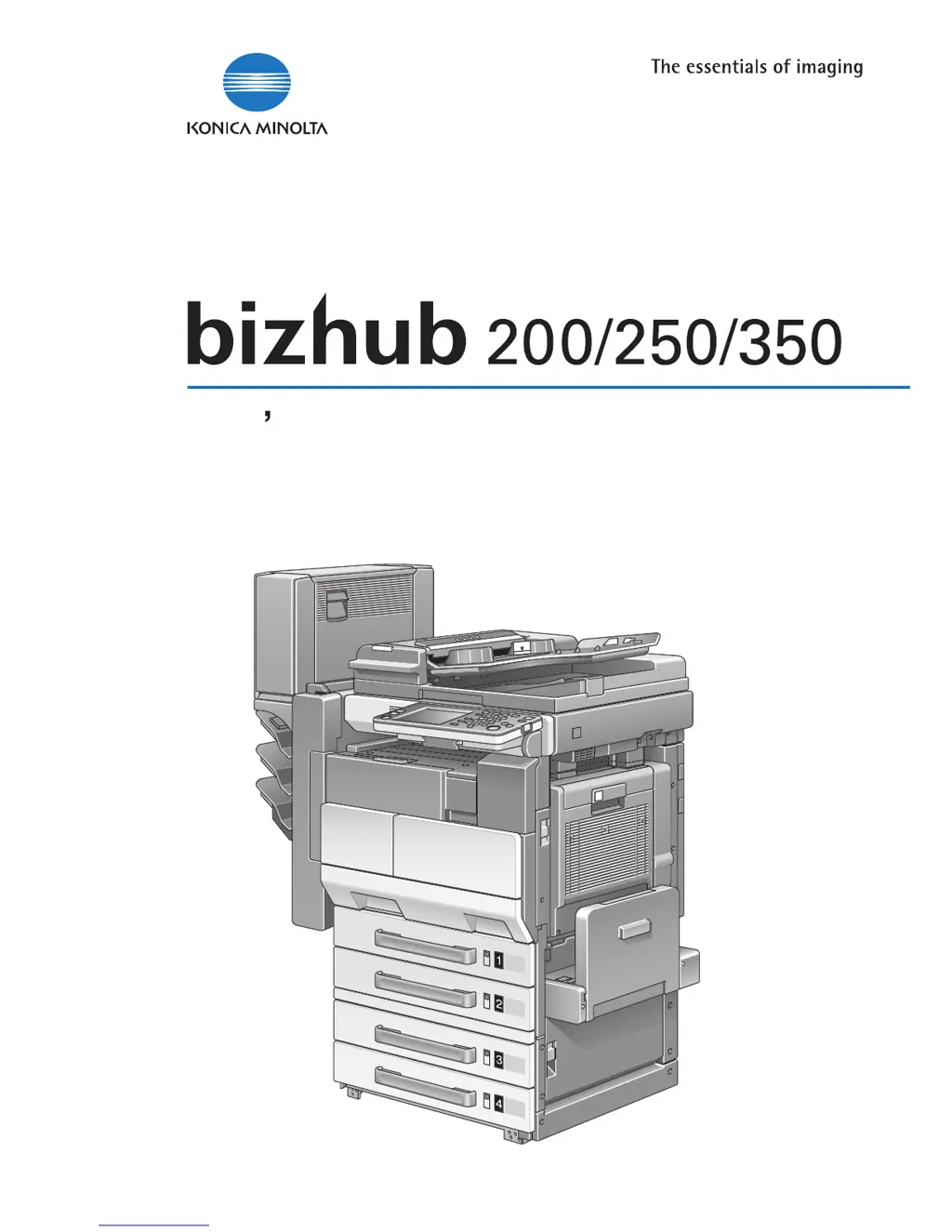
Konica Minolta Printer/Fax/Scanner/Copier 250 - User Manual

Konica Minolta Printer/Fax/Scanner/Copier 250
468 pages
Print Icon
To Next Page IconTo Next Page
Loading...
U
ser
s
G
uide
[
Network
S
canner
Op
erations
]

Table of Contents

Questions and Answers

Summary

Introduction

Energy Star

Information on energy efficiency standards and the machine's compliance.

What is an ENERGY STAR Product?

Explanation of features and benefits of ENERGY STAR® certified products.

Trademarks and registered trademarks

Lists registered trademarks and copyright information for software used.

Features

Scan to E-Mail

Operation for sending scanned images as email attachments.

Scan to FTP

Procedure for uploading scanned data to an FTP server.

Scan to SMB

Function to send scanned data to a shared folder on a network.

Internet faxing

Operation for sending image data as email over the Internet to fax terminals.

Setup

Connecting to a LAN

Instructions for connecting the machine to a Local Area Network.

Specifying the network settings

Configuring network parameters like DHCP, IP address, DNS, etc.

Basic Settings

Configuration of fundamental network settings like DHCP and IP address.

Scan to E-Mail

Specifying a destination with a one-touch dial button

Registering destinations for easy data transmission using one-touch buttons.

Entering an address

Directly entering destination addresses not registered in one-touch dial buttons.

Specifying the scanning quality and zoom ratio

Adjusting image quality and zoom settings for scanned documents.

Specifying additional functions

Configuring extra functions like TX Report, 2in1, and double-sided transmission.

Scan to FTP

Specifying a destination with a one-touch dial button

Registering FTP destinations for data upload using one-touch buttons.

Specifying the scanning quality and zoom ratio

Adjusting image quality and zoom settings for scanned documents.

Specifying additional functions

Configuring extra functions like TX Report, 2in1, and double-sided transmission.

Scan to SMB

Specifying a destination with a one-touch dial button

Registering SMB destinations for data transfer to shared folders.

Specifying the scanning quality and zoom ratio

Adjusting image quality and zoom settings for scanned documents.

Specifying additional functions

Configuring extra functions like TX Report, 2in1, and double-sided transmission.

Internet faxing

Specifying a destination with a one-touch dial button

Registering destinations for sending Internet faxes using one-touch buttons.

Entering an address

Directly entering Internet fax addresses not registered in one-touch dial.

Specifying the scanning quality and zoom ratio

Adjusting image quality and zoom settings for Internet fax documents.

Specifying additional functions

Configuring extra functions like TSI, TX Report, and double-sided transmission.

Using an LDAP server

Searching the destination information from the server

Searching for destination information stored on an LDAP server.

Registering destination information to one-touch dial buttons

Associating LDAP search results with one-touch dial buttons.

Specifying settings using PageScope Web Connection

Items that can be specified using PageScope Web Connection

Overview of settings configurable via PageScope Web Connection.

Using PageScope Web Connection

Accessing and navigating the PageScope Web Connection interface.

One-Touch Key Registration (User mode)

Registering recipients for Scan, FTP, SMB, and Internet FAX operations.

FAX Program Registration (User mode)

Registering custom fax transmission settings and destinations.

Specifying management settings

Available parameters

Lists Administrator Management parameters related to manual information.

Registering transmission source names

Registering names for transmission source information used in Internet faxes.

Specifying transmission report settings (TX Settings)

Setting default transmission report printing conditions (TX Report).

Specifying the print timing for received documents (RX Settings)

Configuring the time and day for printing received Internet faxes.

Reports and lists

Checking the transmission conditions (TX Report)

Printing and viewing reports on transmission status and details.

Checking the reception conditions (RX Report)

Printing and viewing reports on reception status and details.

Checking the destinations registered in one-touch dial buttons (One-Touch List)

Printing a list of all registered one-touch dial destinations.

Printing the mail program list

Printing a list of mail programs registered with one-touch dial buttons.

Scan function troubleshooting

When the following are displayed

Troubleshooting guide for common screen messages and errors.

Network error list

List of error codes and their causes/actions for network transmissions.

Troubleshooting

Procedures to troubleshoot common scan function malfunctions.

Appendix

Product specifications

Technical specifications for Internet fax, Scan to E-Mail, FTP, and SMB.

Entering text

Details on using the touch panel keyboard for inputting data.

Glossary

Definitions of technical terms used in the manual.

Index

Alphabetical listing of topics and their corresponding page numbers.

Summary

Introduction

Energy Star

Information on energy efficiency standards and the machine's compliance.

What is an ENERGY STAR Product?

Explanation of features and benefits of ENERGY STAR® certified products.

Trademarks and registered trademarks

Lists registered trademarks and copyright information for software used.

Features

Scan to E-Mail

Operation for sending scanned images as email attachments.

Scan to FTP

Procedure for uploading scanned data to an FTP server.

Scan to SMB

Function to send scanned data to a shared folder on a network.

Internet faxing

Operation for sending image data as email over the Internet to fax terminals.

Setup

Connecting to a LAN

Instructions for connecting the machine to a Local Area Network.

Specifying the network settings

Configuring network parameters like DHCP, IP address, DNS, etc.

Basic Settings

Configuration of fundamental network settings like DHCP and IP address.

Scan to E-Mail

Specifying a destination with a one-touch dial button

Registering destinations for easy data transmission using one-touch buttons.

Entering an address

Directly entering destination addresses not registered in one-touch dial buttons.

Specifying the scanning quality and zoom ratio

Adjusting image quality and zoom settings for scanned documents.

Specifying additional functions

Configuring extra functions like TX Report, 2in1, and double-sided transmission.

Scan to FTP

Specifying a destination with a one-touch dial button

Registering FTP destinations for data upload using one-touch buttons.

Specifying the scanning quality and zoom ratio

Adjusting image quality and zoom settings for scanned documents.

Specifying additional functions

Configuring extra functions like TX Report, 2in1, and double-sided transmission.

Scan to SMB

Specifying a destination with a one-touch dial button

Registering SMB destinations for data transfer to shared folders.

Specifying the scanning quality and zoom ratio

Adjusting image quality and zoom settings for scanned documents.

Specifying additional functions

Configuring extra functions like TX Report, 2in1, and double-sided transmission.

Internet faxing

Specifying a destination with a one-touch dial button

Registering destinations for sending Internet faxes using one-touch buttons.

Entering an address

Directly entering Internet fax addresses not registered in one-touch dial.

Specifying the scanning quality and zoom ratio

Adjusting image quality and zoom settings for Internet fax documents.

Specifying additional functions

Configuring extra functions like TSI, TX Report, and double-sided transmission.

Using an LDAP server

Searching the destination information from the server

Searching for destination information stored on an LDAP server.

Registering destination information to one-touch dial buttons

Associating LDAP search results with one-touch dial buttons.

Specifying settings using PageScope Web Connection

Items that can be specified using PageScope Web Connection

Overview of settings configurable via PageScope Web Connection.

Using PageScope Web Connection

Accessing and navigating the PageScope Web Connection interface.

One-Touch Key Registration (User mode)

Registering recipients for Scan, FTP, SMB, and Internet FAX operations.

FAX Program Registration (User mode)

Registering custom fax transmission settings and destinations.

Specifying management settings

Available parameters

Lists Administrator Management parameters related to manual information.

Registering transmission source names

Registering names for transmission source information used in Internet faxes.

Specifying transmission report settings (TX Settings)

Setting default transmission report printing conditions (TX Report).

Specifying the print timing for received documents (RX Settings)

Configuring the time and day for printing received Internet faxes.

Reports and lists

Checking the transmission conditions (TX Report)

Printing and viewing reports on transmission status and details.

Checking the reception conditions (RX Report)

Printing and viewing reports on reception status and details.

Checking the destinations registered in one-touch dial buttons (One-Touch List)

Printing a list of all registered one-touch dial destinations.

Printing the mail program list

Printing a list of mail programs registered with one-touch dial buttons.

Scan function troubleshooting

When the following are displayed

Troubleshooting guide for common screen messages and errors.

Network error list

List of error codes and their causes/actions for network transmissions.

Troubleshooting

Procedures to troubleshoot common scan function malfunctions.

Appendix

Product specifications

Technical specifications for Internet fax, Scan to E-Mail, FTP, and SMB.

Entering text

Details on using the touch panel keyboard for inputting data.

Glossary

Definitions of technical terms used in the manual.

Index

Alphabetical listing of topics and their corresponding page numbers.

Konica Minolta Printer/Fax/Scanner/Copier 250 Specifications

General IconGeneral
BrandKonica Minolta
ModelPrinter/Fax/Scanner/Copier 250
CategoryAll in One Printer
LanguageEnglish

Related product manuals