Remote control functions
Standby: Power on/off
CH+/CH-: Press to change channel.
V-/V+: Press to adjust volume
Numeric key: Press to change channel
TV/RADIO: Press to switch to TV or Radio mode
Channel list: Press key to enter channel list
Audio: Press key to select audio mode
EPG: Press key to display EPG screen
Press [OK] key can play the current channel in full screen
Press key [1] to display all information of the selected channel
Press key [2] to display the current channel detail information
FAV+/-: Press key to change between favorite channels
Exit: Press key to exit current menu
Menu: Press key to enter the menu or exit current menu
Mute: Press key to mute the sound
PAUSE: Press key to pause the screen
RECALL: Press key to return to previous channel
FAV: Press key to list favorite channels
Info: Press key to open information screen
Subtitle: Press key to switch subtitle on or off
TXT: Press key to enter teletext mode
INSTALLATION
Channel setup
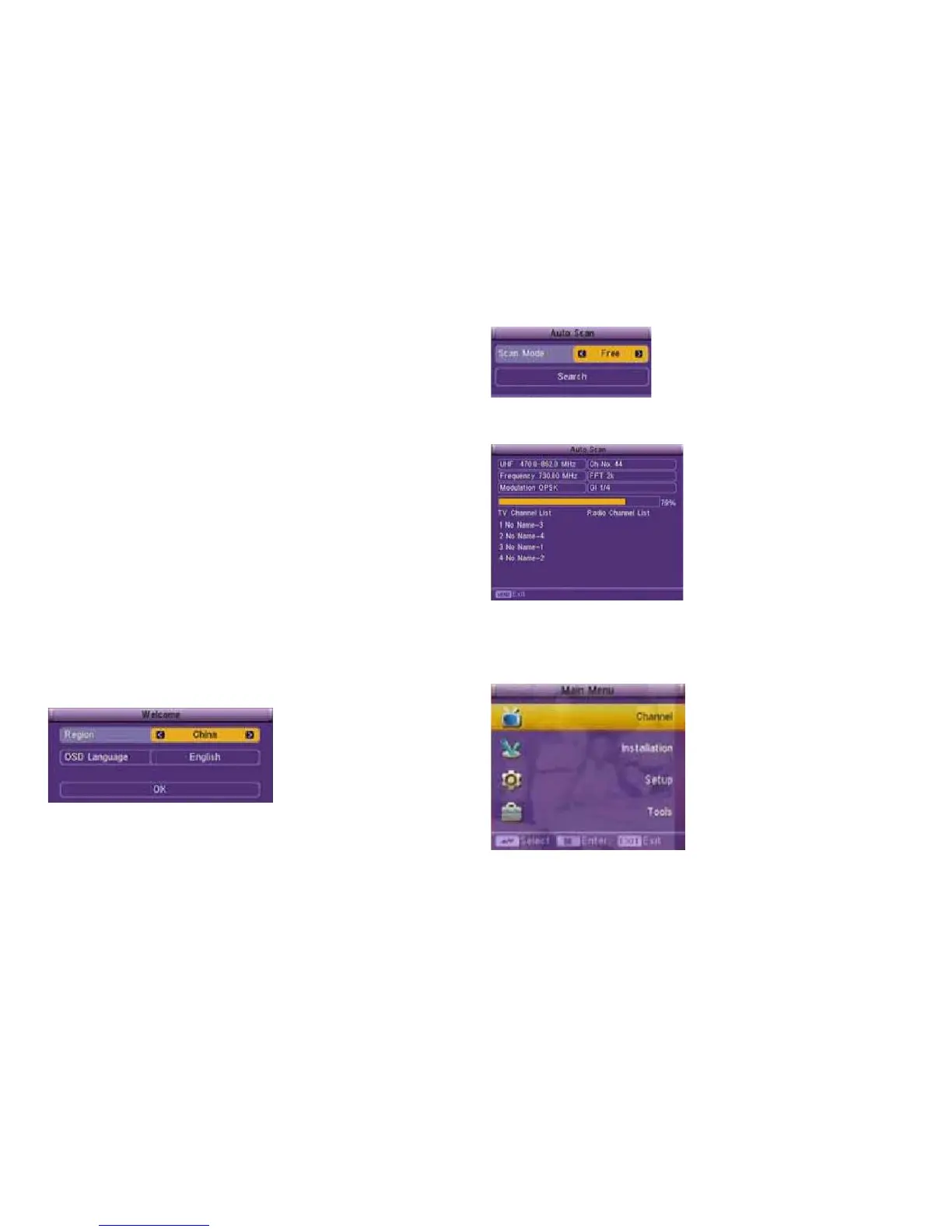
When first time power on, it will show welcome page like below:
- Press [Up/Down] key to select submenu.
- Press [Left/Right] key to select region and OSD language.
3.
- Press [Left/Right] key to select “scan mode”.
- Press “Search” to start searching.
- Press [Exit] after all channels are have been searched
OPERATION
Main Menu
- Press [Up/Down] key to select submenu.
- Press [OK] key to enter the selected item.
4.



 To Next Page