20
7.1.4 PVR
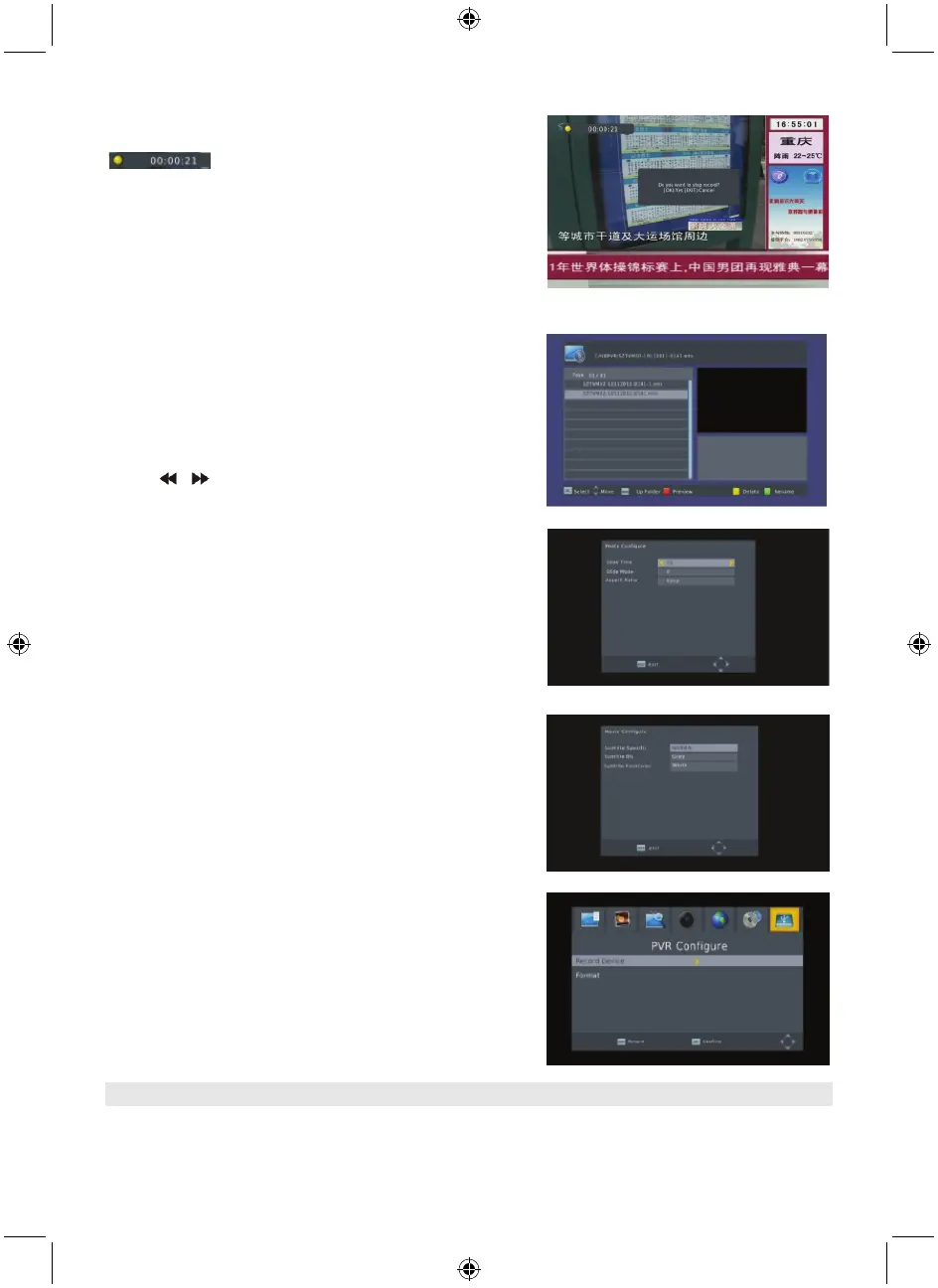
In normal mode, press the RECORD on RCU, then
will appear on the screen. It means you are
recording the program now.
Press “■” and a dialogue box will pop up: “Do you want to
stop recording?” Press OK to stop recording and save it or
press EXIT to continue recording.
If you choose to stop recording, the program you recorded
will be added to the PVR RECORD folder in PVR submenu.
In PVR menu you can see the programme you recorded.
Press the red key to switch to full screen mode and press
the exit key to go back to preview mode. Press the yellow
key to delete the program. Press the green key to rename
the program. Press OK or ► to play the programme. Press
■ to stop playing.
Press
to fast forward or rewind.
7.2 Photo configuration
1. Slide time: select between 1 s – 8 s.
2. Slide mode: Select between 0 – 59 or random.
3. Aspect ratio: Select between keep and discard.
7.3 Movie configuration:
1. Subtitle specific: Select normal, big or small.
2. Subtitle background: Select transparent, grey, white,
and yellow green.
3. Subtitle font color: Select red, white, black, blue or
green.
7.4 PVR configuration
1. Record device: Here you see the information of the USB
device
2. Format: Press OK to format the disk.
8. Hotkey
8.1 Number
Use the numeric keys (0-9) to input the number of the desired channel. If the input number is beyond
the valid channel number, the system will read “Invalid number”, press OK to close this message.



 To Next Page