2
ENGLISH
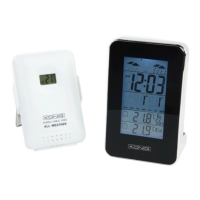
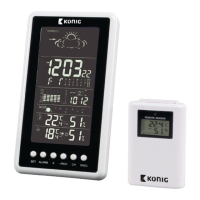
433 MHZ WIRELESS STATION
Main Function:
1. Eather forecast for 4 states: sunny, semi-sunny, cloudy, rainy
2. Seven languages to show the day: English, Germany, French, Italian, Spanish, Dutch, Danish
3. Indoor temperature range: 0°C ~ 50°C, sampling cycle: 12 seconds
4. Indoor humidity range: 20% ~ 95%
5. Outdoor temperature/ humidity with RF: up to 3 channels
6. In/out trend indication of temperature/humidity
7. Indication of the comfort index
8. The function of Alarm/ Snooze
9. Moon phase
Power-On and reset
1. When Power-On and reset, LCD full display for 3 seconds enter the normal state after
“Beep” check temperature and humidity
2. The calendar defaults 0:00 January 1, 2007
3. Alarm defaults 0:00
4. The weather icon defaults semi-sunny
5. Temperature scales defaults Celsius degree °C. Time system defaults 24 hr.
Instruction of operating the KEYS
3.1 Key functions
Functional keys: Set, Alarm, CH, Up, Snooze, Channel, Max/Min
Function
Operation
Set Alarm Up Down SNOOZE Channel
Click ---- Alarm on/off 12hr/24hr
switch possible
°C/°F switch
possible
Enter into
snooze state
Switch possible
between
CH1, 2, 3
standard mode
Hold Enter into clock
setting
Enter into alarm
setting
---- ---- ---- Clear current
registered
Click Confirm the
setting
---- One step
forward
One step
backward
---- ----
Times
Hold ---- ---- 8 steps/ second
forward
8 steps/ second
backward
---- ----
Click ---- Confirm the
setting item
One step
forward
One step
backward
---- ----
Alarm set
Hold ---- ---- 8 steps/ second
forward
8 steps/ second
backward
---- ----
3.2 Normal states
1. Hold “Set” for 2 seconds to enter into time setting
2. Click “Alarm” to switch the alarm on/off
3. Hold “Alarm” for 2 seconds to enter into Alarm setting
4. Click “Up” to switch between 12 hr/24 hr
5. Press “Down” to switch between °C/°F



 To Next Page