Need help?
Do you have a question about the Konnwei KW830 and is the answer not in the manual?
Essential safety guidelines to prevent injury and vehicle damage during operation.
Overview of the OBD II system, its evolution, and purpose.
Defines DTCs, their structure, and function in vehicle diagnostics.
Retrieves powertrain data, DTC status, and vehicle parameters.
Displays captured vehicle data when a fault occurred.
Displays stored powertrain or emission-related diagnostic trouble codes.
Clears diagnostic trouble codes and related data.
Shows results of the vehicle's oxygen sensor monitoring tests.
Displays test results for non-continuously monitored systems.
Requests pending DTCs to verify repair effectiveness.
Requests bidirectional control of vehicle systems or components.
Retrieves vehicle identification and calibration data.
Requests emission-related DTCs with permanent status.
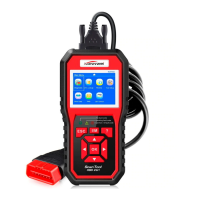
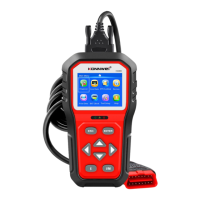
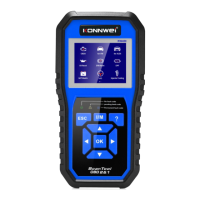
Identifies the scan tool's physical components and interface elements.
Connects to the vehicle and displays menus and test results.
Indicates normal operation (Green) or potential issues (Yellow).
Allows selection of user interface language and measurement units.
Steps to connect the scan tool to the vehicle's Data Link Connector.
Selects and displays diagnostic trouble codes stored in the vehicle's ECU.
Displays stored diagnostic trouble codes and their details.
Accesses and views recorded live vehicle data.
Accesses and views captured vehicle states during faults.
Removes recorded DTCs, data streams, or freeze frames.
Signals normal operation and system readiness.
Alerts to potential issues or pending diagnostic codes.
Warns of significant problems requiring immediate repair.
Outlines the warranty coverage and terms for the scan tool.
Provides contact information for support and repair inquiries.

 To Next Page
 General