Installing and charging the battery
Installing the battery:
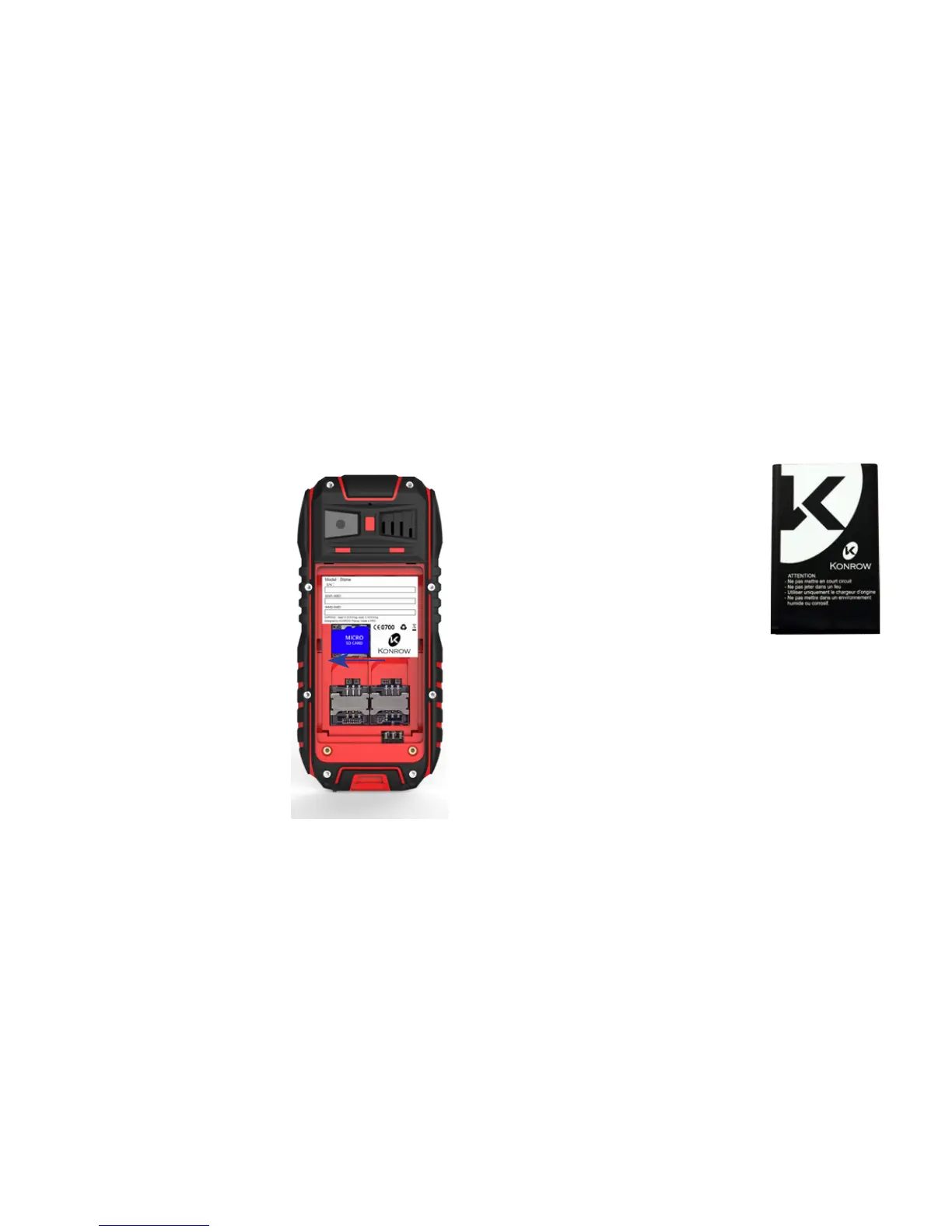
• Remove the rear cover of your mobile.
• Insert the battery ensuring that the image shown here is
facing you.
• Replace the rear cover of the mobile.
CAUTION: There is a risk of explosion if the battery is replaced
by an incorrect type. Model: Stone Li-ion Battery 3.7V / 2700
mAh.
To replace the battery, please enquire with the after-sales
service of your dealer. Dispose of used batteries according to
the instructions
Charging the battery:
Inserting a MicroSD
It is possible to increase the
internal memory of the Stone
device with a MicroSD card
(maximum 16GB MicroSD card).
• Switch o the phone and
remove the rear cover and
battery by unscrewing the
screws and making sure the
seal of protection against
water is carefully placed.
• Insert the memory card into
the relevant slot.
• Then replace the battery
and cover.
CAUTION: Inserting or removing
a SIM card or a MicroSD card
requires the mobile to be
completely switched o.


 To Next Page