EasyManua.ls Logo

Kontron CG2400 - User Manual

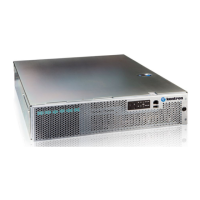
Kontron CG2400
387 pages
Print Icon
To Next Page IconTo Next Page
Loading...
Table of ContentTable of Content
User Documentation - CG2400
Product description
Overview
Specifications
Platform components
Product architecture
Description of system access methods
Recommended technical expertise
Getting started
Getting started - Application installation and performance benchmarking
Planning
Environmental considerations
Power consumption and power budget
MAC addresses
PCI mapping
Platform, modules and accessories
Material, information and software required
Hardware compatibility list
User Documentation - CG2400User Documentation - CG2400
www.kontron.com // 1

Table of Contents

Question and Answer IconNeed help?

Do you have a question about the Kontron CG2400 and is the answer not in the manual?

Summary

Product description

Main features

Lists the key hardware and software features and capabilities of the CG2400 server.

Getting started

Getting started - Application installation and performance benchmarking

Provides step-by-step instructions for initial application setup and performance benchmarking.

Specifications

CG2400 key hardware features

Details the physical, electrical, and key hardware specifications of the CG2400.

Product architecture

Description of system access methods

Paths to the management interface (BMC)

Details access methods for the Baseboard Management Controller (BMC) via Web UI, IPMI, Redfish, and SNMP.

Power consumption and power budget

Power budget

Explains how to determine the overall power budget and estimates consumption based on hardware configuration.

Hardware compatibility list

Validated operating systems

Security

Mechanical installation and precautions

Details safety precautions for the physical installation, including ESD protections and unboxing.

Memory DIMMs

Processor and heat sink

Socket and processor handling and ESD precautions

Details critical handling procedures and ESD precautions for processors and sockets.

Software installation and deployment

Installing an operating system on a server

Provides step-by-step instructions for OS installation via KVM, PXE, and USB storage.

Verifying installation

Configuring

Configuration of system access methods

Details setup instructions for enabling various system access methods.

Baseboard management controller - BMC

Configuring a static IP address

Instructions for configuring a static IP address for the BMC via BIOS or IPMI.

Accessing platform components

Accessing an OS using the KVM

Guides on accessing the server's OS via Keyboard, Video, Mouse (KVM) interface.

Accessing the BIOS

Monitoring

Monitoring sensors

Details on monitoring various system sensors via BMC Web UI, IPMI, SNMP, and Redfish.

Maintenance

BIOS backup and restore

Upgrading

Upgrading the BMC and the FPGA using ipmitool

Procedure to upgrade BMC and FPGA firmware simultaneously using ipmitool.
Troubleshooting

Factory default

Raid Controller SNMP

Secure Erase

Kontron CG2400 Specifications

General IconGeneral
BrandKontron
ModelCG2400
CategoryServer
LanguageEnglish

Related product manuals