Need help?
Do you have a question about the Kontron TIGW1U and is the answer not in the manual?
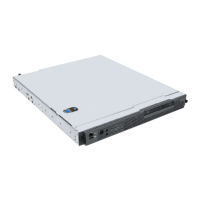
Manual scope, target audience, and server overview.
Lists the components that come with the Kontron Carrier Grade Server TIGW1U.
Lists optional accessory items for purchase to enhance server functionality.
Links to technical documentation, drivers, and software updates for the server.
Diagrams and identification of the TIGW1U server's internal components.
Details the connectors and ports on the rear of the server system.
Description and illustration of the server's front panel controls and indicators.
Illustrates the server board with labels for connectors and components.
Information on the server's front-mounted hot-swappable hard drive bays.
Description of the server's power subsystem, including redundant capabilities.
Overview of the three distinct cooling areas within the TIGW1U server.
Essential safety instructions and preparation for server installation and upgrades.
Lists the tools and supplies required for server installation and component replacement.
General procedures for installing and removing internal server components.
Step-by-step guide to safely remove the server's top cover.
Instructions for correctly reinstalling the server's top cover for proper cooling.
Procedure for removing the front bezel to access drive bays and controls.
Instructions for reinstalling the processor air duct to ensure correct airflow.
Procedures for installing hot-swappable components like hard drives and power supplies.
Detailed steps for installing or replacing the server's hot-swappable hard drives.
Instructions for replacing the server's power supply modules.
Details on configuring various jumpers on the server board for specific settings.
Steps to clear CMOS settings and reset system passwords.
Guide for adding or replacing PCI and PCIe expansion cards.
Instructions for replacing the main server board.
Procedures for mounting the server into a standard or optional equipment rack.
Critical safety guidelines for rack installation, anchoring, and power.
Guide to navigating and using the BIOS Setup Utility for system configuration.
How to enter the BIOS Setup utility and the prompts displayed.
Procedure to clear CMOS settings and reset system passwords.
Instructions and overview for updating the system's BIOS firmware.
Procedure to clear lost or forgotten user/administrator passwords using a jumper.
Procedure to reset configuration RAM by clearing the CMOS jumper.
Methods to reset the system memory and reload the operating system.
Basic checks to perform when troubleshooting initial system installation problems.
Approach to identifying hardware problems and locating their sources.
Solutions for specific problems encountered with the server hardware and software.
Troubleshooting steps when the server's power LED does not illuminate.
Diagnosing and resolving issues with no display output after system boot.
Diagnosing issues with system cooling fans not operating correctly.
Steps to troubleshoot network connectivity issues when connecting to the server.
Troubleshooting steps for issues where hard drives are not recognized by the system.
Definitions and descriptions of the system's various LEDs for status indication.
Lists BIOS error messages displayed during POST and their explanations.
Lists POST error beep codes and the recommended actions to take.
Notes on EMC compliance and potential need for additional testing.
Specifies the intended environments and applications for the product.
Safety guidelines for AC power connection, grounding, and overcurrent protection.
Safety guidelines for DC power connection, grounding, and overcurrent protection.
Operational temperature limits and ventilation requirements for rack-mounted servers.
General safety cautions, including handling hot components and ESD protection.
Essential steps to follow when removing chassis covers for system access.
Lists the safety standards and certifications the TIGW1U server complies with.
Details the electromagnetic compatibility regulations the server meets.
Details FCC Part 15 compliance rules and potential interference mitigation.
Notices regarding Industry Canada ICES-003 compliance for digital apparatus.
Information on CE compliance with Low Voltage and EMC Directives.
Kontron's website for technical support, documentation, and utilities.
Kontron's telephone number for technical support assistance.
Kontron's email address for technical support assistance.
 General
| Product Type | Server |
|---|---|
| Form Factor | 1U Rackmount |
| Processor | Intel Xeon E3-1200 v5/v6 series or Intel Core i3/i5/i7 (LGA 1151) |
| Memory | Up to 64 GB DDR4 ECC/non-ECC |
| Network | 2x Gigabit Ethernet |
| Operating Temperature | 0°C to +40°C |

 To Next Page