6
7
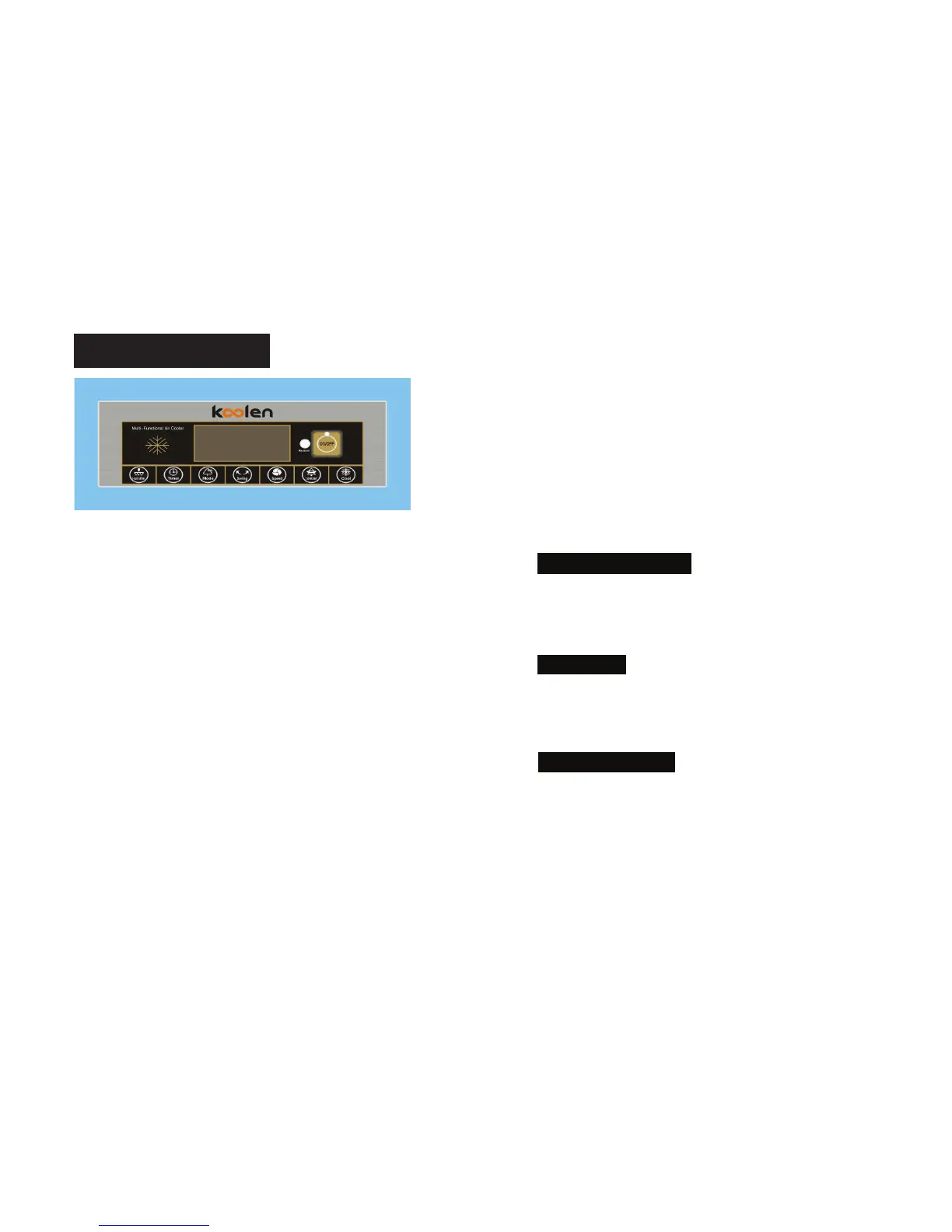
CONTROL PANEL
(Remote controller control panel with the same function as the unit
control panel)
Insert the plug pin into a wall socket and turn on the power switch which is at
the side of the unit. A small beep sound can be heard and the power indicator
will be on.
ON/OFF: Press once this button to make the unit ready for working. It will start
up with MID in 3 seconds and then revert to work under the memorized status.
If for first time use, it will start up with MID in 3 seconds and then work with
LOW.
Press again this button to turn OFF.
SPEED: Press this button to select desired fan speed, LOWàMIDàHIGHàLOW,
in turn. At the same time, can digital display 1.2.3.
MODE: Press this button to select desired wind mode,
NATUREàSLEEPàNORMALàNATURE, In turn. The corresponding wind
mode indicator will be displayed.
(1)NORMAL: It works as per the selected fan speed (HIGH, MID, LOW).
(2)NATURE: It works as per the presented computer program, imitating the
natural irregularly wind.
(3)SLEEP: It works as per the presented computer program, alternating
between different fan speed.
- If it is selected HIGH, the unit will work under HIGH NATURE wind mode for
half an hour, then revert to work under MID NATURE wind mode for half an
hour and then revert to LOW NATURE wind mode.
- If it is selected MID, the unit will work under MID NATURE wind mode for half
an hour, then revert to LOW NATURE wind mode.
- If it is selected LOW, the unit will work under LOW NATURE wind mode.
SWING: Press once this button to make horizontal swing of vertical louvers,
the SWING indicator will be displayed. Press again for fixed air direction. To
directing vertical airflow, adjust the horizontal louvers manually.
HUMIDIFIER: During operation, press this button to humidify the air, improve
the air damp, avoid skin dry and spall. Press again this button to cancel.
COOL: Press once this button to start the evaporative cooling function. Press
again this button to cancel.
IONIZER: Press once this button to release negative ions into the air, to freshen
the air and care health. Press again this button to cancel.
TIMER: It can be set between 1 to 7.5 hours, increased by 1 hour’s intervals.
When the digital display7.5 hours, press again this button to cancel.


 To Next Page
 Loading...