http://www.koopor.com/plus/ KOOPOR Plus 5
User Guide
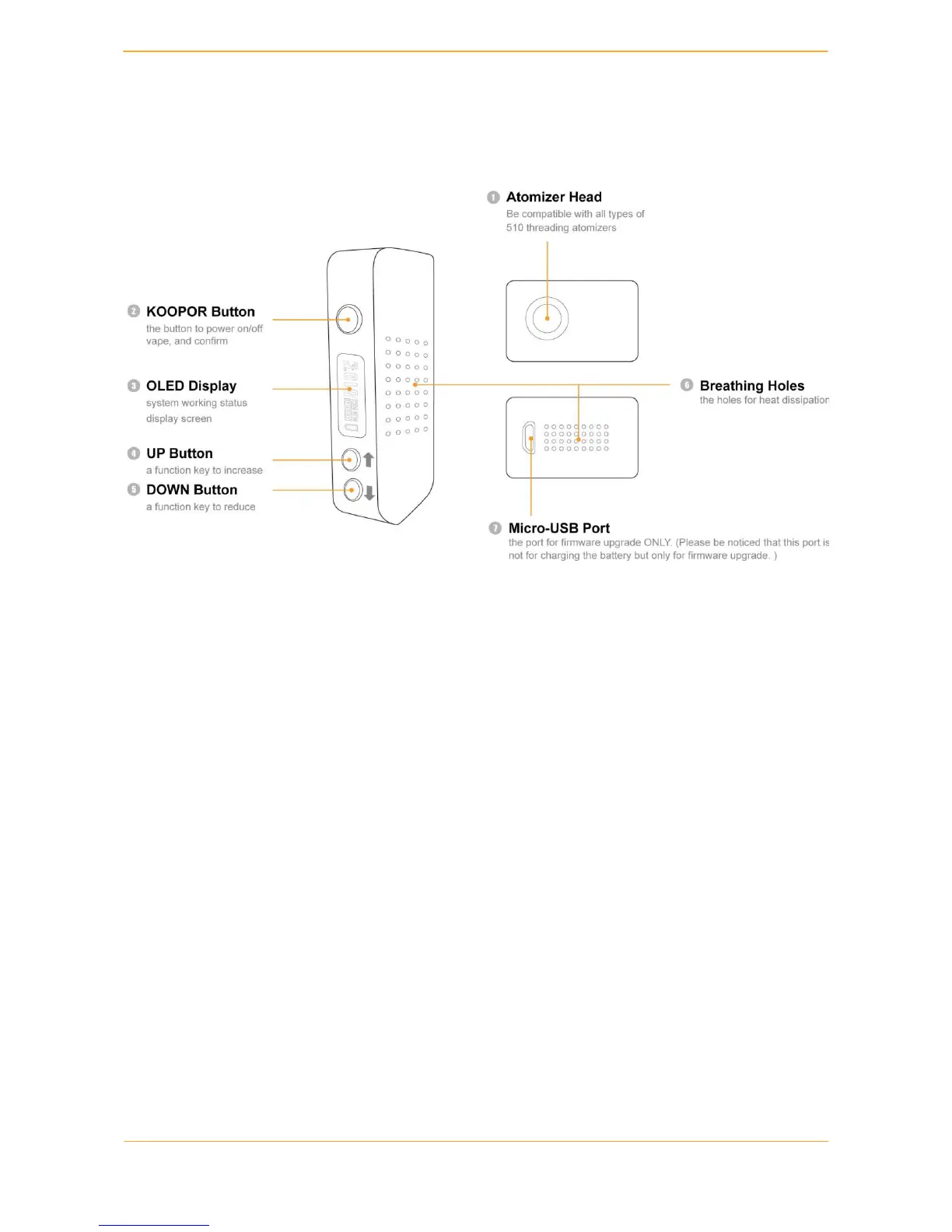
1. Schematic Diagram
2. Install Battery
KOOPOR Plus adopts the magnet-held battery cover design to make sure that, with a gentle
touch, you will simply slide it off and replace the batteries in seconds!
Steps:
1. Please confirm to use dual 18650 batteries with enough power.
2. Slide to open the back cover and place the batteries into the device according to the
correct directions, and then close the battery cover.
3. Click KOOPOR Button 5 times quickly in 2 seconds to power on. The display screen
successively shows "WELCOME", brand "KOOPOR PLUS”. Wait for 2 seconds for the
activation.
4. If the screen is not lighted, please check if the batteries are OK, or placed in the correct
direction or if the batteries have enough power.
5. Please contact with our customer consultant if it still can not be powered on.


 To Next Page