http://www.koopor.com/plus/ KOOPOR Plus 7
7. Menus & Prompts: After startup, fast press the KOOPOR Button 3 times in 2s, then you
will go to the operation menu. And then, long-press on the KOOPOR Button to confirm;
UP/DOWN Button could do menu moves.
5. TC Mode
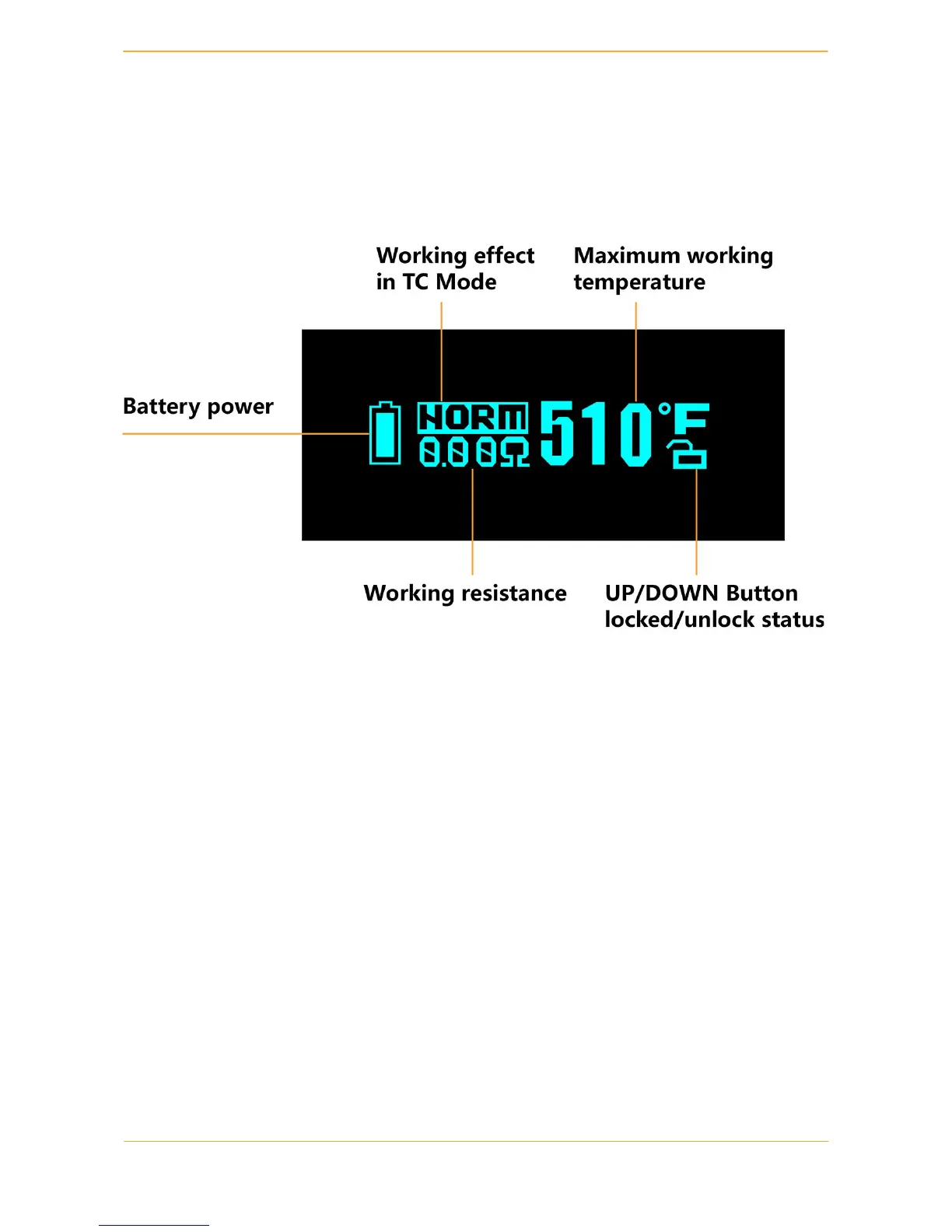
TC Mode is available when KOOPOR Plus works with a TC type atomizer.
1. Enter TC Mode: switch between TC Mode and VW Mode by pressing KOOPOR+ Up
Button simultaneously while screen is unlocked.
2. In the TC Mode, please use the UP / DOWN Button to adjust the temperature settings
with an increment/decrement of 10 degrees Fahrenheit (about 5 degrees Celsius) to get the best
preferred settings. Then wait for 5 seconds or hold down KOOPOR Button to switch between the
Hard/Normal/Soft/Max/Min vaping effects. After the above steps are completed, under TC
mode, you can also select coil material: TC-NI/TC-TI/TC-SS, or adjust Nickel
TCR( Temperature Coefficient of Resistance), or set atomizer type: NICKEL Single Coil or
NICKEL Dual Coil.
3. Lock the UP / DOWN Button by pressing the UP+ DOWN Button simultaneously, to
avoid accidentally pressing. Again, simultaneously press to unlock UP / DOWN Button.
4. When the screen shows “TEMPERATURE PROTECTED”, the heating coil reached the
maximum allowed temperature during the vaping. If it happens, the KOOPOR Plus will continue
to fire, but will not be able to provide the desired wattage.


 To Next Page