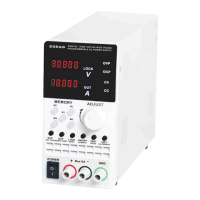
Step 2: When M1 M5 indicators are all off, Step 0 starts. At this time,
the voltage is displayed as a dynamic cycle number and the current is
displayed a dynamic step. Change the value through the knob, and switch
to the different item through VSET and ISET.
Step 3: Press M1. At this time, Step 1 starts when M1 indicator is lit. Set
the value of the first step. Change the voltage / current value through knob
and switch to the different item through VSET and ISET, press the knob to
switch to the required voltage slope and time. Change the value through
the knob, and switch to the different item through VSET and ISET.
Instruction: Short press M5 and turn the knob to increase, so that the
dynamic function can be recalled. Turn on ON/OFF for output.
Instruction: Long press ISET to activate the voltage and current priority
setting function. Turn the knob to set 0 as voltage priority and set 1 as
current priority, and long press ISET to save and exit.
7
function. At this time, M1 M5 key indicators are all off and M1 M5 show
digits 1 5. Set the dynamic steps with M1 M5 digit combination.
KWR Series Wide Range Programmable DC Power Supply



 To Next Page