EasyManua.ls Logo

Korg 01/W pro - Page 7

Korg 01/W pro
41 pages
Print Icon
To Next Page IconTo Next Page
To Previous Page IconTo Previous Page
Loading...
Playing
the
01/W
pro
(Play
a
few
of
the
01/W
pro's
programs)
The
01/W
pro
outputs
sound
at
two
levels.
Individual
sounds
pro-
duced
by
such
unit
as
the
oscillator
(OSC),
WaveShaping
(WS),
filter
(VDF),
and
amplifier
(VDA)
are
called
programs.
You
can
combine
as
many
as
eight
of
these
programs
in
a
variety
of
manners
to
create
sets
of
programs
known
as
combinations.
The
01/W
pro
plays
pro-
grams
when
it
is
in
Program
mode,
and
combinations
when
it
is
in
Combination
mode.
Let's
start
by
listening
to
a
program.
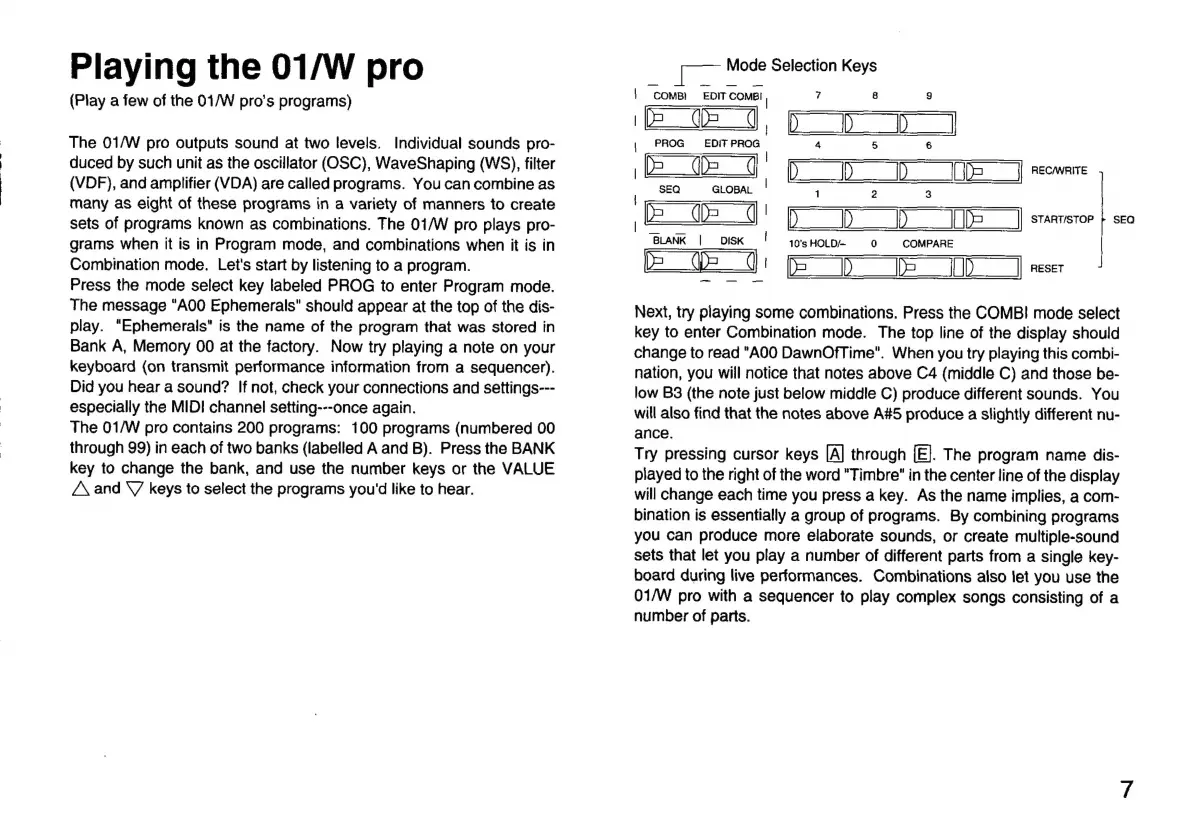
Press
the
mode
select
key
labeled
PROG
to
enter
Program
mode.
The
message
"A00
Ephemerals"
should
appear
at
the
top
of
the
dis-
play.
“Ephemerals"
is
the
name
of
the
program
that
was
stored
in
Bank
A,
Memory
00
at
the
factory.
Now
try
playing
a
note
on
your
keyboard
(on
transmit
performance
information
from
a
sequencer).
Did
you
hear
a
sound?
If
not,
check
your
connections
and
settings---
especially
the
MIDI
channel
setting---once
again.
The
01/W
pro
contains
200
programs:
100
programs
(numbered
00
through
99)
in
each
of
two
banks
(labelled
A
and
B).
Press
the
BANK
key
to
change
the
bank,
and
use
the
number
keys
or
the
VALUE
A
and
Y
keys
to
select
the
programs
you'd
like
to
hear.
Mode
Selection
Keys
|
come
EDIT
COMBI
|
7
8 9
|
i
|
i
|
PROG
EDIT
PROG
4
5
6
ESET
(ST
some
|
E
|
START/STOP
|
SEQ
D
|
Next,
try
piaying
some
combinations.
Press
the
COMB!
mode
select
key
to
enter
Combination
mode.
The
top
line
of
the
display
should
change
to
read
"A00
DawnOfTime".
When
you
try
playing
this
combi-
nation,
you
will
notice
that
notes
above
C4
(middle
C)
and
those
be-
low
B3
(the
note
just
below
middle
C)
produce
different
sounds.
You
will
also
find
that
the
notes
above
A#5
produce
a
slightly
different
nu-
ance.
Try
pressing
cursor
keys
[A]
through
[E].
The
program
name
dis-
played
to
the
right
of
the
word
"Timbre"
in
the
center
line
of
the
display
will
change
each
time
you
press
a
key.
As
the
name
implies,
a
com-
bination
is
essentially
a
group
of
programs.
By
combining
programs
you
can
produce
more
elaborate
sounds,
or
create
multiple-sound
sets
that
let
you
play
a
number
of
different
parts
from
a
single
key-
board
during
live
performances.
Combinations
also
let
you
use
the
01/W
pro
with
a
sequencer
to
play
complex
songs
consisting
of
a
number
of
parts.

Related product manuals