EasyManua.ls Logo

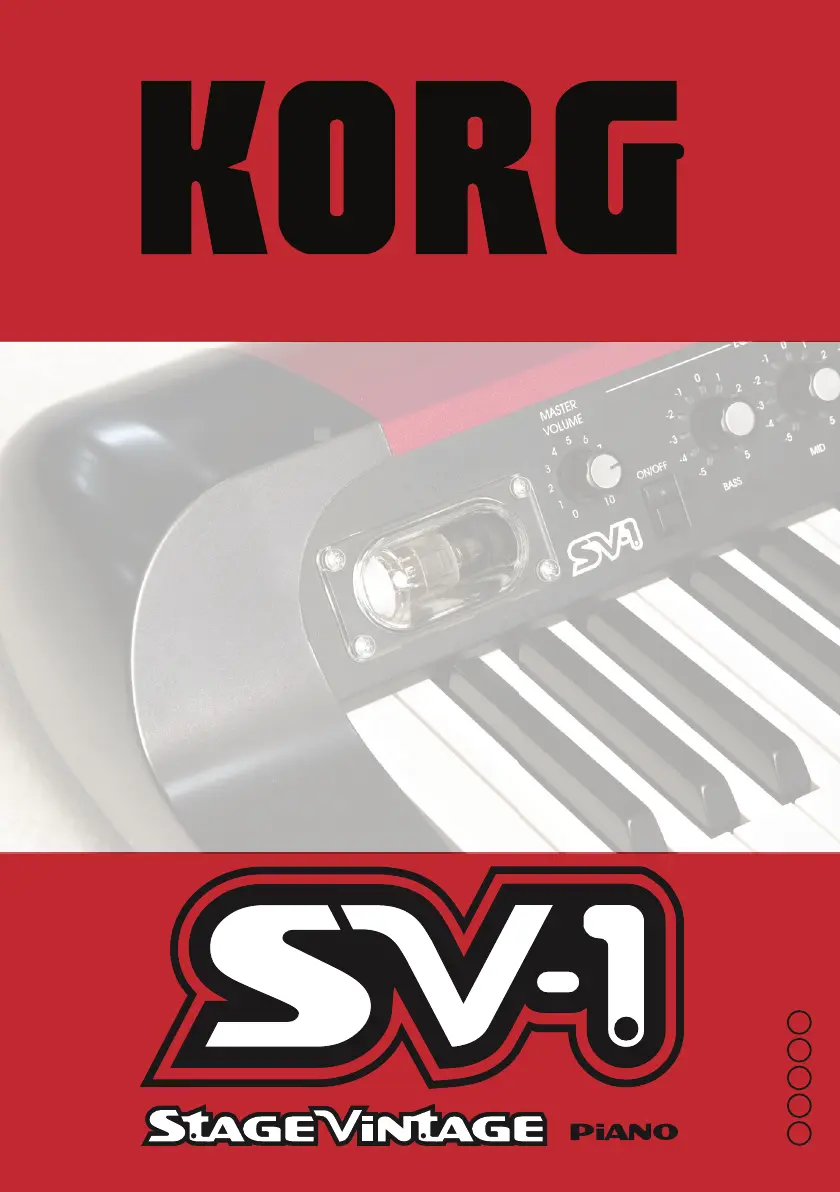
Korg Stage Vintage SV-1 - User Manual

Korg Stage Vintage SV-1
178 pages
Print Icon
To Next Page IconTo Next Page
Loading...
n
i
E F G I 1
User Guide
Mode d’Emploi
Anleitung
Manuale di istruzioni
E F G I 1
SV1-100-UserGuide-EFGI.book Page I Tuesday, June 30, 2009 9:23 AM

Table of Contents

Questions and Answers

  • J
    Jeffrey MosleyJul 28, 2025
    Why is there no sound coming from my Korg Musical Instrument?
    • M
      miguelcarterJul 28, 2025
      Several factors could be causing the lack of sound from your Korg Musical Instrument. First, ensure the volume isn't set to 0; if it is, increase it to an audible level. Next, verify that the Local Off function is disabled. If using headphones, confirm they are correctly plugged into the HEADPHONES connector. Also, check these control settings: Pre-FX Comp (Intensity), Pre-FX Boost (Intensity), and Amp Models (Drive); make sure none are set to 0. Finally, if your instrument has a valve, it may still be warming up; allow a few seconds for it to fully activate.
  • K
    Kimberly RoseAug 1, 2025
    What to do if my Korg Stage Vintage SV-1 Musical Instrument has no sound?
    • J
      Jonathan EllisAug 2, 2025
      If your Korg Musical Instrument isn't producing any sound, there are several things to check: * Ensure the volume isn't set to 0; increase it to an audible level. * Verify that the Local Off function is disabled. * If using headphones, confirm they are correctly plugged into the HEADPHONES connector. * Check these control settings: Pre-FX Comp (Intensity), Pre-FX Boost (Intensity), and Amp Models (Drive). Make sure none of them are set to 0. * If the instrument uses a valve, it might be in the warm-up phase. Wait a few seconds, as this is normal for analogue valves.
  • S
    Sarah AustinAug 6, 2025
    What to do if my Korg Stage Vintage SV-1 Musical Instrument has noisy audio?
    • K
      Kimberly IngramAug 6, 2025
      If you're experiencing noisy audio with your Korg Musical Instrument, it could be due to a few reasons. Long cables may be picking up interference from other devices. Try using XLR connectors instead. Alternatively, if the AMP MODEL is enabled, the noise might be the natural sound of the amp's valve circuitry.
  • C
    Christine RomeroAug 10, 2025
    What to do if my Korg Stage Vintage SV-1 will not turn on?
    • C
      Candace WilliamsAug 10, 2025
      If your Korg Musical Instrument isn't turning on, check the AC cable to ensure it's not damaged and is properly connected to both the instrument and the power outlet.
  • M
    Megan FreemanAug 14, 2025
    Why is the sound weak on my Korg Musical Instrument?
    • J
      Julie RodriguezAug 14, 2025
      A weak sound from your Korg Musical Instrument might be due to an exhausted valve. In this case, please refer to the nearest Korg Authorized Service Center for a replacement.
  • B
    Brian PerezAug 23, 2025
    What to do if my Korg Stage Vintage SV-1 has weak sound?
    • S
      steven20Aug 23, 2025
      The weak sound from your Korg Musical Instrument may be due to an exhausted valve. Please refer to the nearest Korg Authorized Service Center for replacement.
  • G
    gordonballSep 10, 2025
    Why is my Korg Stage Vintage SV-1 Musical Instrument producing noisy audio?
    • J
      Jeffrey MartinezSep 12, 2025
      Noisy audio from your Korg Musical Instrument can stem from a couple of sources. Long or interfered cables can cause noise. Try using the XLR connectors instead. Also, if the AMP MODEL is activated, the noise might be the natural sound of the amp's valve circuitry.

Summary

Important Safety Instructions

Introduction to the Korg SV-1

Whats in the Box

Lists the items included in the Korg SV-1 package.

Main Features Overview

Highlights key capabilities like vintage sounds, ease of use, and effects.

Valve Reactor Technology

Details the SV-1's analog valve circuit and sound modeling.

Controls and Connections

Front Panel Controls

Details the buttons, knobs, and displays on the SV-1's front panel.

Rear Panel Connections

Describes the various input and output jacks on the SV-1's rear panel.

Using the SV-1

Selecting and Editing Sounds

Guide to choosing, tweaking, and saving sounds and effects.

Selecting and Editing Effects

Explains how to select and adjust the SV-1's built-in effects.

Restoring Default Settings

Instructions on how to recall default parameter values.

Switching Sounds;Effects During Editing

Information on how changes are handled when switching sounds or effects.

Advanced Settings and Operations

Key Settings: Transposing and Tuning

Adjust pitch with transposing and fine-tuning options.

Choosing a Tuning Curve

Guide to selecting different tuning curves for vintage instrument sounds.

Keyboard and Pedal Adjustments

Configure touch sensitivity and calibrate pedals for optimal performance.

Adjusting RX Noise Level

How to adjust the level of keyboard mechanical noises and hammer-slap.

Choosing a MIDI Channel

Configure MIDI channels for data transmission and reception.

Troubleshooting MIDI Issues

Quick fix for stuck notes in MIDI communication (MIDI Panic).

Checking Operating System Version

How to view the current operating system version of the SV-1.

Saving Your Sounds

Saving Favorite Sounds

How to save custom sounds created on the SV-1 to favorite locations.

Restoring All Settings

Procedure to reset the SV-1 to its original factory default status.

Troubleshooting

Specifications

Korg Stage Vintage SV-1 Specifications

General IconGeneral
BrandKorg
ModelStage Vintage SV-1
CategoryMusical Instrument
LanguageEnglish

Related product manuals