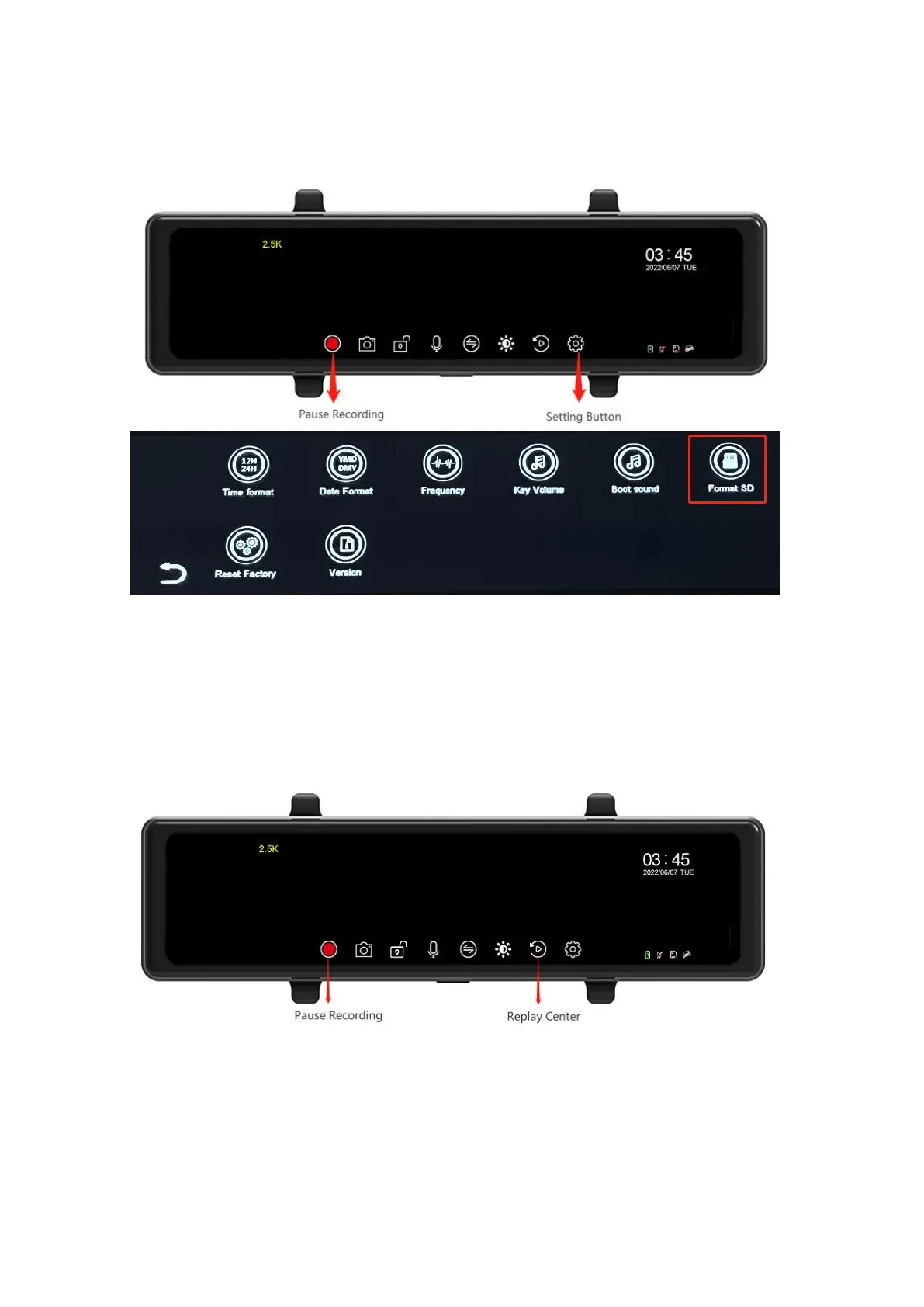
6.3 Format TF memory card
First, Click the screen and click to pause recording,
Then, click the setting icon to enter the setting interface, select Format to format the TF
card.
*Important: Formatting will clear the memory card data and cannot be recovered after
clearing, please do data backup.
6.4 Recording files
After inserting an external TF memory card, this product will automatically enter the video
recording when it is turned on.
1) Click on the screen and a floating window will pop up at the bottom of the screen.
2) Click to recording or to pause the recording.
6.5 Take pictures
Pause the video, tap the photo icon to take a photo.



 To Next Page