Need help?
Do you have a question about the Kramer SL-12 and is the answer not in the manual?
Provides guidance on optimizing performance by using quality cables and proper placement.
Details essential safety precautions, including using only provided adapters and disconnecting power.
Explains the company's policy and arrangements for recycling electronic equipment under WEEE Directive.
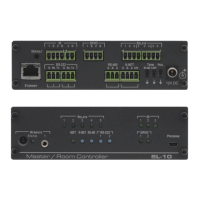
Identifies and describes the various connectors and features of the SL-12 Master Room Controller.
Explains how to use optional RC-4 IR transmitters for auxiliary control and trigger initiation.
Details the SL-12's IR inputs, including the built-in receiver and 3.5mm mini-jack inputs.
Guides on connecting AV devices to the SL-12 via its RS-232 ports using a 9-pin D-sub connector.
Provides instructions for connecting AV devices to the SL-12 using the RS-485 port.
Details how to connect the SL-12 to a network for remote control via Ethernet.
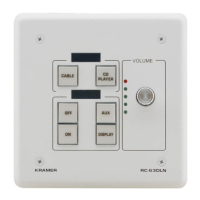
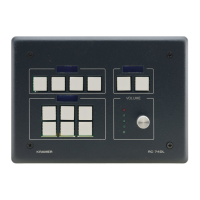
Explains the wiring for the K-NET port and how to connect compatible RC devices.
The Kramer SL-12 Master Room Controller is a highly versatile, all-in-one control processor designed for managing AV equipment in various room settings such as classrooms, boardrooms, and auditoriums. It aims to streamline operations and simplify control by integrating audio, video, and computer-video sources into a centralized system.
The SL-12 serves as a central hub for controlling a wide array of AV devices. It features an Ethernet port, allowing for the control of multiple AV products over a network. This enables remote management and integration with Kramer Site-CTRL software for comprehensive network control and management.
For interfacing with various sensors, switches, LEDs, and relays, the device includes four general-purpose I/O ports. These ports are configurable as either analog inputs, digital inputs, or digital outputs, offering flexibility in connecting to different types of devices.
The SL-12 is equipped with four bidirectional RS-232 ports, which are crucial for controlling AV equipment such as projectors, LCD and PDP displays, power amplifiers, switchers, and scalers. This allows for precise command and feedback communication with these devices.
For controlling other room elements related to the AV system, such as motorized drapes, projection screens, or projector lifts, the SL-12 provides eight relay contact closure ports. These relays can manage the raising and lowering of these items, enhancing the overall room automation.
Infrared (IR) control is a significant feature, with three IR inputs available: one built-in receiver on the front panel and two IR inputs on 3.5mm mini jacks. These inputs can accept commands from IR remote controls, including optional RC-4 IR transmitters which can act as auxiliary control panels. The device also boasts IR Learning capability, allowing it to learn commands from virtually any IR remote. For output, there are four IR outputs via terminal blocks, enabling control of IR-controlled devices like DVD players and power amplifiers.
A single RS-485 serial port is included for additional serial communication, often used with Kramer matrices or other compatible devices.
The SL-12 integrates with Kramer's K-NET™ control channel, which connects compatible user interfaces and supplies both power and control data over a single cable, simplifying installation and wiring.
For configuration and firmware upgrades, a USB port is provided, allowing connection to a computer for easy file uploads.
Status LEDs for all functions offer visual feedback on the operational status of each port and feature, aiding in troubleshooting and monitoring.
The device offers flexible control options, including Ethernet, K-NET™, RS-485, the built-in IR receiver, and external IR commands, ensuring a variety of ways to operate the system.
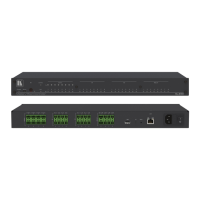
Installation of the SL-12 is straightforward, with options for rack mounting using an RK-13 rack adapter or placement on a table. The quick start guide provides clear instructions for initial setup, including checking the package contents and connecting inputs and outputs.
When connecting devices, it is crucial to switch off the power to each device before making connections to the SL-12. After all connections are made, the SL-12's power adapter should be connected, followed by switching on the power to all connected devices.
The RELAY terminal block connectors are used for controlling various room elements. For instance, RELAY 1 and 2 can be connected to a projector lift, RELAY 3 and 4 to a screen, RELAY 5 and 6 to blinds, and RELAY 7 and 8 to a lighting system.
GPI/O ports facilitate connections to sensors like motion detectors. For example, GPI/O 2 can connect to motion detector 1, and GPI/O 4 to motion detector 2.
IR outputs are connected to IR emitter cables, which are then attached to IR-controlled devices such as DVD players or power amplifiers. Kramer offers various IR emitter extension cables for different lengths.
IR inputs allow for external IR receivers to be connected, expanding the range and flexibility of IR control. The SL-12's front panel includes a built-in IR receiver, and two 3.5mm mini-jack IR inputs for external receivers. These can be configured in K-Config software to define which RC-4 unit controls which IR input, allowing for multiple control points. When using two IR receivers, it is important to place them in separate locations to prevent interference.
RS-232 ports connect to AV devices using 9-pin D-sub ports, with specific pins for ground, transmit, and receive. RS-485 connections are also made via terminal blocks, with pins for ground, B (-), and A (+).
The Ethernet port connects to a network hub or router via a straight RJ-45 cable, enabling network control via a PC running Kramer Site-CTRL software. Configuration of the Ethernet port is detailed in the K-Config Guide.
The K-NET port connects to any RC device with K-NET, providing power and control data over a single cable. The pinout for the K-NET port is clearly defined for proper wiring.
Operation of the SL-12 can be achieved through several methods: an RC family remote controller (configured via the Kramer K-Config Guide), an optional RC-4 infrared remote control transmitter (configured via Kramer K-Config software), or a PC running Kramer Site-CTRL control software (with guidance from the Site-CTRL and Web Access Online User Guide).
To ensure optimal performance, it is recommended to use only high-quality connection cables to avoid interference, signal deterioration, and elevated noise levels. Cables should not be secured in tight bundles or rolled into tight coils. The SL-12 should be positioned away from moisture, excessive sunlight, and dust to protect its internal components. The device is designed for indoor use only and should only be connected to other equipment installed inside a building.
For safety, there are no operator-serviceable parts inside the unit. Users are warned to use only the Kramer Electronics input power wall adapter provided with the unit. Before installation, it is crucial to disconnect the power and unplug the unit from the wall.
In case of issues, the DEFAULT recessed pushbutton allows for resetting the unit to factory default definitions, including IP number, mask, and gateway. To perform a reset, the power supply must first be disconnected and then reconnected while pressing the DEFAULT button. This action powers up the unit, loads factory defaults, and erases all stored presets.
Kramer Electronics also provides a comprehensive recycling program for waste electrical and electronic equipment (WEEE) in compliance with Directive 2002/96/EC, ensuring environmentally responsible disposal of products at the end of their lifecycle. Details on recycling arrangements are available on Kramer's recycling pages.
The device's packaging should be saved for possible future shipment, ensuring safe transport if the unit needs to be returned for service. The user manual should be reviewed for detailed instructions and information.
 General
| Model | SL-12 |
|---|---|
| Manufacturer | Kramer |
| Power Supply | 12V DC |
| Inputs | 4 IR, 4 RS-232, 4 GPI/O |
| Outputs | 4 IR, 4 RS-232, 4 GPI/O |
| Control Interface | Ethernet |


 To Next Page