4 Defining the VM-2DH DisplayPort to DVI/HDMI Converter
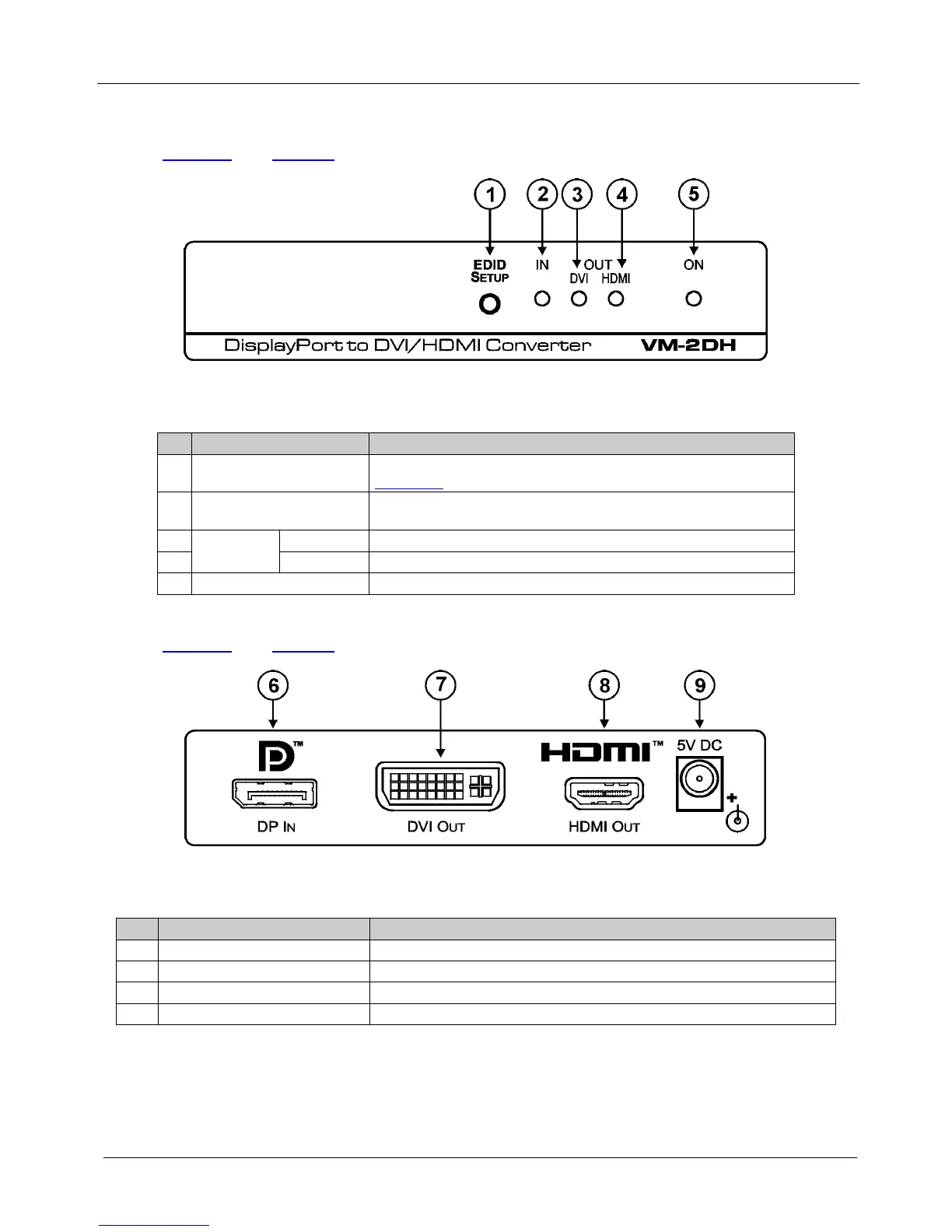
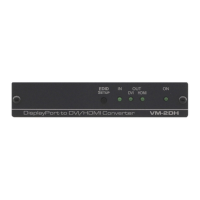
Figure 1 and Table 1 define the front panel features of the VM-2DH.
Figure 1: VM-2DH DisplayPort to DVI/HDMI Converter Front Panel
Table 1: VM-2DH DisplayPort to DVI/HDMI Converter Front Panel Features
# Feature Function
1 EDID SETUP Button Press to cycle through the EDID sources and to read the EDID (see
Section
5.1)
2 IN LED Lights green when the input is active; blinks when the input is not
valid
3
OUT LEDs
DVI LED Lights green when a DVI acceptor output is connected
4 HDMI LED Lights green when an HDMI acceptor is connected
5 ON LED Lights green when the unit is powered on
Figure 2 and Table 2 define the rear panel features of the VM-2DH.
Figure 2: VM-2DH DisplayPort to DVI/HDMI Converter Rear Panel
Table 2: VM-2DH DisplayPort to DVI/HDMI Converter Rear Panel Features
# Feature Function
6 DP IN DisplayPort Connector Connect to the DisplayPort digital source
7 DVI OUT Connector Connect to the DVI acceptor
8 HDMI OUT Connector Connect to the HDMI acceptor
9 5V DC Connect to the 5V DC power adapter, center pin positive


 To Next Page