Krell Full Power Balanced X Series Power Amplifiers 9
Front Panel Description
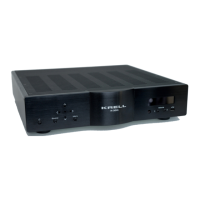
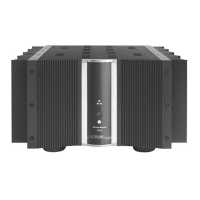
The front panel accesses power on/stand-by and remote control
functions. The power stand-by, bias, regulator, and Krell CAST II LEDs,
arranged in a triangle on the front panel above the power button,
illuminate to indicate amplifier status.
1 Power Stand-by LED
The blue power stand-by LED (top of LED triangle) illuminates
when the back panel power breaker switch has been moved to
on, engaging the input circuitry and placing the amplifier in
stand-by mode.
2 Bias LED
The blue bias LED (lower left of triangle) illuminates after the
front panel power button is pressed, indicating that the
Sustained Plateau Bias III is engaged.
3 Power Button
The silver power button powers on the amplifier from stand-by
mode.
4Infrared Sensor
The infrared sensor receives the signal from a remote control.
5Krell CAST LED
The red Krell CAST LED (center of triangle) illuminates when a
Krell CAST input on the back panel is connected to another
Krell product with a Krell CAST output.
6Regulator LED
The blue regulator LED (lower right of triangle) illuminates after
the front panel power button is used to power on from stand-by
mode, indicating that the regulator is providing power to the
output stage.
An optional remote control is available for Full Power Balanced
amplifiers.
Note









 To Next Page