
 Need help?
Do you have a question about the Krell Industries KAV-400xi and is the answer not in the manual?
Steps include opening the box, removing foam, lifting the unit, and removing protective wrapping.
Use dedicated circuits or high-quality grounded strips; avoid extension cords. Use supplied power cord.
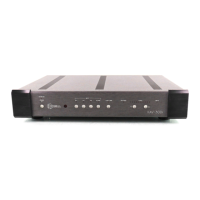
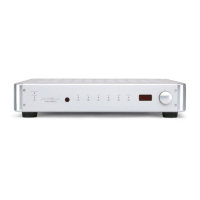
Describes the power button, blue power LED, red stand-by LED, and infrared sensor.
Details buttons for selecting analog sources (balanced/single-ended) and tape functions.
Describes the level knob/keys for output adjustment and the front panel display.
Details the 'Pre Key' for accessing amplifier commands and the 'Pre' button for input selection.
Describes binding posts for loudspeakers and single-ended tape/preamp outputs via RCA connectors.
Details balanced (XLR) and single-ended (RCA) analog inputs, including tape inputs.
Describes the IEC connector, line fuse, and AGC 8 loudspeaker output fuses.
Step-by-step guide for connecting loudspeaker cables, source components, and power.
Overview of input selection, volume control, and remote functions for operation.
Exercise care with power output; mute or attenuate volume when switching sources to avoid transients.
Procedure for switching between stand-by and operational modes, and system power-up/down sequence.
Detailed steps for turning the amplifier on and off, including LED indicators.
Lower volume or mute when changing sources to prevent damage from high output transients.
Set source level to zero, avoid sources without level controls, turn off before configuring.
Checks cable terminations, interconnects, and suggests contacting Krell for ground loop issues.
Guide to checking connections and identifying potential ground loops causing hum.
Provides output power ratings: 200 W at 8 Ohms, 400 W at 4 Ohms.
 Audio Performance
| frequency response | 20 Hz–20 kHz +0 dB, -0.07 dB |
|---|---|
| signal-to-noise ratio | 99 dB "A" weighted |
| total harmonic distortion | 1 kHz <0.04%, 20 kHz <0.25% |
Input/Output Specifications| input sensitivity | 0.644 Vrms |
|---|---|
| input impedance | 47 kOhms |
| output impedance | 0.17 Ohms |
Power Consumption| power consumption idle | 20 W |
|---|---|
| power consumption max | 1, 800 W |
| transformer | 750 VA |
Output Specifications| output voltage | Peak to peak 138 V |
|---|---|
| output power 8 ohms | 200 W |
| output power 4 ohms | 400 W |
Dimensions and Weight| dimensions | 17.3w x 3.5h x 17d in., 50w x 8.9h x 43.2d cm |
|---|---|
| weight shipped | 36.0 lb., 16.4 kg |
| weight unit only | 31.0 lb., 14.1 kg |








 To Next Page