8.2 Setting the oxygen volume flow
NOTE!
If the outlet is closed, the outlet pressure may rise to 0.7 bar. The maximum gas outlet
temperature is 6 degrees above the ambient temperature.
NOTE!
The oxygen volume setting must be determined individually for each patient, taking into
account the configuration of the unit and accessories.
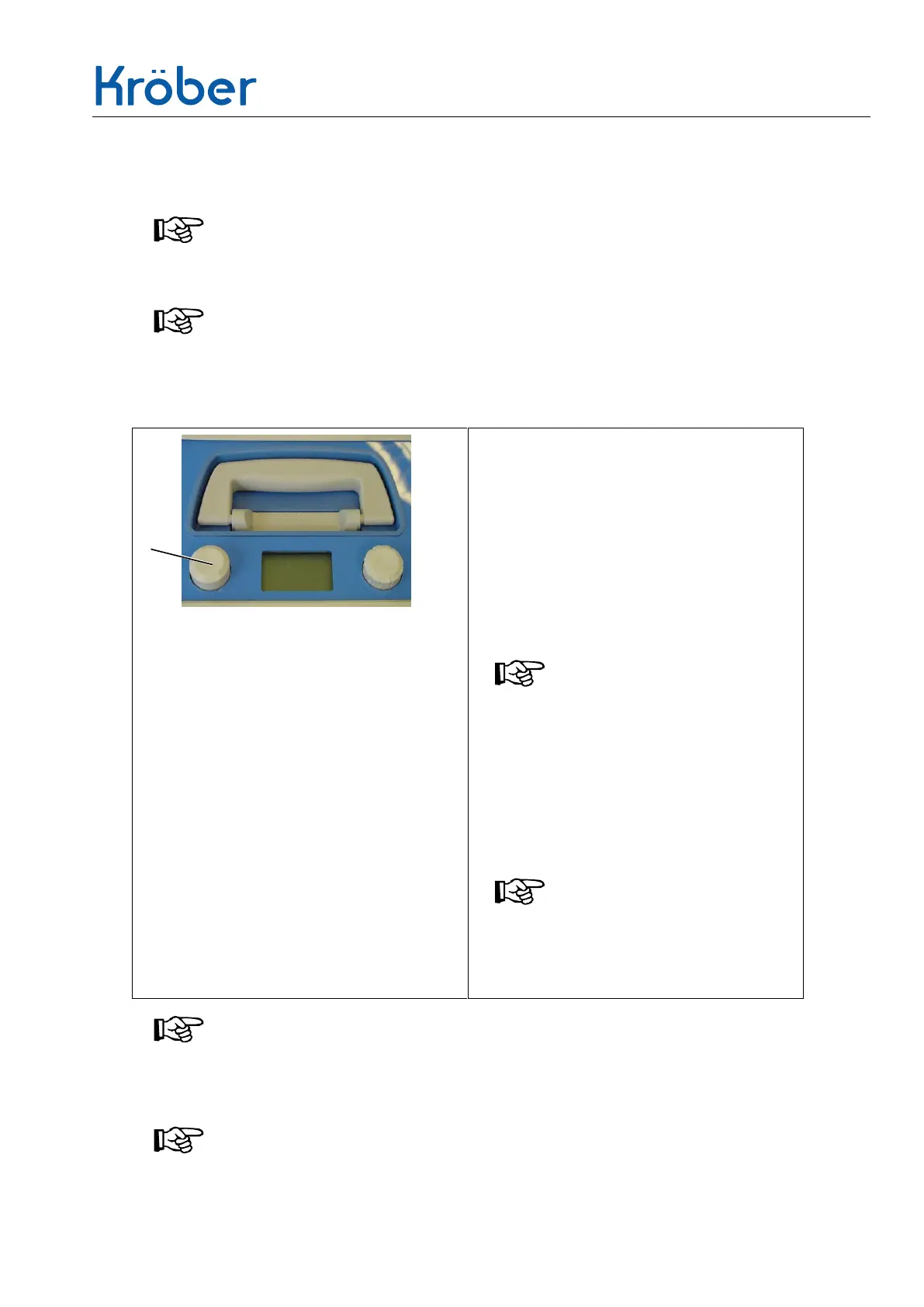
1 Press the adjustment regulator (1) for
at least 2 seconds.
– When the volume flow indication in the
LC display flashes the adjustment
mode has been activated.
2 Change the volume flow by turning
the adjustment regulator. Turning
clockwise increases the volume flow;
turning the regulator anti-clockwise
reduces the volume flow.
NOTE!
Perform the following steps to adjust:
0.1 - 2 l/min in steps of 0.1
2 - 4 l/min in steps of 0.2
4 - max l/min insteps of 0.5
3 The settings are accepted by pressing
the adjustment regulator again. The
input is once again acknowledged by
an audible signal.
NOTE!
The supplier may have restricted the
available volume flow range to
customized settings, such as 1 -4
lpm.
NOTE!
After adjusting the oxygen flow setting, the alarms and status messages for oxygen
concentration and volume flow deviations are deactivated for approximately one minute
until the unit has reached a steady state. During this period alarms are muted.
NOTE!


 To Next Page