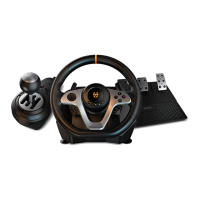
INSTALLATION
PC
A. X-Input
1. The X-Input mode is set by default, just connect K-Wheel to your PC.
B. D-Input
1. Press HOME button for 3 seconds to enter into D-Input mode.
2. Download the software from www.kromgaming.com
2.1 Connect to the internet and enter www.kromgaming.com
2.2 Into the product sheet, the right side menu (downloads) click on “DRIVERS”
2.3 In this link you can download the Software.
3. Install the software following the instructions.
4. Connect the wheel to your PC.
PS3
1. Connect the wheel to PS3 console; and connect the pedal to the wheel
2. Power on PS3 console.
3. The active channel LED indicator will light up when connection finished automatically.
Then you can set up or start the game.
4. During PS3 game play, press the HOME button once to enter the XBM window.
Press and hold the MODE button to enter MENU setup window.



 To Next Page