EasyManua.ls Logo

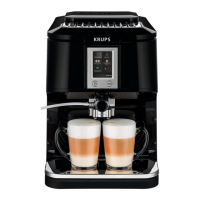
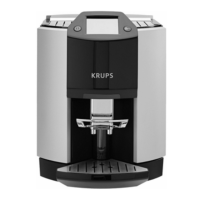
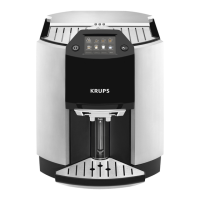
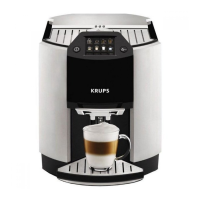
Krups Espresso Automatic EA89 Series - User Manual

Krups Espresso Automatic EA89 Series
341 pages
Go to English
Print Icon
To Next Page IconTo Next Page
Loading...
www.krups.com
FULLY AUTOMATIC
SERIE EA89
UK RU PL HU SK CS EL PT IT ES FI SV NO DA NL DE ENROBGHR FR

Table of Contents

Questions and Answers

  • C
    christina02Aug 21, 2025
    How to fix a Krups Coffee Maker failure?
    • R
      Rodney StephensAug 21, 2025
      If your Krups Coffee Maker displays a failure, hangs, or malfunctions, switch it off, unplug it, remove the filter cartridge, wait a minute, and restart it. Press and hold the on/off button for at least 3 seconds to start.
  • A
    Amanda GarciaSep 3, 2025
    Why is milk not flowing into the cup from my Krups Espresso Automatic EA89?
    • N
      Nicholas NolanSep 3, 2025
      If the milk or water isn't flowing correctly into the cup(s) from your Krups Coffee Maker, check that the One Touch Cappuccino block is correctly positioned.
  • R
    randyhallSep 1, 2025
    Why is there no steam from my Krups Espresso Automatic EA89 Coffee Maker?
    • C
      Clarence SmallSep 1, 2025
      If no steam comes out of the steam nozzle on your Krups Coffee Maker, first ensure the nozzle isn't blocked. If it's still not working, empty the water tank and temporarily remove the Claris cartridge. Fill the tank with mineral water (high calcium content >100 mg/l) and run 5 to 10 steam cycles into a container until you get a continuous steam jet. Then, put the cartridge back.
  • V
    Veronica TurnerAug 31, 2025
    What does it mean when my Krups Coffee Maker asks to be unplugged?
    • A
      Ashley RobertsAug 31, 2025
      If your Krups Coffee Maker asks to be unplugged and plugged back in, unplug it for 20 seconds. Remove the Claris Aqua Filter System cartridge if necessary, then plug it back in again. If the error continues, contact the KRUPS Customer Service team.
  • S
    Sarah SheltonAug 29, 2025
    How to make my Krups Espresso Automatic EA89 Coffee Maker espresso hotter?
    • P
      patriciawhiteAug 29, 2025
      If the espresso or coffee from your Krups Coffee Maker isn't hot enough, run a coffee circuit rinsing cycle first. Increase the coffee temperature in the Settings menu. Also, warm the cup by rinsing it with hot water before making your drink.
  • D
    Dr. Dustin BarnesAug 27, 2025
    What to do if my Krups Espresso Automatic EA89 One Touch Cappuccino block doesn't suck milk?
    • S
      Sarah GreenAug 28, 2025
      If the One Touch Cappuccino block on your Krups Coffee Maker isn't sucking milk or producing froth, ensure it's correctly assembled, especially the connector in the milk tube. Check for blockages in the steam nozzle and clean if necessary. Soak the connector in hot, soapy water, then rinse and dry. Ensure the flexible pipe isn't blocked or twisted and is properly inserted to avoid air leaks. Make sure it's fully immersed in the milk. Rinse and clean the block. Using fresh, pasteurized, or UHT milk that has been recently opened, and a cold container, is also advisable.
  • J
    Jeffery MurrayAug 27, 2025
    Why does my Krups Coffee Maker dispense coffee too slowly?
    • R
      Rebecca JonesAug 27, 2025
      If the coffee from your Krups Coffee Maker is dispensing too slowly, try these steps: adjust the ‘fineness of grind’ dial to the right for a coarser grind, run several rinsing cycles, perform a machine clean, and replace the Claris Aqua Filter System cartridge.
  • S
    stephanie42Aug 25, 2025
    Why won't my Krups Coffee Maker switch on?
    • V
      Victor SotoAug 25, 2025
      If your Krups Coffee Maker does not switch on when you press the ON/OFF button (for at least 3 seconds), check your fuses and plug sockets. Also, ensure that the two power plugs are correctly inserted into the socket.
  • J
    Joshua BrooksAug 23, 2025
    Why is there water under my Krups Espresso Automatic EA89 Coffee Maker?
    • C
      changsaraAug 23, 2025
      If there is water underneath your Krups Coffee Maker, wait 15 seconds after the coffee has finished flowing before removing the water tank. Check that the drip tray is correctly positioned and always in place, even when the appliance is not in use. Ensure the drip tray isn't full and is not removed during a cycle.

Summary

Important Information and Instructions

Guide to Symbols

Explains the meaning of warning and information symbols used in the manual.

Products Supplied

Lists the components included with the coffee machine upon purchase.

Appliance Description

Overall View

Provides an overview of the appliance's main components and their functions.

Krups App Features

App Download and Account Setup

Instructions on downloading the KRUPS app and setting up a user account.

Bluetooth Connectivity and Pairing

Guide to activating Bluetooth and connecting your smartphone to the machine.

App-Controlled Machine Settings

How to modify machine settings remotely using the KRUPS app.

Using Your Appliance

Initial Setup and First Use

Covers initial setup, connection, power-on, language, units, and date/time settings.

Appliance Operation and Energy Saving

Instructions on turning on the appliance and setting auto-off timers for energy saving.

Coffee Circuit Rinsing and Filter Installation

Explains rinsing the coffee circuit and detailed steps for installing the water filter cartridge.

Water Hardness and Preparation

Setting Water Hardness and Preparing Appliance

Guide to determining water hardness and preparing the appliance with water and beans.

Drink Preparation Basics

Grinder, Outlet, and Interruption Settings

Adjusting grinder, coffee outlet, stopping preparation, and using the double preparation function.

Preparing Coffee Drinks

Direct Access and Coffee Settings

Steps for preparing coffee drinks via direct access and adjusting strength/volume.

Preparing Milky Drinks

Milky Drink Settings and Recipes

Options for adjusting milky drink settings and preparing Cappuccino/Macchiato.

Preparing Teas

Tea Settings and Preparation

How to adjust tea volume and temperature, and prepare different tea types.

Preparing Other Drinks

Espresso Variations and Frothy Milk

Instructions for preparing Ristretto, Doppio, Americano, and frothy milk.

Other Functions and Settings

Navigating Settings and Basic Configuration

Accessing settings, configuring date, time, language, units, and screen brightness.

Beverage Temperature and Water Hardness

Adjusting coffee/tea temperatures and setting water hardness levels.

Auto Functions and Drink Presets

Configuring auto-on/off, automatic rinsing, and drink-specific settings.

Maintenance and Cleaning Procedures

Accessing maintenance options, cleaning the milk system, and rinsing the coffee circuit.

General Maintenance

Collector and Drip Tray Management

Instructions for emptying the coffee grounds collector and the drip tray.

Circuit Rinsing and Cleaning Programs

How to manually rinse circuits and utilize automatic cleaning programs.

Coffee Circuit Automatic Cleaning

Details on running the automatic cleaning program for the coffee circuit.

Cleaning the Cappuccino System

Dismantling and Cleaning the Milk Block

Step-by-step guide to disassembling the One Touch Cappuccino block for thorough cleaning.

Automatic Descaling

Steam Circuit Descaling Procedure

Procedure for descaling the steam circuit, including warnings and steps.

Troubleshooting

Machine Issues: Power, Grinder, and Milk System

Corrective actions for malfunctions, power issues, grinder noise, and milk system problems.

Steam Nozzle and Drip Tray Issues

How to address steam nozzle blockages, no steam output, and steam leaks from the drip tray.

Drip Tray Prompts and Preparation Errors

Explains drip tray emptying prompts and issues with milk suction or froth production.

Troubleshooting Continued

Appliance Reset, Flow, and Descaling Issues

Steps for appliance reset, troubleshooting descaling errors, and milk/water flow problems.

Water Leaks and Post-Operation Water

Addressing water leaks underneath the appliance and warm water after operation.

Collector Prompts and Dispensing Speed

Resolving collector prompt issues and slow coffee dispensing.

Beverage Quality Adjustments

Tips for improving beverage temperature, strength, and color.

Troubleshooting Final Issues

No Coffee, Power Failures, and Tea Temperature

Corrective actions for no coffee, power failures, and adjusting tea temperature.

App Connectivity and Ground Coffee Usage

Troubleshooting app connectivity, ground coffee usage, and steam appearance under the grain tray lid.

Collector Full Warning and Extra Shot Function

Explains collector full warnings and the unavailability of the extra shot function.

Krups Espresso Automatic EA89 Series Specifications

General IconGeneral
TypeAutomatic Espresso Machine
SeriesEA89 Series
Coffee Strength SettingsAdjustable
Power1450 Watts
Pump Pressure15 bar
ProgrammableYes
Removable Drip TrayYes
Ground Coffee OptionYes
Milk FrotherYes
Number of Cups2
Warranty2 years
Water Tank Capacity1.7 L
ColorBlack
MaterialStainless Steel/Plastic

Related product manuals