MENU
BackEnter
OK
Digital Zoom
1/1
OFF
2
3
4
MENU
BackEnter
OK
Image size
1/1
12M
8M
5M
2M
MENU
BackEnter
OK
Set Clock
1/1
10 / 21 / 2014 06 : 02
MENU
BackEnter
OK
Video Length
1/1
010 SEC
MENU
BackEnter
OK
Video Size
1/1
1920x1080
1280x720
MENU
BackEnter
OK
Picture No.
1/1
01 P
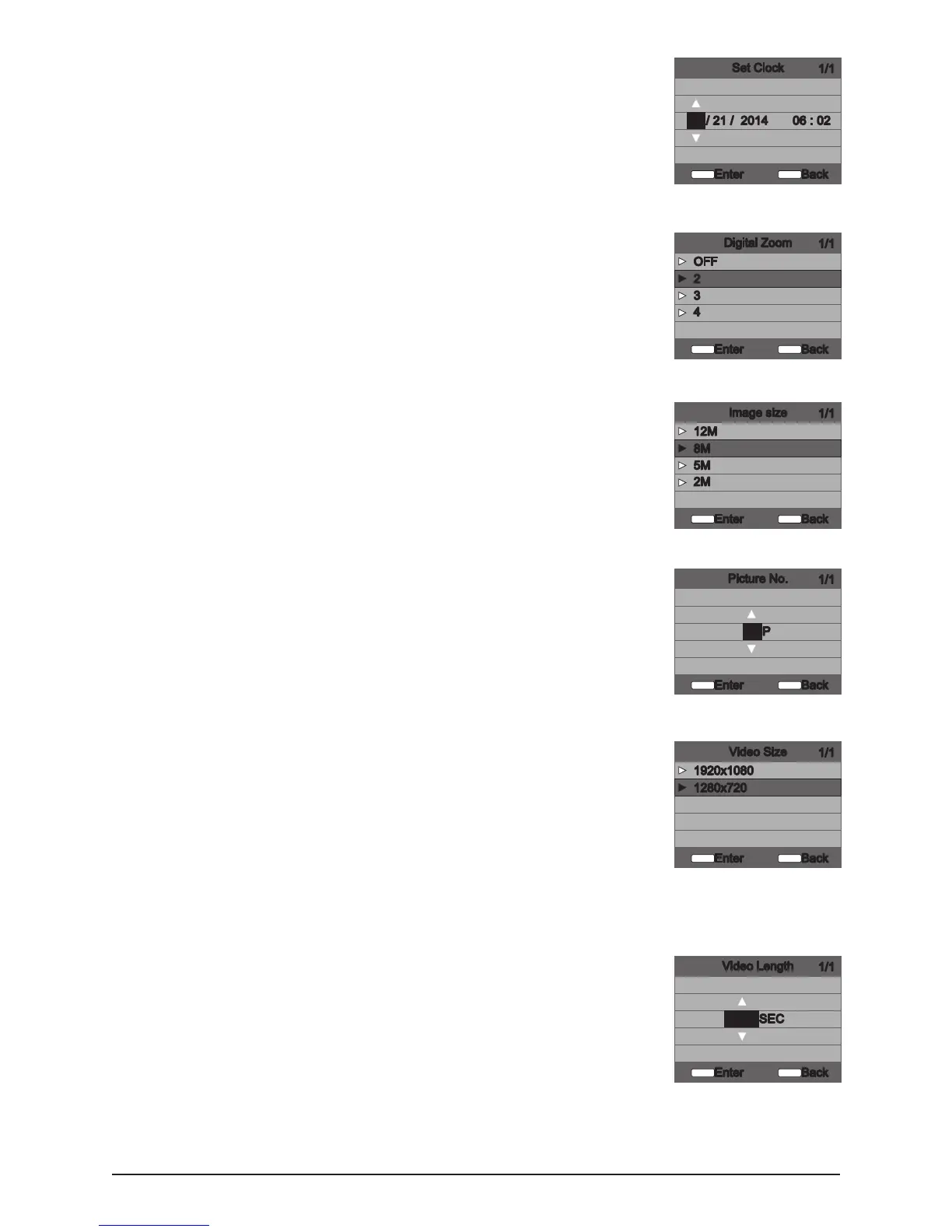
Set Clock
Set Date /Time -on the SETUP DATE/TIME screen, use the UP/DOWN buttons
to modify the month. Press LEFT/RIGHT buttons to move to the next eld.
Press the ENTER button again to save your selections. The Time and Date is
retained between battery changes. Time is not automatically adjusted for
daylight savings.
Digital Zoom
This function will allow the user to select between 3 levels of digital zoom.
The camera will default to no zoom setting. Press the UP/DOWN buttons to
highlight the desired setting. Press the ENTER button to save the setting and
return to the Camera Setup Menu.
Image Size
The higher the quality of the photo/image the more memory it consumes.
However, quality images have higher resolution which results in clearer
images – especially when zooming in. There are four photo/image quality
settings - 12 MP, 8 MP, 5 MP and 2MP. Press the UP/DOWN buttons to
highlight the desired setting. Press the ENTER button to save the setting and
return to the Camera Setup Menu. Refer to SPECIFICATIONS section of this
document for details on number of images stored based on Photo Quality.
Picture No.
Video Size
Video size can be set to VGA or HD. The higher the quality of the video,the
more memory it consumes. However, higher quality videos have higher
resolution.
► 1280 x 720
► 1920 x 1080
Press the UP/DOWN buttons to highlight the desired setting. Press the ENTER
button to save the setting and return to the Camera Setup Menu.
Video Length
When the Camera is congured for VIDEO in the Capture Mode screen,
the camera will record video for a designated amount of time each time an
animal is detected. To change amount of time recorded, press the UP/DOWN
buttons to highlight the desired setting. Press the ENTER button to save the
setting and return to the Camera Setup Menu. The Maximum video length
for a nighttime IR video is 20 seconds.
3
S20 Digital Game Camera



 To Next Page