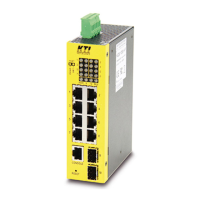
The KS-116 is a 16-Port 10/100 Workgroup Switch designed for enhancing network performance in small to medium-sized environments. This device functions as a plug-and-play Fast Ethernet switching hub, offering ease of installation and use. It automatically detects the operation speed (10Mbps or 100Mbps) and operation mode (full or half duplex) for each port, simplifying network configuration.
Function Description:
The primary function of the KS-116 is to facilitate high-speed data transfer within a workgroup network. With its switch architecture, each network connection can achieve up to 200Mbps bandwidth, and the total bandwidth of the switch is 1.6Gbps. This capability allows users to significantly improve their network performance by segmenting the network and reducing contention (collisions). The switch intelligently directs network traffic based on the destination address of packets, minimizing unnecessary traffic and boosting available bandwidth per port. It supports both 10Mbps and 100Mbps Ethernet connections, making it versatile for various network devices.
Important Technical Specifications:
- Access Method: CSMA/CD, 10 Mbps or 100 Mbps.
- Standards Conformance: IEEE 802.3 10BASE-T, IEEE 802.3u 100BASE-TX.
- Communication Rate: 10/100 Mbps on RJ-45 ports.
- Communication Mode: Full / Half duplex.
- Media Supported:
- 10BASE-T: 100 Ohm Category 3, 4, 5 twisted-pair cable.
- 100BASE-TX: 100 Ohm Category 5 twisted-pair cable.
- Number of Ports: Sixteen 10BASE-T/100BASE-TX RJ45 ports.
- MDI-X/MDI Selection: Alternate Port (Port 16 MDI-X port and the MDI port share the same components; only one can be used at a time).
- Dimensions: 430 x 105 x 44 mm (16.9 x 4.1 x 1.7 inch).
- Weight: 1.4 Kg (3.08lb).
- Power Consumption: 10 Watts max.
- Input Power: Full range: 100 to 240V, 50 to 60 Hz.
- Operating Temperature: 0 to 40°C (32 to 104°F).
- Storage Temperature: -40 to 70°C (-40 to 158°F).
- Humidity: 5% to 95% (Non-condensing).
- Network Bridging Function: Filtering, forwarding, and learning.
- Switching Method: Store-and-forward.
- Address Table: 8K entries.
- Queue Buffer: 512K Bytes Shared Buffer.
- Filtering/Forwarding Rate: Line speed.
- Certifications: CE Mark, FCC Class A / VCCI Class-I / CISPR Class A, IEC 1000-4-2/3/4, EN55022, EN60555-2/3.
- Compliance: Low Voltage Directive 73/23/EEC and EMC Directive 89/336/EEC.
Usage Features:
The KS-116 is designed for flexible deployment, offering both desktop/shelf placement and rack-mount installation.
- Placement: Can be placed on a flat surface (desk, shelf, or table) or mounted onto a standard EIA 19-inch rack using the provided rack-mount kits and screws. When stacking multiple units, it's recommended not to stack more than three 16-port switches to maintain stability.
- Connectivity:
- Connecting Devices: Use Category 3 or 5 twisted-pair Ethernet cable for 10BaseT devices and Category 5 (straight-through) twisted-pair Ethernet cable for 100BaseTX devices. Cable distances should not exceed 100 meters (328 ft).
- Connecting to Another Switch/Hub:
- MDI to MDX Connect: Use a normal "Straight Through" TP Cable when connecting the Switch MDI port to a standard port on another switch/hub.
- MDX to MDX Connect: Use a crossover TP cable when connecting a Switch device port to a standard port on another switch/hub.
- MDI/MDI-X Port Sharing: Port 16 MDI-X and the dedicated MDI uplink port share components. Users must choose to use either Port 16 as an MDI-X port or the dedicated MDI port, but not both simultaneously, to avoid conflicts.
- Application: The switch is ideal for overcoming hub-to-hub connectivity limitations and improving overall network performance by segmenting the network, reducing collisions, and boosting available bandwidth.
Maintenance Features:
- Indicator Panel: A clear indicator panel provides real-time network status monitoring.
- Power LED: Illuminates ON when the switch is receiving power.
- Display Mode LED (Green/Yellow):
- Green: Indicates the LED function for Ports 1-16 is "Link / Act".
- Yellow: Indicates the LED function for Ports 1-16 is "FDX / Col." (Full Duplex / Collision).
- A "PUSH" button on the front panel allows switching between these display modes.
- Port LEDs (1-16):
- ON: Port has established a valid link.
- Flashing: Data packets are being received or sent.
- ON: The connection is Full Duplex.
- Flashing: Packet collisions are occurring (a low level of collision is normal in Ethernet operation).
- Connection Speed (Yellow/Green):
- Yellow: Connection speed is 10Mbps.
- Green: Connection speed is 100Mbps.
- Troubleshooting: The manual provides guidance for resolving common issues:
- No Link Conditions: Check if the attached device is powered on, cable type/condition, installed building premise cable, and switch port functionality. Remember the MDI/MDI-X port sharing limitation.
- Network Connectivity Issues: Verify the network device's link/act status, network configuration, and cable integrity (type, length).
- LED Display Malfunction: Ensure the LED display is in the correct mode ("Link / Act" or "FDX / Col.") by using the "PUSH" button.
- Warranty: The product comes with a warranty against defects in material and workmanship from the date of purchase. The warranty does not cover damage incurred during installation, and professional installation is recommended.
- Safety Warning: Do not plug a phone jack connector into the RJ-45 port, as this may damage the device.

 Need help?
 General

 To Next Page