OPERATION
u
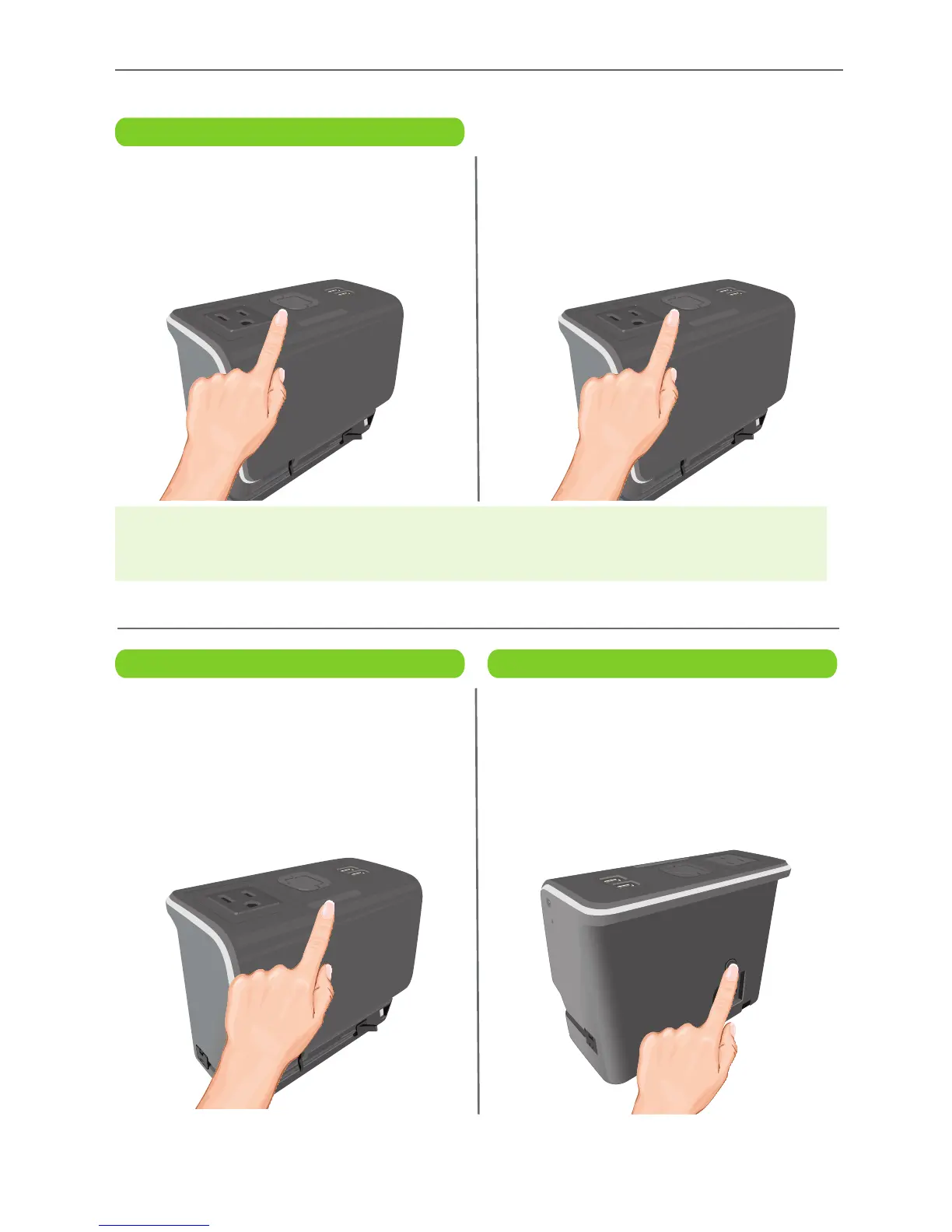
When the alarm is sounding, press the
ALARM SET/OFF button to turn it off.
It will NOT be set for the next day and
OFF will appear in the display.
v
To set it to turn on the following day,
press the ALARM SET/OFF button
again and the ALARM TIME will blink
for a couple seconds and then be
activated for the next day.
u
While the alarm is sounding, press
the SNOOZE/DIMMER button; the
alarm will turn back on automatically
10 minutes later. You can repeat the
Snooze function up to three times
depending on the Snooze Function
setting (see page 7).
u
This unit comes equipped with an
external outlet so you can plug in
another device (up to 5A). If the
display shows “ERR”, the AC outlet
on the top of the unit has been over-
loaded. Press the AC Outlet Reset
button to reset the outlet.
Turning Off the Alarm
Snooze AC Outlet Reset
IMPORTANT ALARM NOTE:
• The Alarm will only go off once (single day alarm) and will not repeat daily.


 To Next Page