6
2.2.
Button description and application
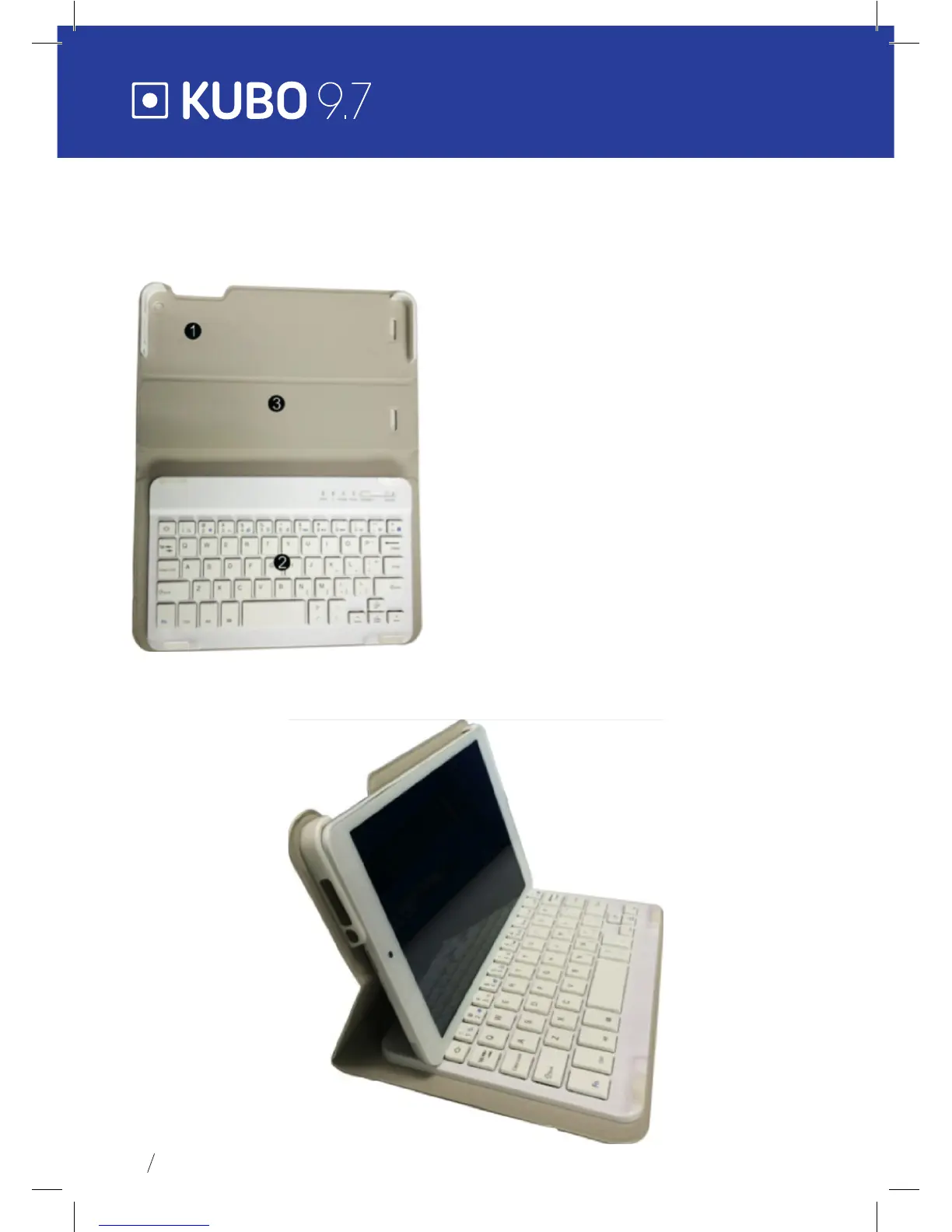
Note: The keyboard is optional (not included) and will be used according to product
conguration.
1. Tablet xture: easy alignment and tablet
xture.
2. Keyboard form: QWERTY keyboard and
excellent typing comfort.
3. Base: folding tablet base.
Use of tablet with the keyboard


 To Next Page