9
2.4. App interface introduction
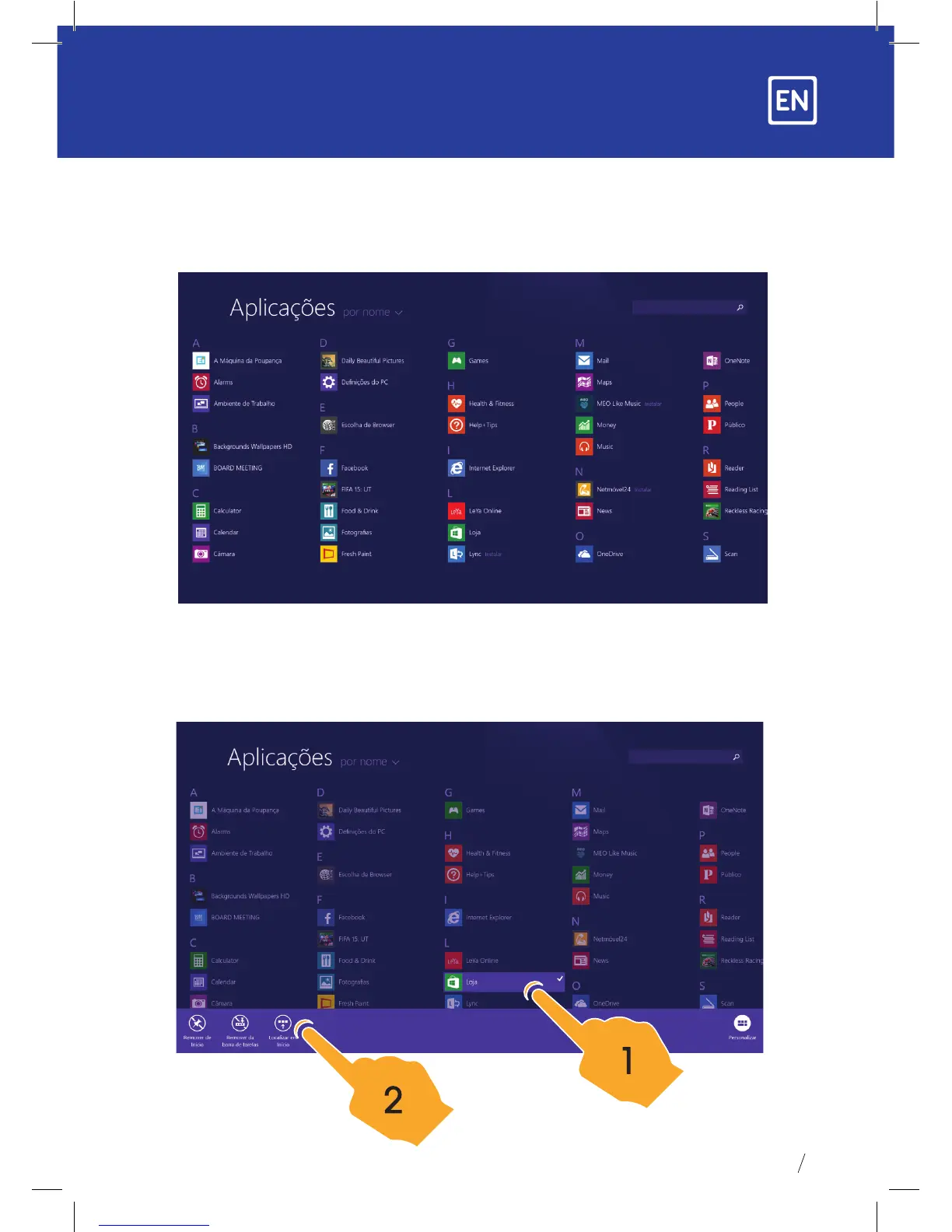
On the start screen you can also expand to see all applications available by sliding upwards.
If you want to place more applications on the start screen please touch lightly as in
(1) and hold the application magnet for about 1 second, let go, select (2) to place the
application on the start screen.


 To Next Page