7
2.3. Desktop
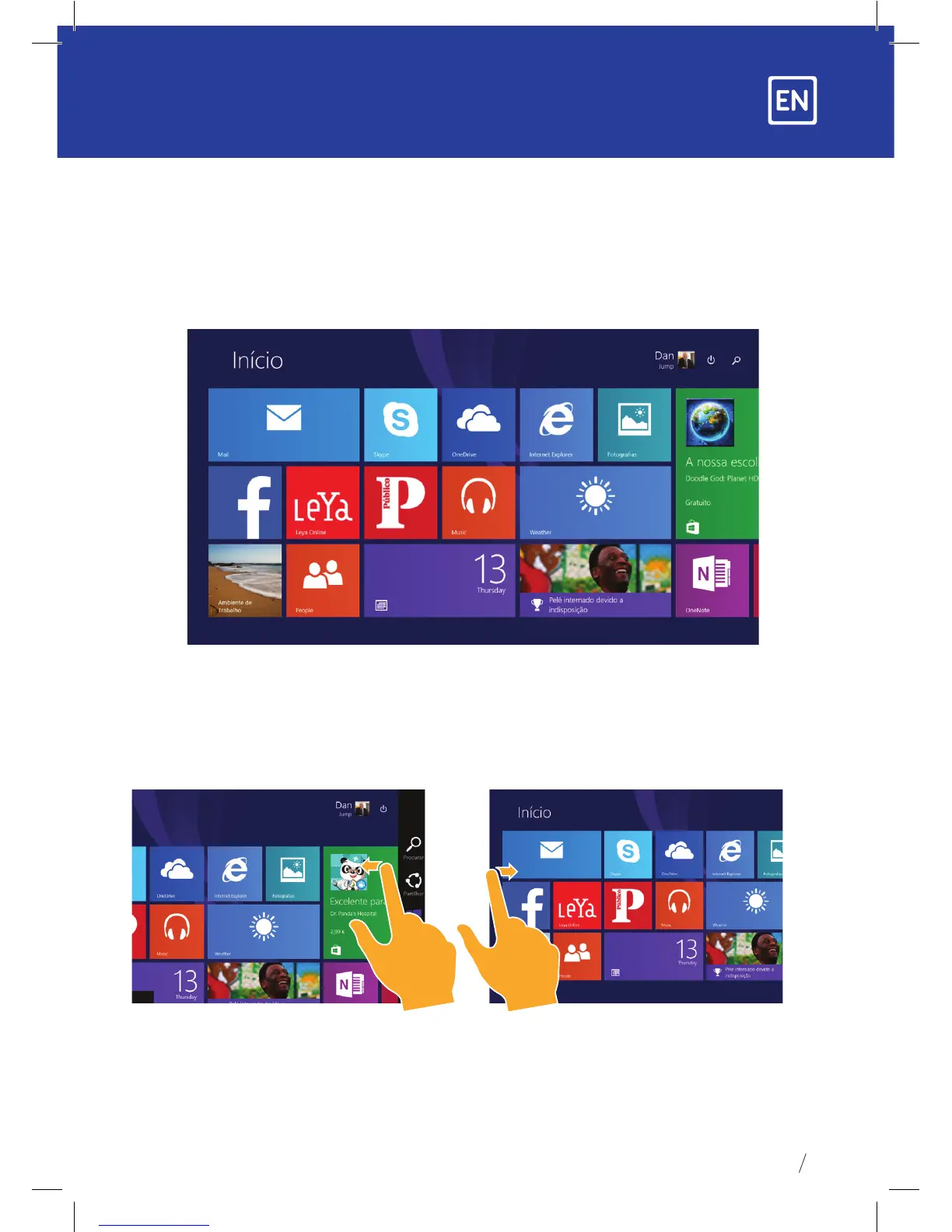
1. The desktop presentation: On the Windows 8.1 start screen you can see many
applications in xed positions as in the picture that will display in the form of a “magnet”
with easy one-click access.
Before using full applications login to your Microsoft account rst.
2. Picture slide application
Slide to the right Slide to the left
Slide from the left side to the right
side of the screen in order to open
the running application screen.
Slide from the right side to the left
side of the screen to open the menu bar.


 To Next Page