8
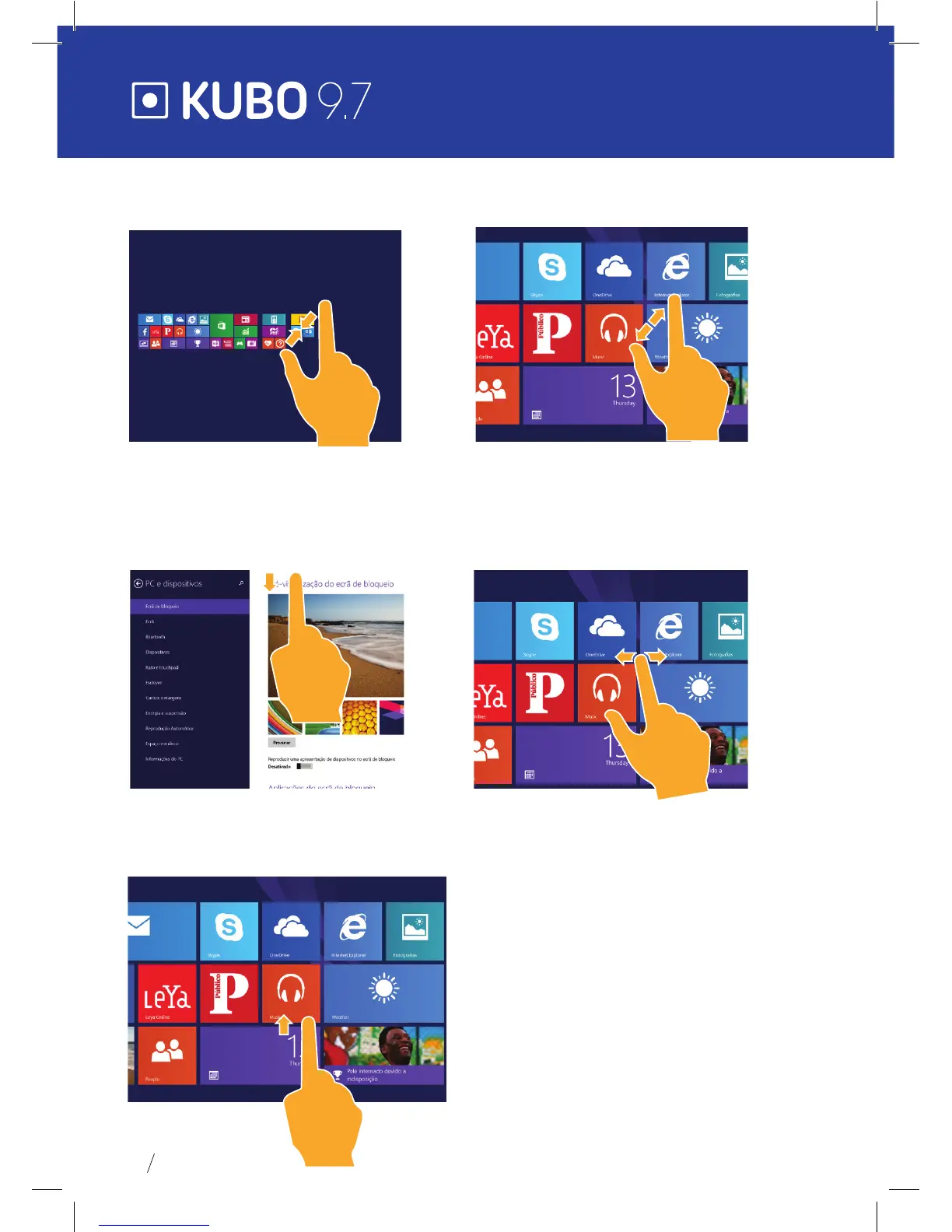
Zoom Out Zoom In
Bring two ngers together
on the touch screen to shrink.
Move two ngers apart
on the touch screen to zoom in.
Sliding down Sliding ngers
On the start screen, slide down
from the top to display
Customization options.
Slide from the center of the screen
to the left or to the right to move
around the screens.
Sliding down
At the bottom of the screen slide upwards to
show the application or screen options.


 To Next Page