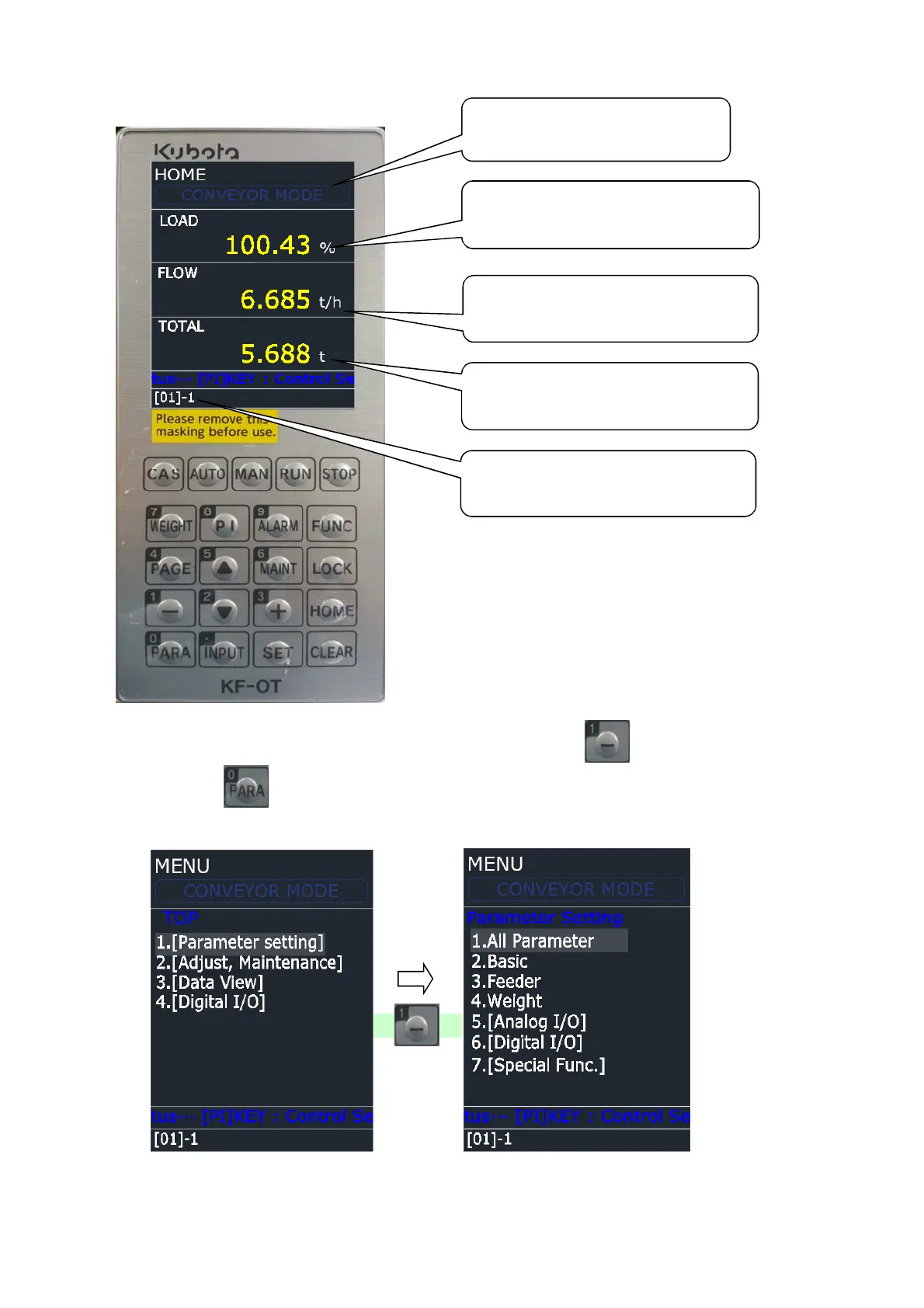
1. Operation Screen Display
2. How to set Parameter
1) The screen like below display 2) By pressing key, move to parameter
when pressing key setting screen
in operation screen
☞ When you select a menu, press a number
1/5
This display mode of Controller.
This display as load rate % a
material loaded in weighing section
on Belt
This display as value(t/h) the
quantity passing through a belt now.
This display accumulated integrated
guantity
This display setting LINE number
'[01]' and internal memory number '


 To Next Page