Need help?
Do you have a question about the Kukirin G2 Max and is the answer not in the manual?
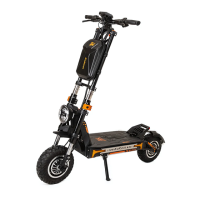
Lists and illustrates the main body and essential parts of the electric scooter.
Details the various components and their functions on the electric scooter.
Provides essential safety instructions for riding and operating the scooter.
Illustrates the electric scooter in both its open and folded states.
Step-by-step instructions for assembling the electric scooter.
Guides on adjusting the telescopic T-bar to different height settings.
Instructions on how to safely fold and unfold the electric scooter.
Details on how to properly charge the electric scooter's battery.
Guidance on how to move the scooter manually.
Steps for installing the optional seat accessory.
Instructions for folding the optional seat.
Detailed steps for folding the seat correctly.
Diagram and explanation of the electric scooter's control system.
Instructions on using the power, gears, brakes, and cruise control.
Guidance on preparation and steps for riding the electric scooter.
Details on the battery's capacity, lifespan, and charging precautions.
Explanation of the symbols and readouts on the LCD display.
Information on headlamp operation and indicator lights.
Guidelines for proper maintenance and storage of the electric scooter.
List of error codes and their corresponding fault descriptions.
Answers to common issues and troubleshooting tips.
Detailed parameters and specifications of the electric scooter.
Terms and conditions for product warranty and service.
Information required for warranty claims and product registration.
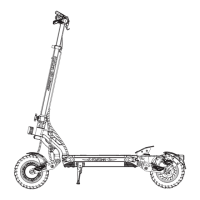
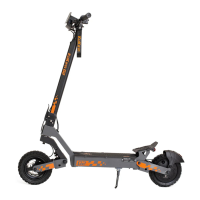
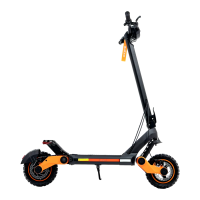
The KuKirin G2 Max is an electric scooter designed for personal transportation, emphasizing user safety, ease of use, and practical maintenance. This manual outlines its functions, operational procedures, and care instructions to ensure a safe and enjoyable riding experience.
The KuKirin G2 Max scooter is equipped with a comprehensive control system and various functional components to facilitate its operation. The main control system includes a handlebar with a left brake handle, a T-bar, an LCD display, a right brake handle, a headlight button, an electric lock, and a gear switch button.
The LCD display provides essential information to the rider, including turn left/right brake indicators, current speed, non-zero start status, single/double drive mode, battery level, battery capacity, and headlight status. It also shows the current gear, speed in km/h or mph, fault codes, and a cruise logo when activated.
The scooter features a telescopic head stem that allows for height adjustment, divided into three gears: low, middle, and high. This adjustment is achieved by loosening a quick release, pressing a ball bearing, and moving the T-bar up or down, then re-locking the quick release.
For safety, the scooter includes a braking system with both electric and disc brakes, controlled by the brake handles. A headlight and tail light system, along with side lights, ensures visibility during rides, activated by a dedicated light button.
The power system is managed by an electric lock, which requires a key to turn the power on or off. The scooter supports different riding modes, including a non-zero starting mode where the throttle system activates after the scooter reaches a certain speed (e.g., >3km/h). It also features a cruise control function that maintains a constant speed once activated, which can be disengaged by pulling the left brake handle or initiating electronic braking.
Operating the KuKirin G2 Max involves several steps, from assembly and expansion to riding and folding.
Assembly and Expansion: To prepare the scooter for use, first, pull the scooter open and extend the kickstand, securing the folding switch. Connect the main wire of the T-bar to the head stem and slide the stem onto the front fork, taking care not to pinch the wire. Use the provided toolkit to tighten the screws and verify power on/off functionality. To expand the scooter, press a clip with one hand while pulling the upright tube up with the other. Then, pull the T-bar up and secure the folding clip.
Folding: For storage or transport, the scooter can be folded. Ensure the power is off for safety. Pull the safety catch upwards, then push down the front of the E-scooter. Take the lever hook and insert it into the hook card slot to secure the folded position.
Riding Instructions: Before riding, choose an open area and wear protective equipment. Turn the key to the right to power on the scooter. Place one foot on the deck and the other on the ground. As the scooter starts to glide, place the second foot on the deck. Gradually press the throttle thumb shifter to accelerate. For emergency stops, hold both brake handles firmly. For normal stops, holding the left brake handle will power off and brake the scooter. The scooter supports a non-zero start function, meaning the throttle system will only engage after the scooter has started moving. The maximum speed limit is 25km/h, and headlights should be used when exceeding 15km/h.
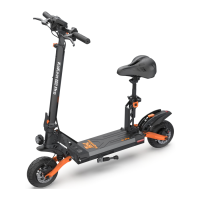
Seat Assembly (Optional): The scooter supports an optional seat. To install, secure the seat bracket to the battery box pedal with four screws. Once secured, loosen the seat for quick disassembly. To attach the seat, insert it into the corresponding card slot. To remove it, turn it to unlock and quickly pull it out. For folding the seat, release it and recline it in the direction of the arrow, then press the seat axle on the side. When the seat axle is pressed to the bottom, place one hand on the seat bracket and slowly recline the seat. For expanding the seat, press down the seat axle while raising the seat bracket. Shake the seat bracket to ensure the seat axle is stuck in the slot.
Recharging: To recharge, open the waterproof plug of the charging port and insert the charger plug. Connect the charger to a power supply. The light on the charger will turn red during charging. After charging, cover the top cover.
Transfer: The scooter can be moved by hand, either with one or two hands, as shown in the manual's figures.
Proper maintenance ensures the longevity and safe operation of the KuKirin G2 Max scooter.
Lubricating Oil: Special grease should be applied every six months to the electric aircraft's moving parts. Regularly check for any faults and tighten bolts every three months.
Battery Care: Turn off the power when charging or not in use. If storing for an extended period, keep the electric scooter in a safe place and cover the battery. Charge the electric scooters at least once every three months to maintain battery health. Do not store the scooter in direct sunlight.
Battery and Recharger: The scooter is equipped with a lithium battery designed for at least 800 recharges and over 1000 normal uses. Charging should be done outdoors as lithium batteries can be dangerous during the process. The charging device has an automatic circuit breaker system that activates when the battery is fully charged. Charging typically takes 7-8 hours. If the battery is not charging or is damaged due to abnormal reasons, contact the service center. Damage caused by improper charging or using non-manufacturer charging devices may void the warranty.
Fault Code System: The scooter's LCD display can show fault codes to help diagnose issues:
Troubleshooting (FAQ & Solution):
Warranty and Service: The product comes with a warranty period starting from the date of purchase. During this period, quality-related failures or damages under normal use will be repaired, replaced, or returned free of charge. The warranty does not cover failures or damages due to misuse, abuse, improper transportation, maintenance or storage, force majeure, accidents, unauthorized repairs, or use violating product instructions. Normal wear and tear, or aging, and accumulated mileage exceeding 2,000 kilometers are also not covered. The warranty is void if the original identification label is changed or damaged. Specific warranty periods for components include:
 General
| Motor Power | 1000W |
|---|---|
| Battery Capacity | 48V 20Ah |
| Max Speed | 55 km/h |
| Tires | 10-inch pneumatic tires |
| Max Load | 120 kg |
| Display | LCD Display |
| Waterproof Rating | IP54 |
| Range | 80 km |
| Brakes | Front and Rear Disc Brakes |
| Suspension | Front and rear suspension |


 To Next Page