DLC640-INST.
8
04/26/00 rev 1
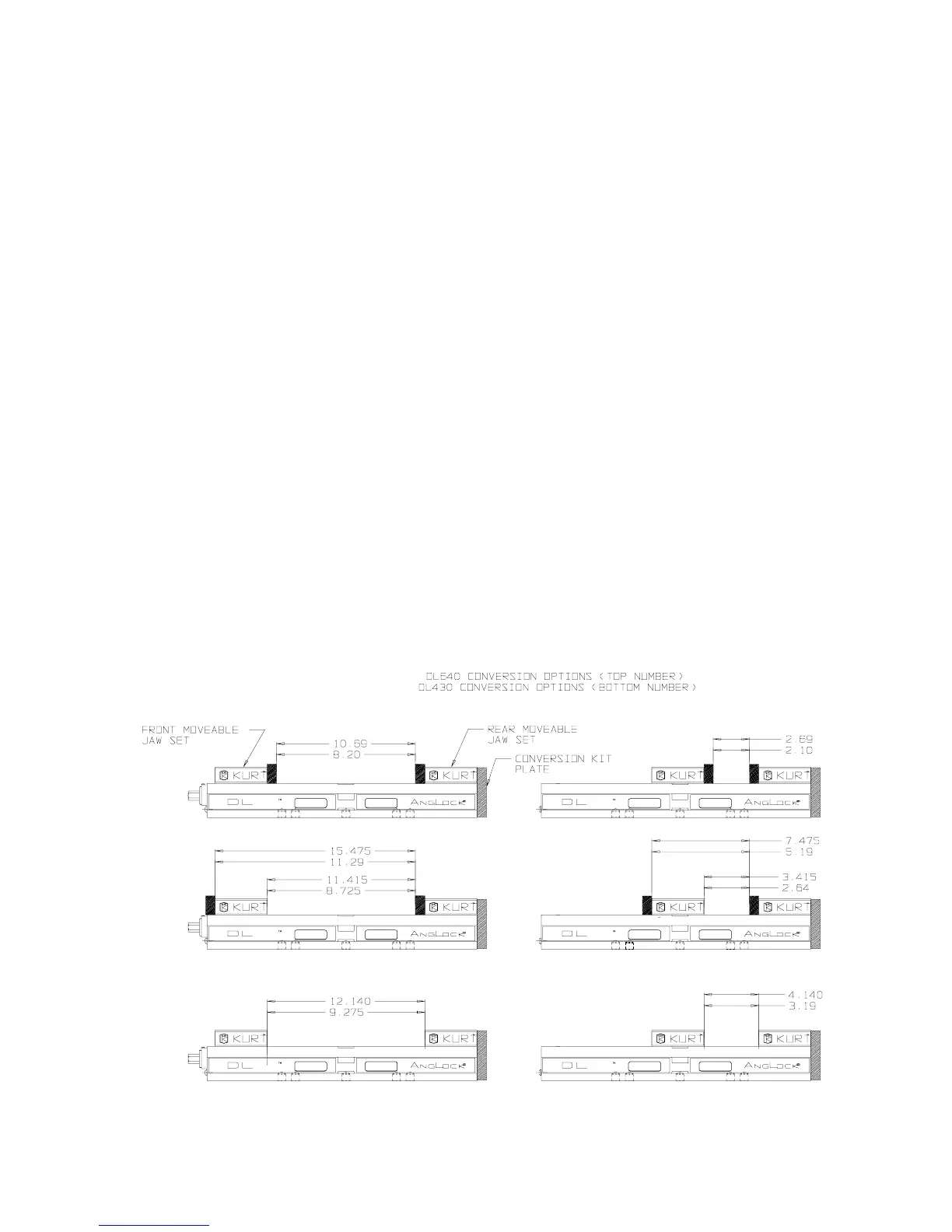
Conversion Kit Assemble - DL640, DLM640 / DL430, DLM430
Refer to Conversion Kit Sketch on this page for setup preference.
CAUTION
USE CAUTION WHEN HANDING CHIP GUARD MATERIAL. EDGES AND
CORNERS ARE SHARP AND MAY CAUSE PERSONAL INJURY IF NOT
HANDLED PROPERLY.
1. Before beginning setup, clean the backside of the Rear Moveable Jaw set and the
Body surface opposite the handle where Conversion Plate will be mounted.
2. Remove Stationary Jaw. Note: Stationary Jaws widths are fitted to each body and
are "letter" stamped on the side of the Stationary Jaw and in the Body keyway.
When reinstalling the letter stamped must match the body for proper fit.
3. Mount the Conversion Plate to the Body using the provided Socket Head Cap
Screws (SHCS) and tighten.
4. Open the vise completely turning the screw counter clockwise until the back
Moveable Jaw set is at maximum travel.
5. Install SHSS and tighten to the Moveable Jaw set.
6. Depending on your setup, custom cut Chip Guard maybe required. Provided with
Conversion Kit is (2) standard length Chip Guard material that maybe used.
Contact factory for replacement or additional Chip Guard material. Note
Maximum opening and closing.
Examples of some conversion setups. All dimensions are referenced in inch.
NOTE: This vise is not to be used as a self-centering Vise



 To Next Page