Kurz Instruments, Inc. 831-646-5911
2411 Garden Road www.kurzinstruments.com
Monterey, CA 93940
454FTB/504FTB/534FTB. The MFT B-Series supports USB with a PC COM emulator
driver(9600 baud only) to do remote terminal or keyboard communications. See disk for
USB driver installation instructions. They also have a half duplex RS-485 which does
Modbus. Baud rate are 9.6, 14.4, 19.2, 38.4 and 57.6 kbits/s on the Modbus.
Alarms
Discrete contacts for closure or open on event are optionally available. These are isolated
relays or SSRs also known as DO or digital outputs on the MFT B-Series. The maximum
current, voltage and isolation specs are on the brochure/ product manual.
Display Orientation
The keyboard/display on the 454/504/534 may be mounted in any 90 ° orientation for
optimum viewing and keyboard access when mounted in the process. Disconnect the
power first then open the explosion proof lid. You simply unscrew the cross point screws
(2 or 4), move spacers as required then tighten back down (see photo below). The ribbon
cable for the display is long enough if not twisted up too much to rotate into any of the
four positions.
Navigating Menus
All flow meters and their optional flow computers (Models 155) use a similar menu
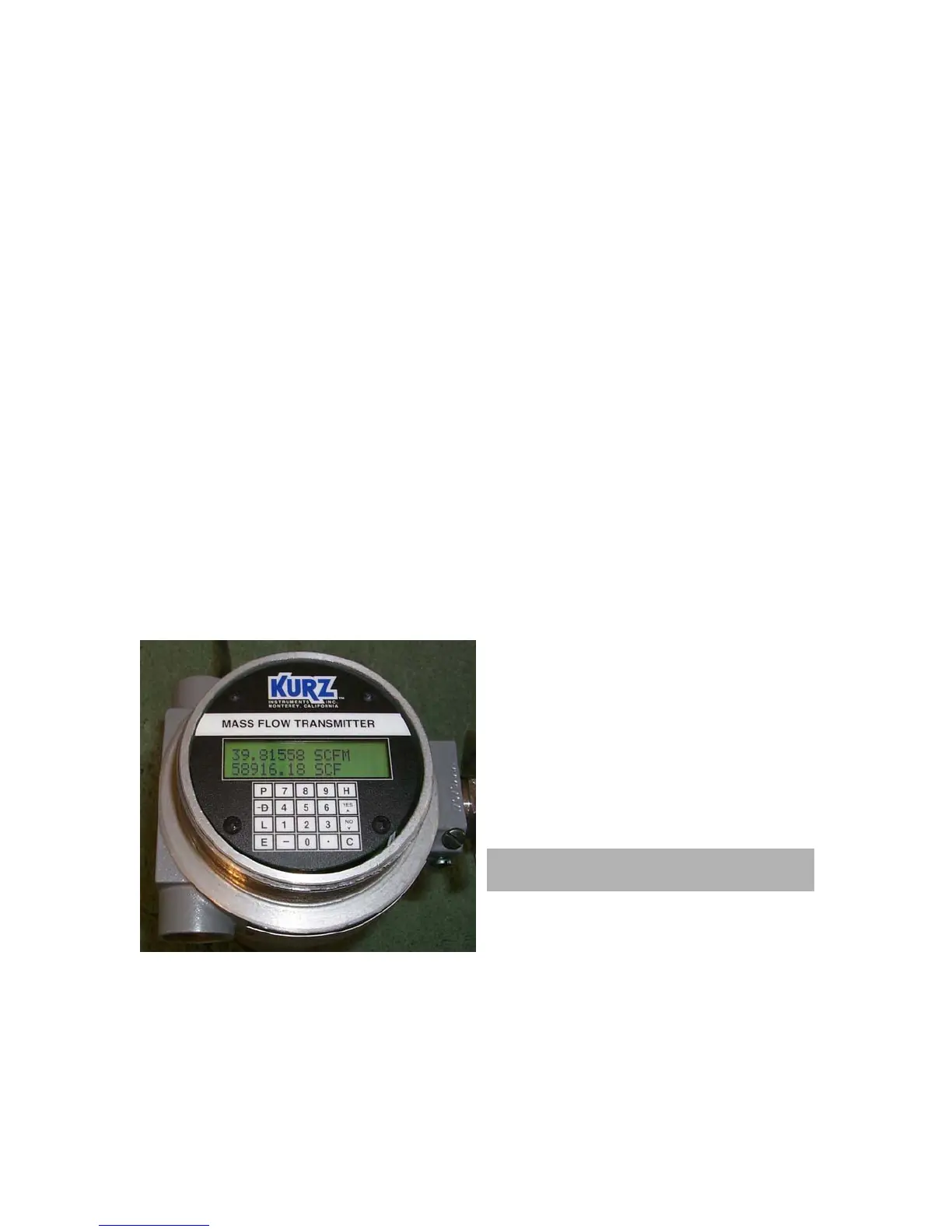
system for their operation. The picture below is for the 454/504/534 and shows a 2x16
character display and 20 key data entry pad.
D = Display Mode
P = Program Mode
L= Forced Log on the serial port.
E = Entry
C = Clear
H = Hold, HH = help
^ = increment, yes etc.
v = decrement, no etc.
View only code for the MFT B-Series is
123456 and Tech or edit code is 654321.
When in a menu area, you can advance
with D or P and sometimes you need to
use E to select the area your want to enter. If typing data on the keypad, you can use D
to backup one character or C to clear the whole entry. You can select items in a choice
menu with the
^ and v keys. You can exit menus or Program Mode by pressing C
several times progressively leaving the menu tree you are in.
360208-D Models 155, 454FTB, 504FTB, 534FTB 12



 To Next Page