Kurz Instruments, Inc. 831-646-5911
2411 Garden Road www.kurzinstruments.com
Monterey, CA 93940
Field Calibration.
This is the most difficult part of setting up an insertion flow meter. On the other hand, an
In-Line meter does not needed this step as it is already calibrated to read flow with its
area, blockage and correction factors built in already.
To perform a Field Calibration, a reference flow method is used to know the true flow
while noting the indicated flow from the meter. This is best left to experienced users or
professionals who know how to do it. See the manual if you want more information on
this.
Tag/Labeling of the Meter
The best way to change a meter’s label is to use the Keyboard on your Laptop because
non-numeric characters are hard to do with the Kurz 4x5 numeric keyboard. (see manual
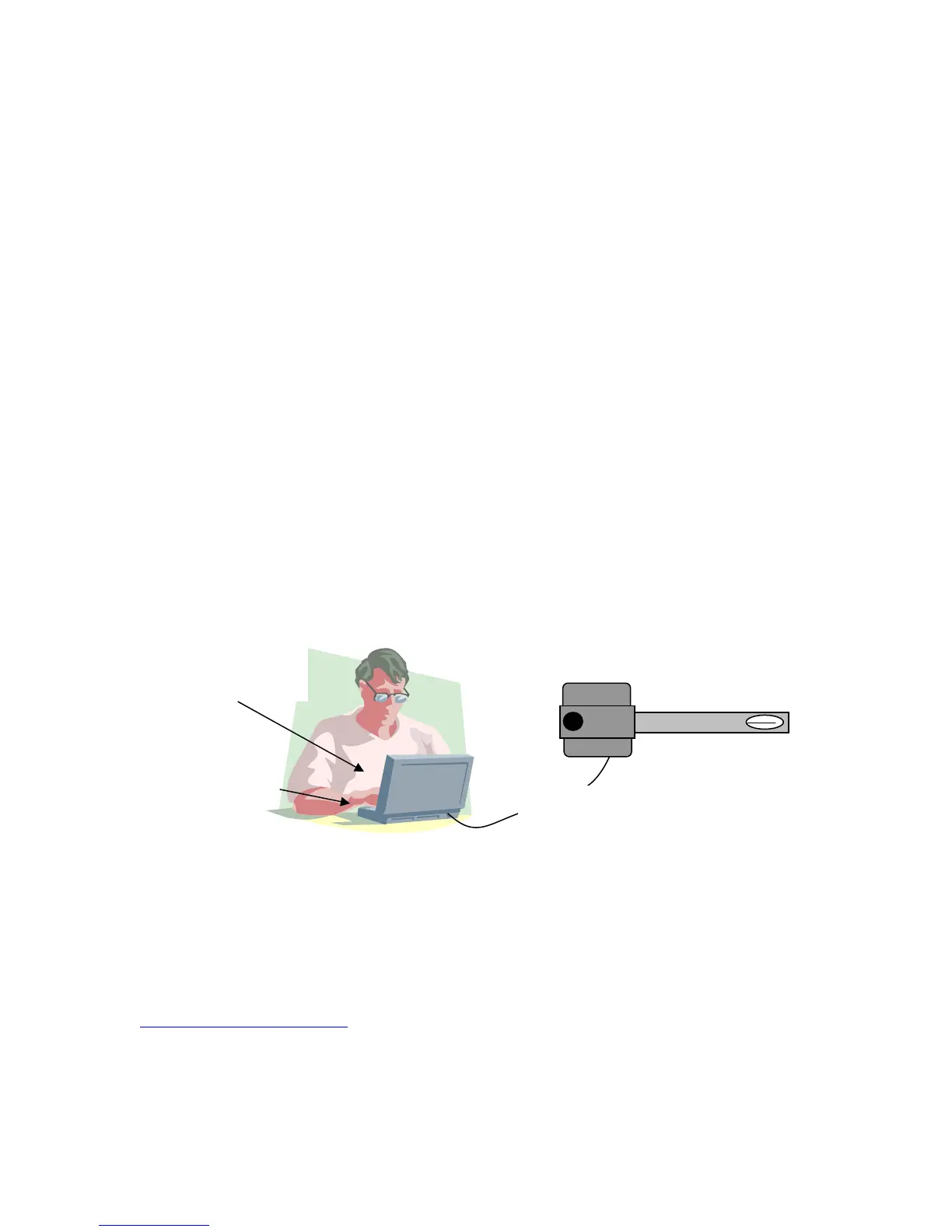
if you are using the local keypad/display). Plug the USB cable between the meter and
PC.
The Kurz USB driver must be installed on the PC for this to work; the USB
software is on the same disk as the full product manual.
After the driver is working, the USB connection will enumerate at say COM3 (depends
on the number of serial ports). You can check the COM port number using the Windows
Device Manager then select Ports.
USB
Use the Tera
Term Program
KURZ USB
driver software
On the PC start a terminal emulator program like Tera Term, then using the lower case c,
d, p, enter and other keys to navigate the menus and make changes. If it is not already
echoing the LCD display, you start/stop the communications with the + key and will see
a dialog like shown below. The unit shown below had its Echo turned on where a list of
terminal commands was shown then it started scrolling its meter data with their tags.
Note, Tera Term can be installed from the CD manual or downloaded for free at
http://ttssh2.sourceforge.jp/ . As of this printing it is at version 4.62 and works on all
versions of Windows, 95 to Vista. The program can be installed for the English,
Japanese or German language.
360208-D Models 155, 454FTB, 504FTB, 534FTB 16



 To Next Page