Kurz Instruments, Inc. 831-646-5911
2411 Garden Road www.kurzinstruments.com
Monterey, CA 93940
Temperature DEGF, DEGC (only on T versions or K-BAR-2000(B) elements)
To change the type of units you press the P key to enter Program Mode, then the
access code and E. Now press P to advance to the “SET METER #1 FLOW”
menu then press E then using P advance to the screen “DISPLAY NEXT ^v
FLOW IS XXXX” where the ^v arrows are used to choose the value XXXX
followed by E. It will say new value accepted if you make a change. Last press
the C key a few times to exit Program Mode.
Reference Temp and Pressure for Standards.
The selected standard flow or
velocity is the same as actual at the temperature and pressure known as the “standard.”
Typical standards are 77 °F, 14.69 PSIA, or 0 °C, 760 mmHg. With the 155 flow
computer the reference conditions are determined at the factory and are not field
programmable. With the 454, 504, 534 you can separately set the temperature and
pressure of the standard conditions. After you have done so it will compute the new
standard density then modify all the calibration data so it reads the same flow rate as
before but now referenced to a new standard density.
To change the standard conditions, you enter Program Mode and advance to the
“SET FLOW CAL DATA” menu, scroll down to the menu “NEW TEMP
REF” or “NEW PRESS REF.” After making changes you press E. It will
confirm the change and show the new reference density in this menu. Last you
press
C a few times to exit Program Mode.
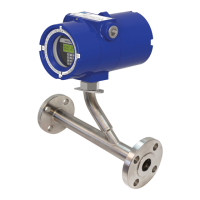
Note: The options you see for units depends on
whether the meter is an insertion or in-line type.
Example Reference Condition Change.
100 SCMH at 0 °C , 760 mmHg will indicate 109.1 SCMH at 25 °C 760 mmHg.
360208-D Models 155, 454FTB, 504FTB, 534FTB 15



 To Next Page