Kvaser Leaf Installation Guide 14(17)
Kvaser AB, Mölndal, Sweden — www.kvaser.com
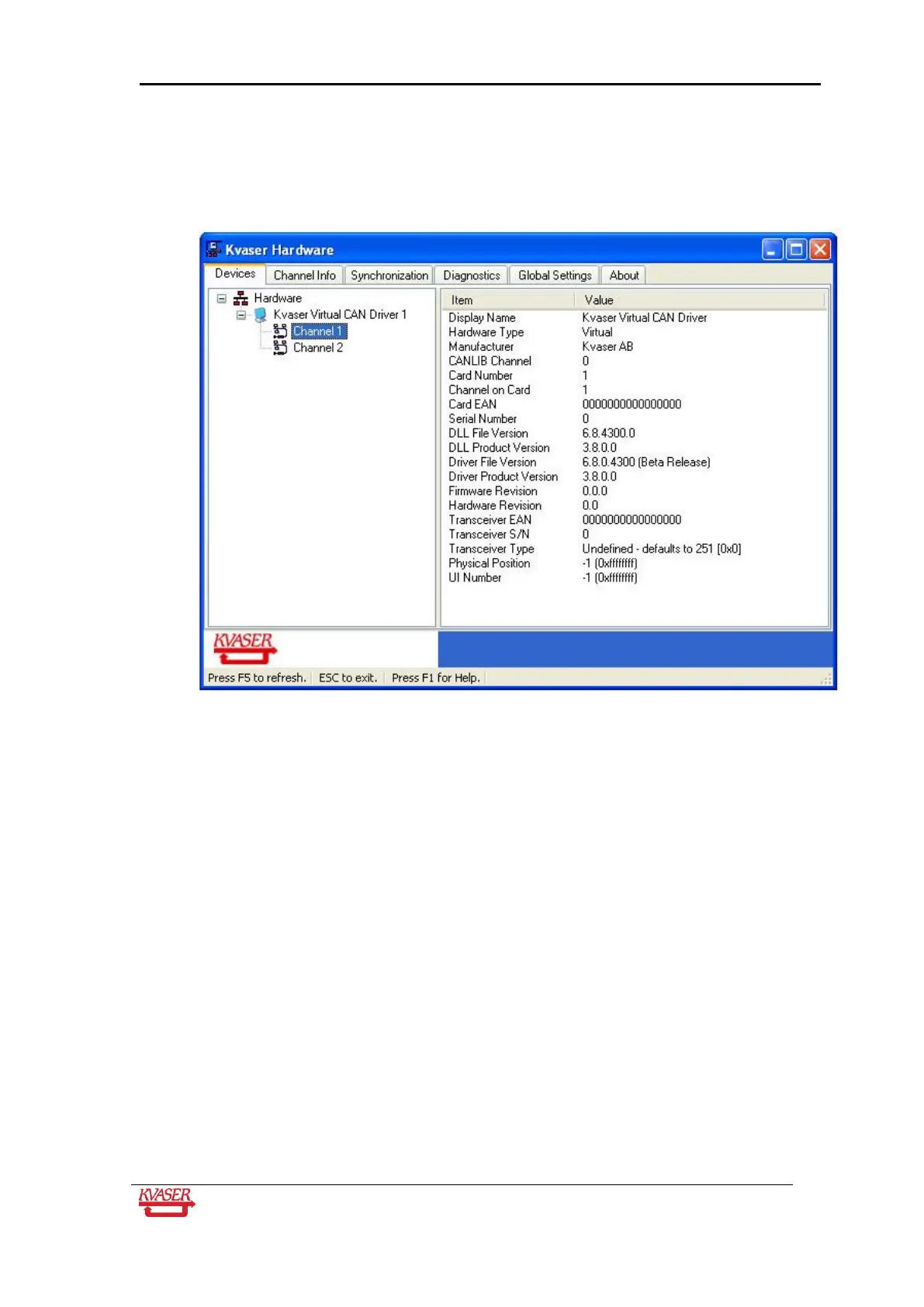
Open the Kvaser Hardware program. Double-click on the abovementioned icon. You should
see a window like the one shown below. This program handles all Kvaser Hardware that is
connected to the computer. The virtual drivers are also included. Clicking on a device
channel opens up a panel with more detailed information, for example serial number,
firmware revision, EAN number, etc.
Figure 11: The "Kvaser Hardware" program
If Kvaser Hardware displays information for a particular hardware device, it means that the
basic communication between the hardware and the device driver is OK.


 To Next Page