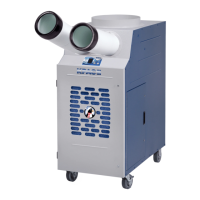
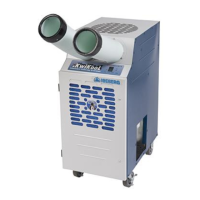
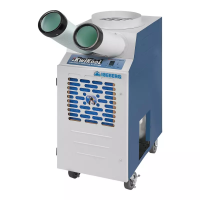
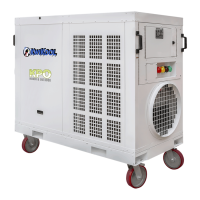
d. To insure your KwiKool unit is stable, the floor on which the unit is to be place
should be level, free of vibration and strong enough to support the weight of your
KwiKool model.
e. Do not move the unit while it is running. Before moving the unit, first unplug the
unit from the power source. Then set the caster locks to the “Off” position,
freeing the casters to roll. Be sure to lock the casters by setting the caster lock to
the “On” position, when the desired position is achieved.
f. Do not tilt or overturn your unit, since this could damage the compressor.
g. Do not place objects on top of your unit.
h. Do not insert your hand or any other object into the cold air supply chutes.
i. Do not operate your KwiKool unit with its service doors open or removed.
j. Close supervision is necessary when the unit is used near children or pets.
k. Your KwiKool unit should not make any abnormal noises or vibrate while in
operation. If this should occur, turn the unit off and call KwiKool at 1-800-
594-5665.
4. UNIT OPERATION – Touch Pad Controls
a. Control Panel – The operation of the unit is controlled by a microprocessor.
The control board is located directly behind the touch pad control. Check the
power supply before unit operation. If a power failure occurs, the unit control
will return to the previous set point.
b. On/Off Button – Depressing this pad will turn the unit on or off each time the pad
is depressed. The unit has a three-minute short cycle protection time delay after
turning on the unit before the compressor startup occurs.
c. Mode Button – Depressing the fan mode button will cycle through the available
modes. The modes are: 1) “Fan” mode, causes the fan to run continuously,
without the compressor in operation. 2) “Cool” mode, causes the both the fan and
the compressor to operate, after the two-minute delay. 3) Heat (if equipped), both
fan and heat elements will operate. 4) Auto (if heat equipped) unit will auto
change between heat and cool.
d. Fan Button Single Speed Models – Models KPAC1011, KPAC1411, SAC2411
and SAC6043. Pressing this pad will cycle the fan from “auto fan” to “fan”, as
indicated by the display. The fan button can be overridden when the mode
switch is set to “fan”.
e. Fan Button for Cold-Air Supply – On 3-speed models pressing the fan button
will cycle the fan speed from “Low” to “Medium” to high to “Auto Speed”. “Auto
Speed” will automatically adjust the fan speed based on the current cooling
demand from the compressor load. For continuous cold air fan operation on
all units, press and hold down the fan button for 3 to 5 seconds, until the
display showing “auto” disappears. You can continue to press the fan
button to change the fan speed. Placing the unit in “Fan On” mode can
improve air circulation while retaining the appropriate cooling response.
f. F/C Button – Pressing this pad will cycle the display between Fahrenheit and
Celsius temperature measurement. Note: For ambient temperatures in excess of
99 degrees F., the display will flash “99”, indicating an ambient air temperature
exceeding 99 degrees.
g. Up (+) and Down (-) Arrow Buttons – Depressing these keys will change the
temperature set point. During normal operation the display shows the incoming
air temperature. When either arrow is pressed the display will change to the
setting temperature and the word “Set” will be shown on the display, indicating
target temperature set point. The display will revert back to ambient temperature


 To Next Page
 Loading...