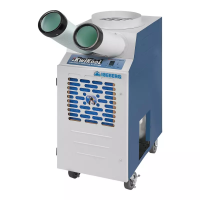
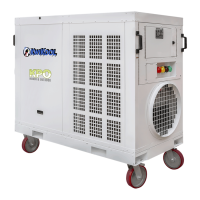
KWIKOOL KPO PORTABLE AIR CONDITIONERS
14
NOTE
The heat function on KwiKool KPO systems will not require a time
delay or compressor operation; therefore, there is no delay in
starting and no need to manage condensate water or condenser
air discharge.
OPERATING MODE, AUTO COOL/ HEAT (optional) .
1. Set the mode to HEAT COOL. Both icons are displayed in this mode.
2. Enter the set point using the UP or Down arrows.
3. The system will automatically shift between cool or heat, based on demand within a 4-degree tem-
perature difference when turned ON. See the example below for more information.
EXAMPLE
The set point is 72 F. The system is set in the HEAT/COOL Mode. The room reaches the set point in
COOL mode and the compressor cycles off. If the temperature in the room continues to drop and gets
down to 70 F, then the HEAT mode will start and heat will come on until the set point of 72 is reached.
The heat then cycles off. If the temperature continues to rise and gets to 74 degrees, the system
switches to COOL mode and cools the space to the set point and then cycles off. The cooling or heat-
ing icon flashes on and off to signify which operation is currently on and the system operates the se-
lected Fan feature for each function.
TECHNICAL SETTINGS
Access into these operations is described later in this manual. Users and technical staff menus all have
different features that allow access into settings and certain functions of the control based on infor-
mation supplied by the engineers.
CYCLING OF POWER ON/OFF BUTTON:
1. After the system has reached its set point in Cool or Heat mode it will automatically cycle off or the
user may choose to turn the system off by selecting OFF.
2. If the unit cycles off or is turned off, the time delay will always activate when the system again calls
for cooling
3. When cycling off by making the set point, the supply air fan stays on in Heat mode. In Cool mode,
the fan stays on only if MANUAL FAN is selected.
4. Heating or cooling will begin automatically when the temperature rises above or below the set point,
depending on the chosen mode.
5. Turning the system off manually will turn the evaporator fan off and not allow the system to restart
until the control is set to ON and the return air temperature is near the set point.
6. In FAN mode the supply air fan only shuts down when OFF is selected.
7. In Heat mode, the supply air fan can still operate when turned OFF to cool the heat strips. if the
system was turned off before the heat cycle was complete, the fan will shut down when the strips
are cool.


 To Next Page
 Loading...