25
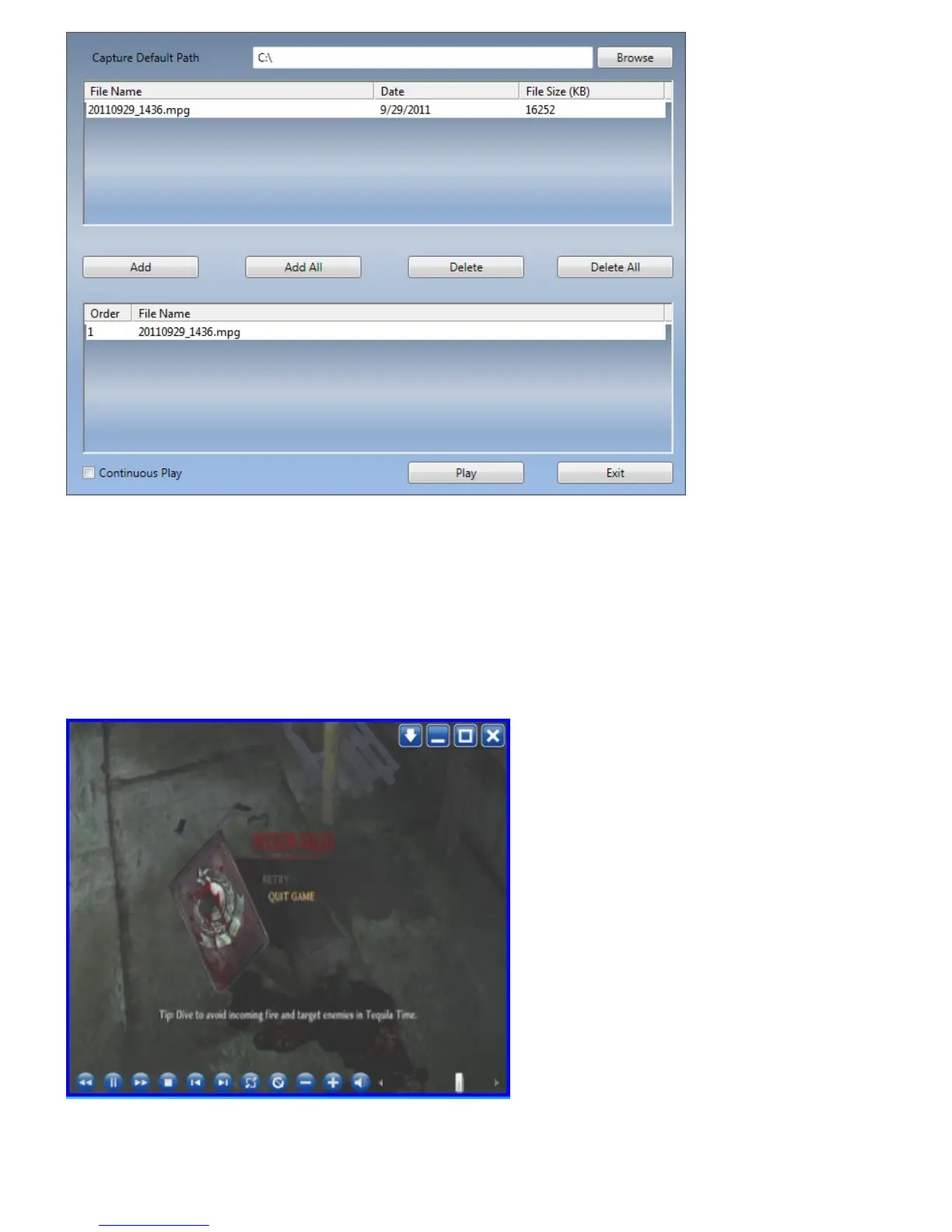
․Add: add a selected file to the playlist at the bottom half of the window
․Add All: add all the files to the playlist
․Delete: delete a file from the playlist
․Delete All: delete all the files on the playlist
․Play: play the selected file that is in the playlist at the bottom half of Playback
․Exit: exit Playback
When you select a file for playback, TiVme will play the video for you in another screen as illustrated
below.


 To Next Page