6
Chapter 2: Software Installation
Step1.
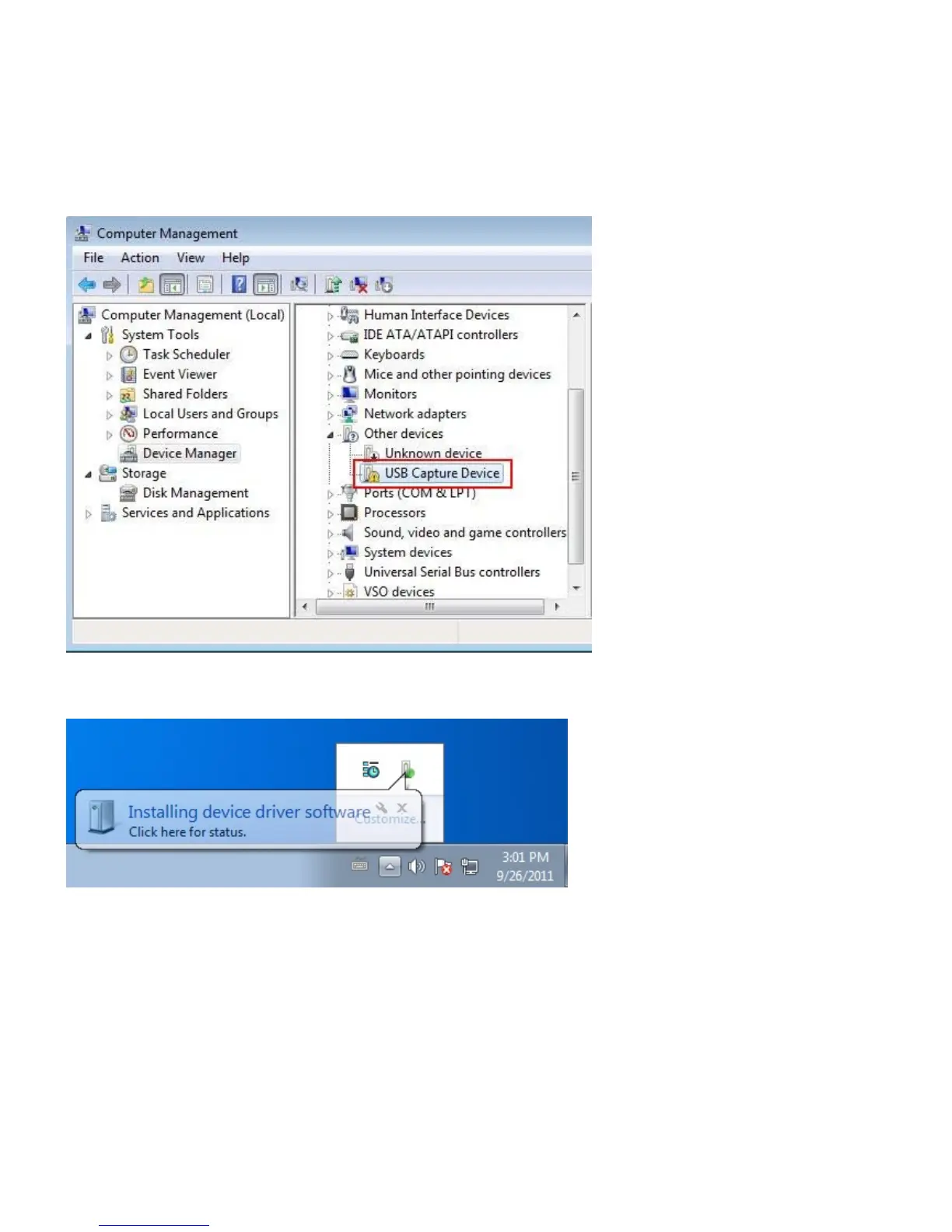
(1) First, please check GM220 whether has been connected in USB port of desktop/laptop and detected in
the『Device Manager』list before the start of software installation. (Figure1)
(2) You can close the dialog window first (Figure2) while the system detects GM220 at the lower right
corner.
(Figure1)
(Figure 2)
Step2.
(1) Please wait for the installation screen to appear after you insert the installation DVD into your
DVD-ROM.
(2) The installation screen will appear and recommend to choose “Multimedia software and driver”.
For advanced users, they can skip to the “Utility” to install the software and program individually.


 To Next Page