50
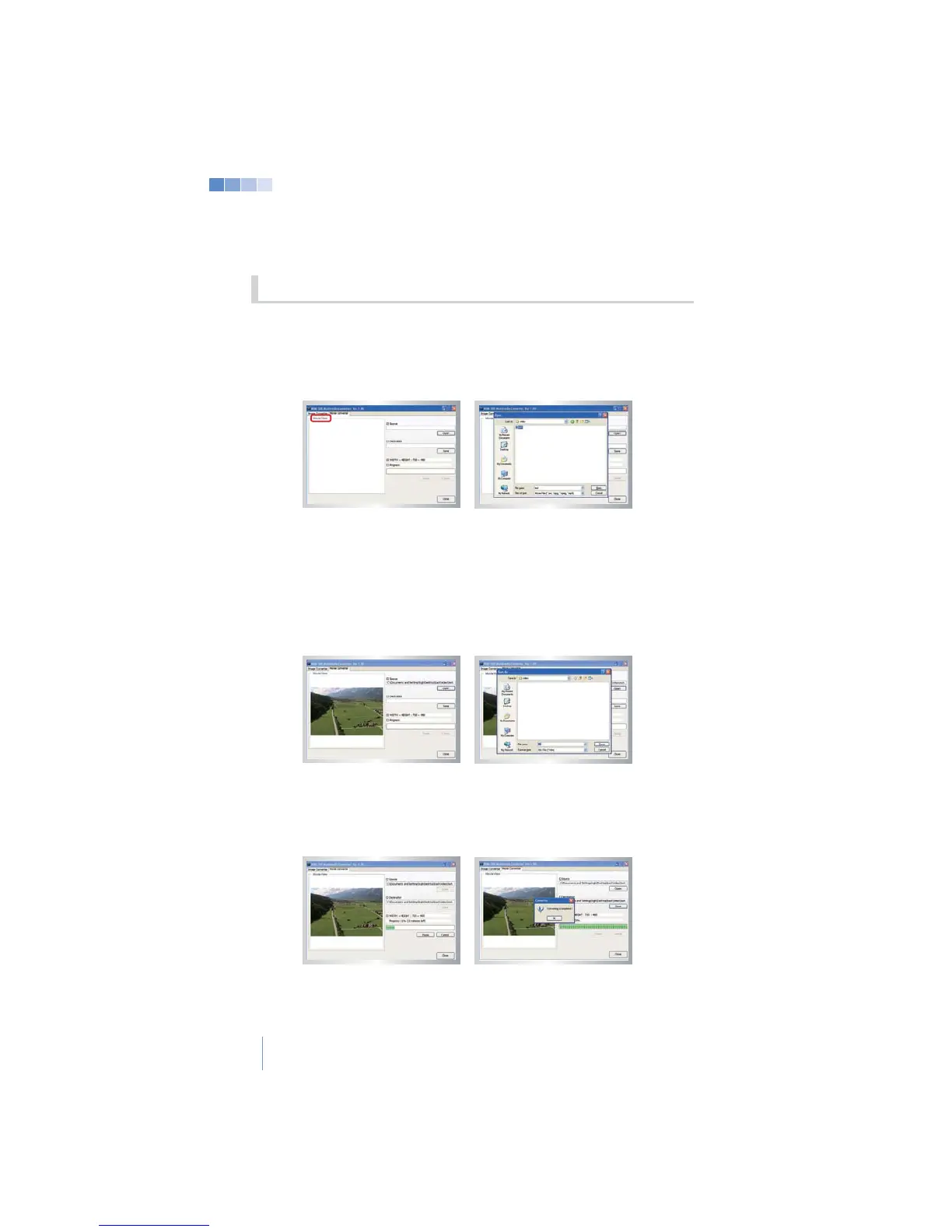
1) Open the “KHM500 Multimedia Converter” program and select
“Image converter”.
2) Click the “Open” button to select the image you wish to use as a
background.
3) Once a video is selected click the “Open” button and the selected image
will be displayed on the left window pane.
recognized by the system E.G. (video-name.kbm)
> If the “Pause” button is clicked while the video is converting, the converting
process is paused. Clicking the “Resume” button continues conversion.
> If “Cancel” is clicked during converting, the converting is cancelled and the
6-3 Video Background


 To Next Page