Phone Basics 11
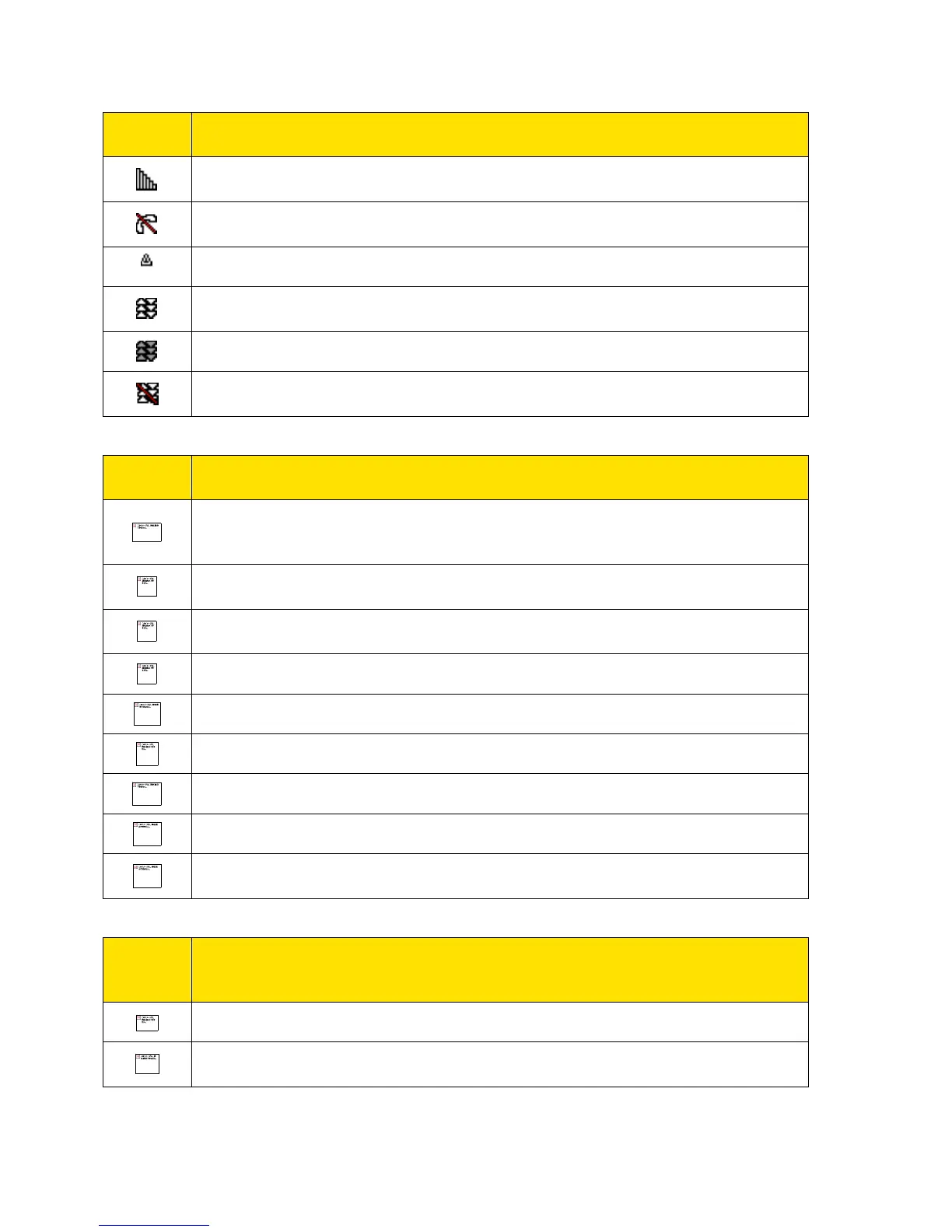
Signal Strength – Your phone’s current signal strength. (More bars = stronger
signal.)
No Service – Your phone cannot find a usable signal.
Roaming – Your phone is “roaming” off the Nationwide Sprint Network.
Data Service Active – Sprint 1xRTT data service is available. When active,
the icon is animated.
Data Service Dormant – Sprint 1xRTT data service is currently dormant.
Data Service Unavailable – Sprint 1xRTT data service is currently
unavailable.
Battery – Your phone’s current battery charge level. (The icon to the left
shows the battery is fully charged.) The icon is animated while the battery is
charging.
Location On – Your phone’s location feature is on and available for location-
based services such as GPS.
Location Off – Your phone’s location feature is off. Your location is available
only for 911.
Silence All – Your phone’s sound is turned off.
Vibrate All – Your phone’s sound is turned off but vibrate is turned on.
Ringer Off – Your phone’s ringer is turned off.
1 Beep – A beep sounds when you receive an incoming call, a message, etc.
1 Beep and Vibrate – 1 Beep and vibrate are set.
Ringer and Vibrate – The volume level is set to between 1 and 8 and vibrate
is turned on.
Messaging
and
Alert Icons
New Messages – You have one or more new messages waiting.
New Voicemail Messages – You have one or more new voicemail messages
waiting.




 To Next Page