Phone Basics 18
Select a Text Input Mode
Your phone provides convenient ways to enter letters, numbers, and symbols whenever you are
prompted to enter text.
1. From a screen where you can enter text, press OPTIONS (right softkey) to change the
text mode. (If you are in the message entry screen, press OPTIONS [right softkey] >
Text Mode.)
2. Select one of the following options:
Abc to enter characters using the alphabet mode. (See ABC Mode.)
XT9Word to enter text using a predictive text system that reduces the number of
keypresses required while entering a word.
Symbols to enter symbols.
Smileys to enter smile icons.
Emoticons to enter “emoticons.” (This is available, for example, when composing a
message or when editing a Schedule or To Do description in Calendar.)
Paste List to paste copied or cut text (if applicable).
Web Shortcuts to enter Web shortcuts (for example, www., http://, or .com).
Text Options to display the text entry options menu (if applicable). (See Set Text
Entry Options.)
Tip: When entering text, press to change the capitalization style as Abc > ABC > abc
(Abc mode), or as XT9Word > XT9WORD > XT9word (XT9Word mode). The selected
style is displayed in the bottom-right corner of the screen, above the right softkey label (if
applicable).
XT9 Smart Input
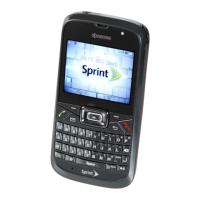
XT9 Smart Input helps eliminate errors caused by keypress errors when using a small
QWERTY keyboard. (To select the XT9Word mode when entering text, see Select a Text Input
Mode.)
XT9 Smart Input uses a predictive word database to provide a selection list that enables word
prediction and word completion, and features like smart punctuation and auto accenting to
analyze the letters you enter and create a suitable word. (The word may change as you type.)
1. Select the XT9Word text input mode.




 To Next Page