Calendar & Tools 75
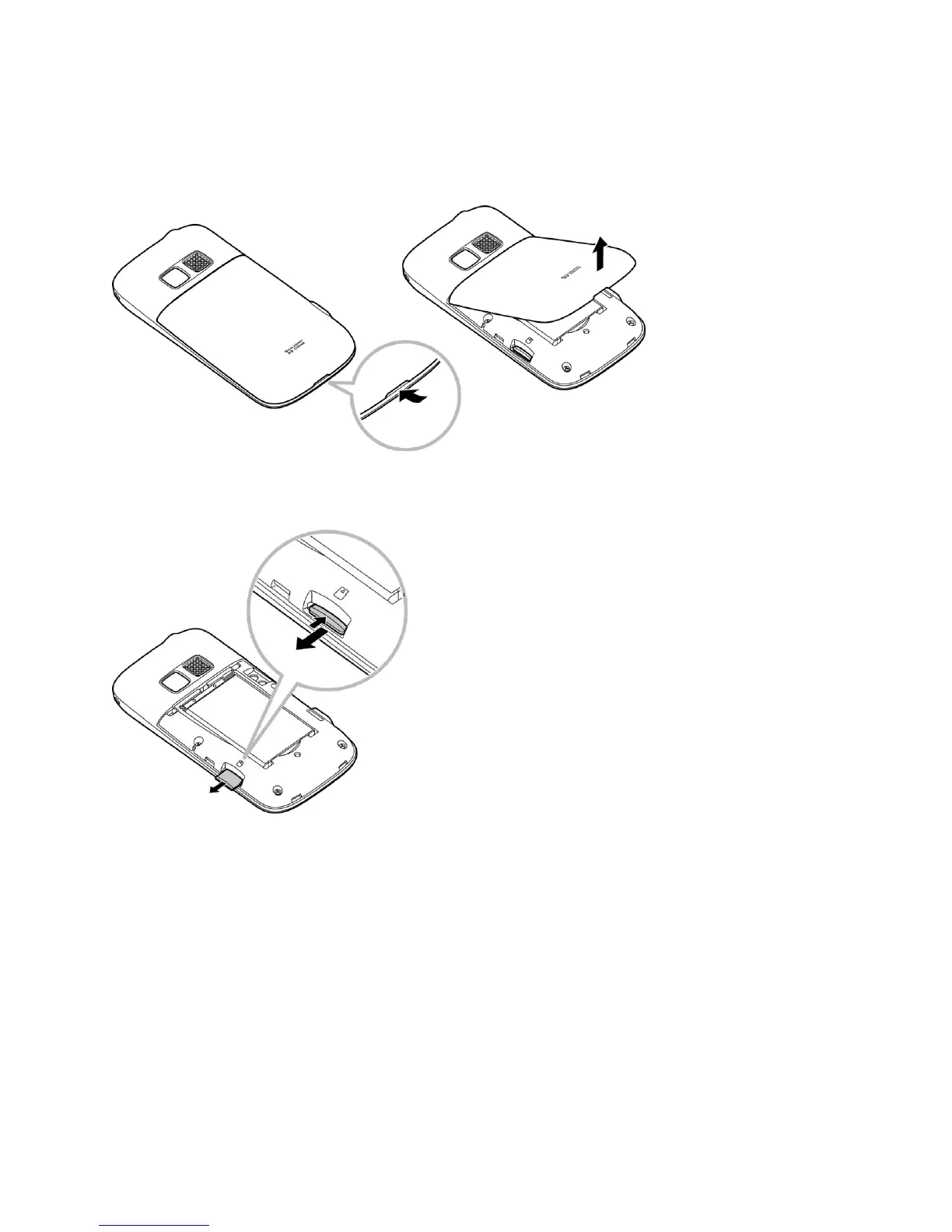
Remove the microSD Card
1. Insert a flat object into the slot at the bottom of the battery compartment cover and lift up
gently to remove.
2. Push the card inward slightly and release, causing it to come about halfway out of the
slot.
3. Gently remove the card from the slot.
4. Replace the battery cover.
Note: You can easily damage the microSD card by improper operation. Please be careful
when inserting, removing, or handling the microSD card.
Note: Make sure your battery is fully charged before using the microSD card. Your data may
become damaged or unusable if the battery runs out while using the microSD card.
Create Folders in the microSD Card
The following steps allow your phone to create default folders for storing files in your microSD
card.











 To Next Page