7
cradle)andplugtheRJ45connectoroftheHeadsetintothe
corresponding RJ45 receptacle on back of the
AdvanceCommunicator™
2.Onceconnected,audiowillbetransferredtotheHeadset.
3.PTTcallscanbemadewiththePTT/SpaceBarorthePTT
buttononthecableontheHeadset.
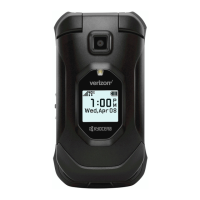
3.FootPedal‐Part#AT8400A(withPart#AT8405A)
1.TousetheFootPedalwiththeAdvanceCommunicator™
unplugtheprivacyhandsetsuppliedwiththeunit(andremove
itfromitscradle)
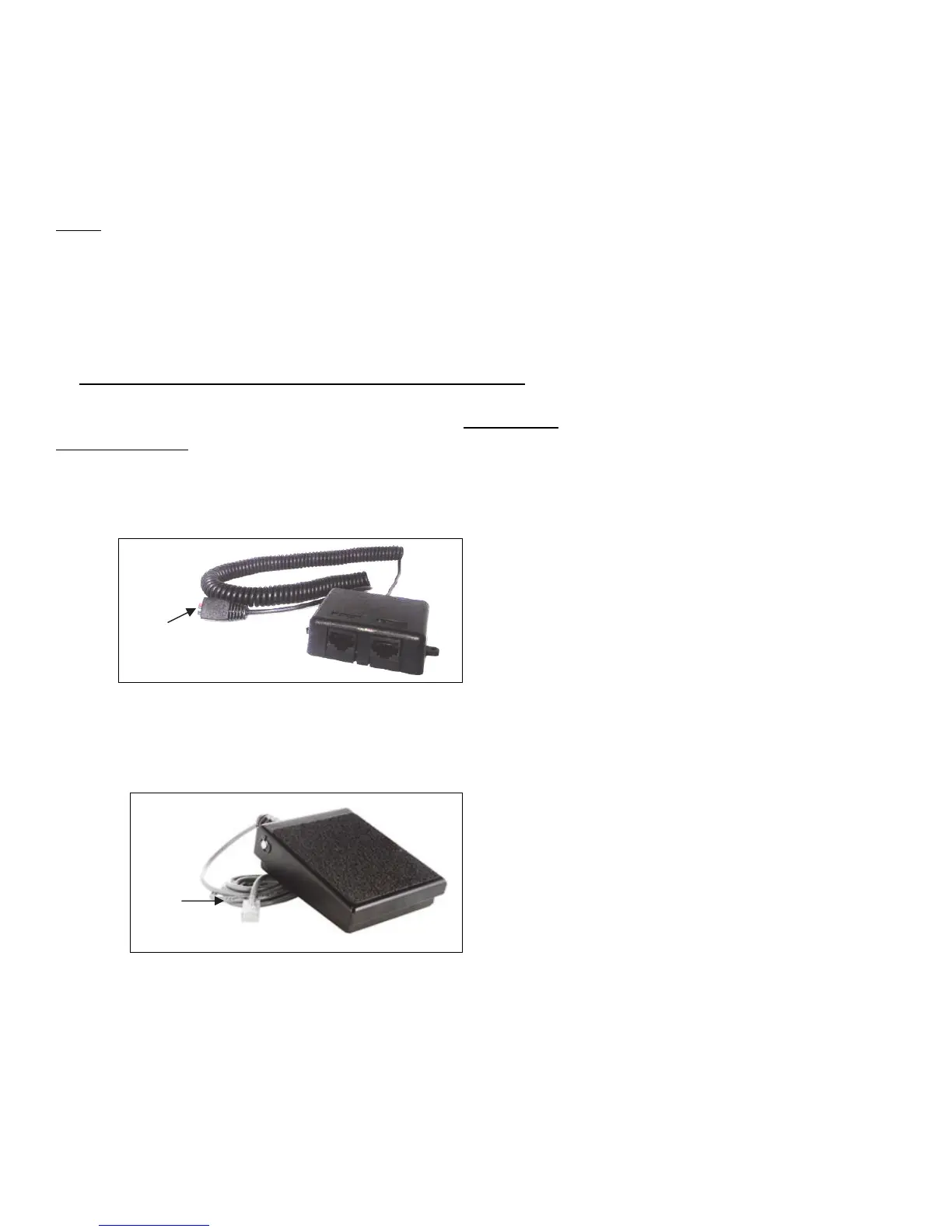
2. Plug the RJ45 connector of the Y Adapter Cable (Part #
AT8405Asupplied)intothecorrespondingRJ45receptacleon
backoftheAdvanceCommunicator™
3. Plug the RJ45 connector of the Foot pedal into one of the
corresponding RJ45 receptacle of the Y Adapter Cable
AT8405A.
RJ45connector
RJ45
connector


 To Next Page