101
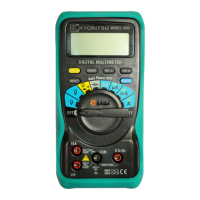
4.5 AUTO POWER OFF Function
<To use the AUTO POWER OFF function>
Thedisplayshowsthe“AUTOOFF”indication.
• Theinstrumentautomaticallyturnsofftwentyminutesafterthelastkeyoperation.
The instrument will beep for approximately 30 seconds to alert the operator before the
AUTOPOWEROFFfunctiontakeseffect.
• Pressinganykeyorswitchwhiletheinstrumentisbeepingpostponesthepower-offtime.
• Turningthefunctionswitchonceafterthe power to theinstrumentisautomaticallyturned
off switches the instrument on again.
<To cancel the AUTO POWER OFF function>
1) Turn the function switch to the OFF.
2) With pressing the HOLD key, turn the function switch to the desired position of any
measurement mode (function).
The“AUTOOFF”indicationturnsoffwhenthefunctioniscanceled.
Note
Additional functions simply set when POWER ON can be used.
<To enable the AUTO POWER OFF function once again>
1) Turn the function switch to the OFF.
2) Turn the function switch to the desired position of any measurement mode (function).
TheAUTOPOWEROFFfunctionisenabledagain.
Thedisplayshowsthe“AUTOOFF”indication.



 To Next Page
 Loading...