12
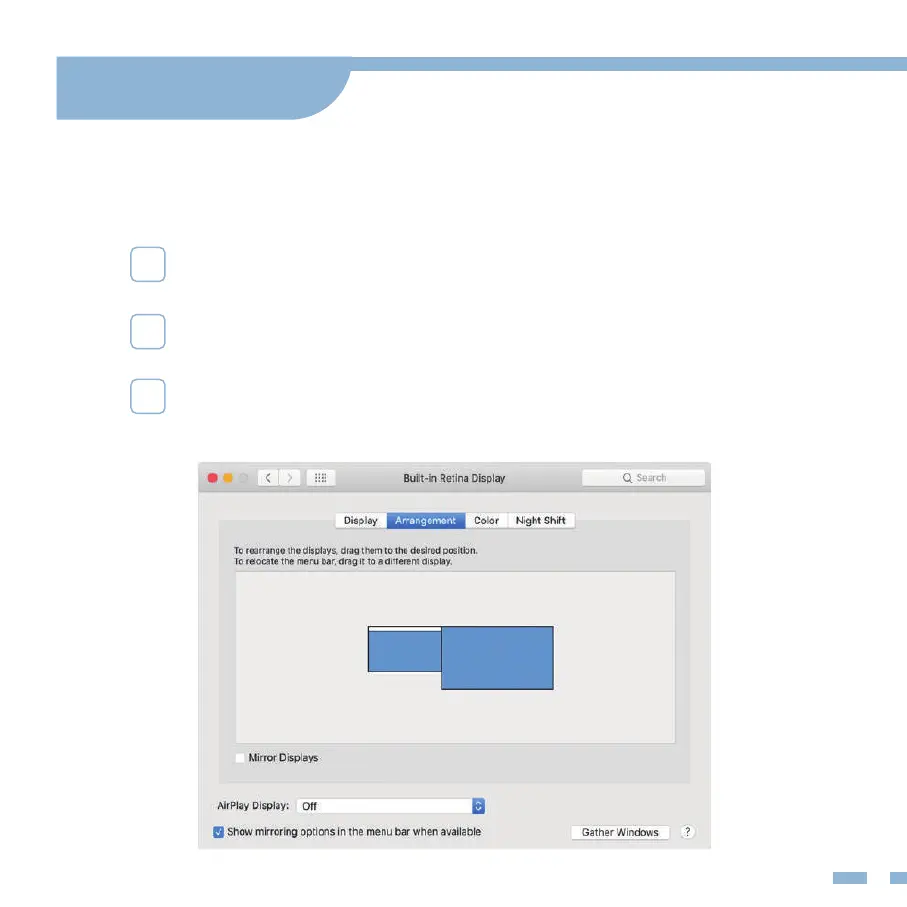
Choose Apple menu > System Preferences, then click Displays.
Multiple-Display Setting for Mac
Click the Arrangement tab.
To change the position of a display, drag it to the desired
position. A red border appears around the display as
it's movable.
Mode Settings


 To Next Page