
 Need help?
Do you have a question about the L3 Communications MPM-1000A and is the answer not in the manual?
Explains the use of WARNING and CAUTION statements for safety.
Safety guideline to avoid electrical hazards by keeping away from live circuits.
Safety guideline to remove metallic objects that may cause shock or burn hazards.
Explains conventions used for accessing information quickly and easily within the manual.
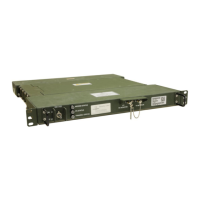
Provides a general description of the MPM-1000A Ruggedized IP Modem and its capabilities.
Lists the components included with the Modem shipment.
Details the minimum PC requirements for hosting the Modem HCI program.
Specifies the Modem and HCI software versions covered by this document.
Lists the digital interface specifications for the Modem, including Ethernet and serial ports.
Describes the controls and indicators on the front and rear panels of the Modem.
Outlines the initial steps for setting up the system for software installation.
Details the PC preparation steps required before installing the Modem HCI software.
Provides step-by-step instructions for installing the HCI software on the PC.
Guides the user through configuring the PC's IP address for Modem communication.
Describes the primary interface for Modem monitor and control.
Familiarizes the user with the HCI GUI, its screens, and functions.
Details the top border segment providing summary status and alarm access.
Explains how to set the IP address for the Modem's CDU port for communication.
Provides steps to install or update software on the Modem itself.
Explains how to launch the Modem HCI application after installation.
Describes the four operational modes of the Modem: MIL-STD-188-165A, NCW, and Maintenance.
Details the procedure for selecting the Maintenance mode for software updates.
Controls Terminal specific parameters set during initial installation.
Manages modem settings like bandwidth segments and frequency references.
Configures satellite parameters, including selecting satellites, beams, and bandwidth segments.
Details how to configure multiple Modems in a stack for increased data throughput.
Guides through terminal calibration using file, manual, or nominal entry methods.
Covers the initialization of TRANSEC and Message Seed Key (MSK) for secure communication.
Provides an overview of NCW network architecture and operation.
Explains the different types of NCW signals used for communication within the network.
Details the process for initiating an NCW network and assuming the role of Network Controller.
Describes various setup tabs for configuring NCW parameters, including advanced settings and QoS.
Guides the user on configuring the Modem to operate as a Network Member (NM).
Explains the different tabs for viewing network status and statistics as a Network Member.
Provides basic steps to follow when encountering problems with the Modem.
Explains how to interpret Modem BIT status and troubleshoot failures using LEDs and indicators.
Offers tables to help identify probable causes and corrective actions for system malfunctions.
Covers setting audible alerts for alarms and managing alarm/event logs.
Details the steps required to update the Human Computer Interface (HCI) software on the PC.
Explains the process of connecting multiple Modems together for stacking operation.
Provides specifications for panel connectors and external interfaces for maintenance purposes.
Depicts the keying scheme used in the NCW network for secure communication.
Describes how Message Seed Keys (MSK) and Passphrases are established and used.
Explains the use of SSH for secure communication of commands and parameters.
Describes how the transmit IF power level is controlled based on operator parameters.
Explains how the Modem receiver gain is adjusted based on anticipated receive carrier levels.
 General
| Brand | L3 Communications |
|---|---|
| Model | MPM-1000A |
| Category | Modem |
| Language | English |

 To Next Page